Yes, absolutely!
You’re in control of who you book with via Blys. Whether you want to see the same provider again, try someone new, or avoid a specific person, we've made it easy to manage your preferences.
There are few ways to do that.
In this Article
- Rebook one of your previous service providers
- Book a specific provider recommended by someone else
- Browse providers in your area
Rebook one of your previous service providers
If you had a great experience before, you can rebook that same provider with just one tap.
Here is a quick guide:
- In your Blys account, go to your past bookings
- Click Rebook next to their name.
|
|
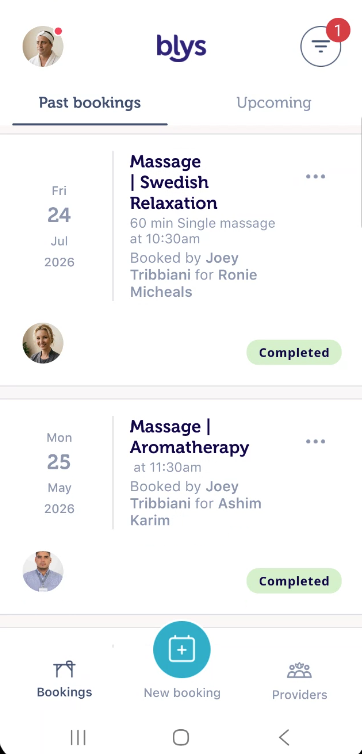
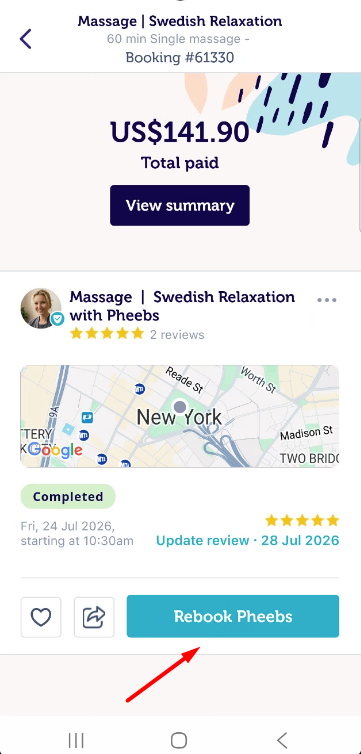
For step-by step instruction please refer to: How to rebook a service provider?
Book a specific provider recommended by someone else
If a someone has recommended a specific service provider, you can ask your friend to share the Provider’s profile page with you by recommending a service provider to their friends. From there, you can simply book that provider directly from their profile page.
Alternatively, you can provide the service provider's name in the "Notes" section of your booking. They'll be able to see your note and confirm your booking if they're available.
Browse providers in your area
If you're a new Blys customer, simply place a booking request through our website or mobile app. We'll match you with the best available service provider based on your preferences, such as gender, treatment type, and location. If you want a different match, you can cancel and rebook. Keep in mind that cancellation fees may apply.
Not sure who to choose? You can check: How to check available therapists in your area?
And if you want to go one step further, you can browse and filter providers near you by:
- Location
- Service type (massage, beauty, etc.)
- Treatment type
This helps you find the right match before you confirm.
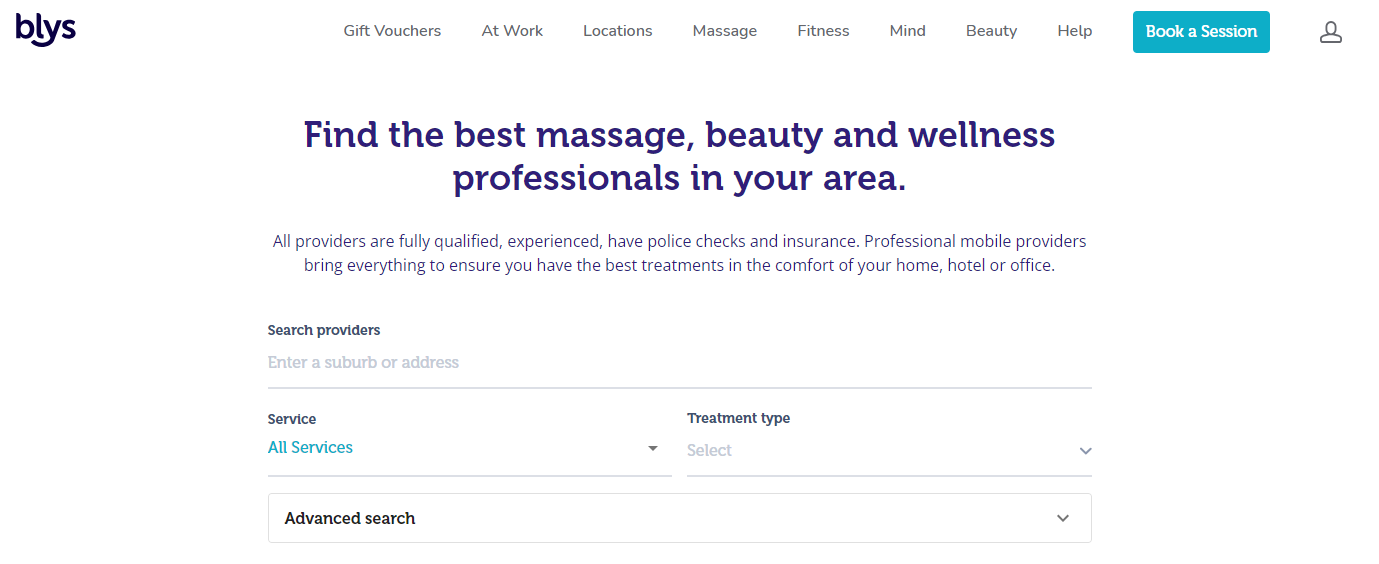
You may also do this on your app by following the steps below:
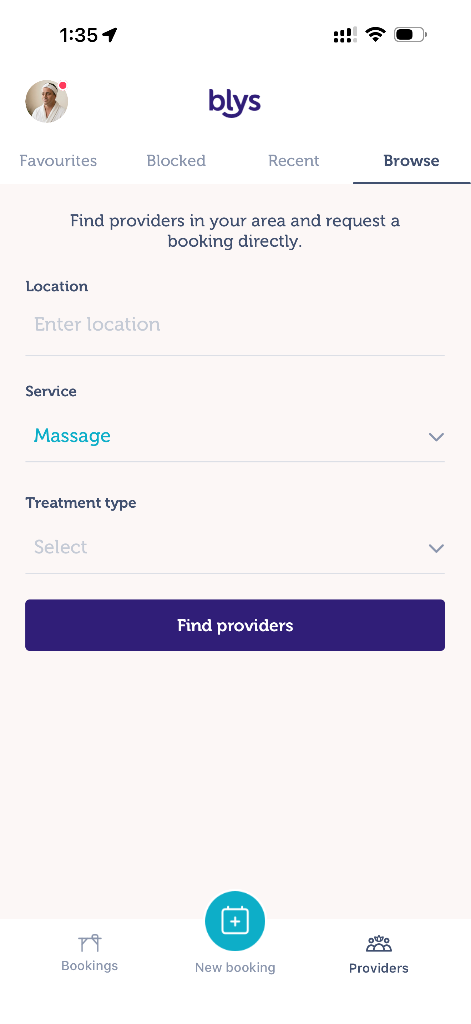
- Hop on to your mobile app, then tap on Providers.
- Enter your location.
- Select the Service and Treatment Type.
- Tap on “Find providers”.
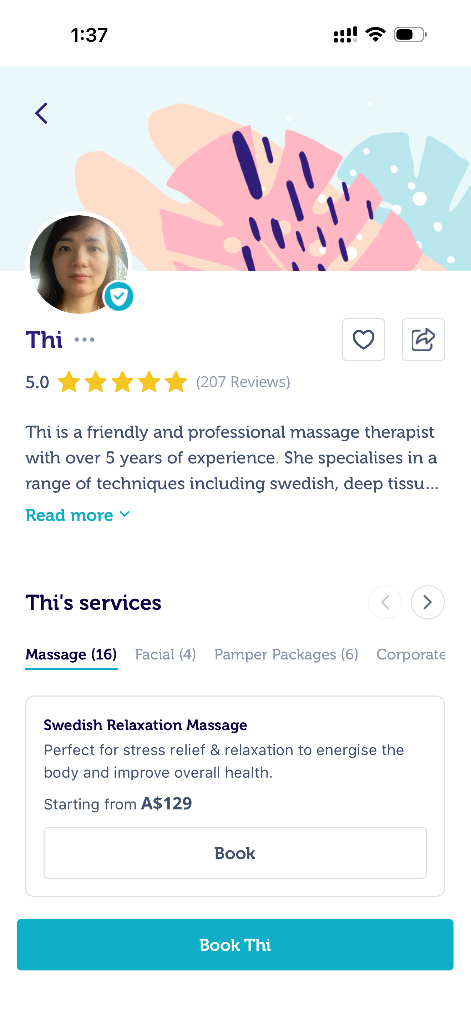
- You may continue to browse and select the provider that you wish to book from the directory. Once you've chosen your provider, just simply tap their profile.
- You will have an overview of the provider's profile. If you wish to proceed, simply tap on 'Book'.
|
|
|
|
|
|
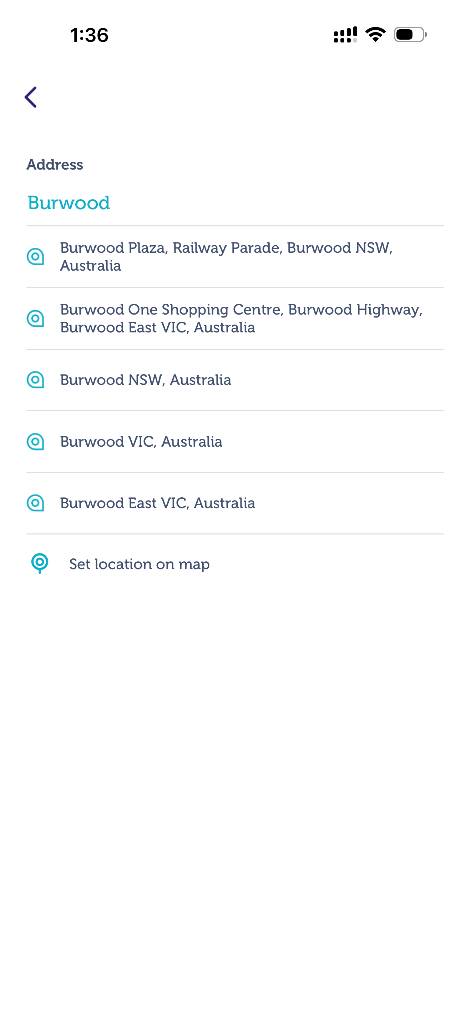
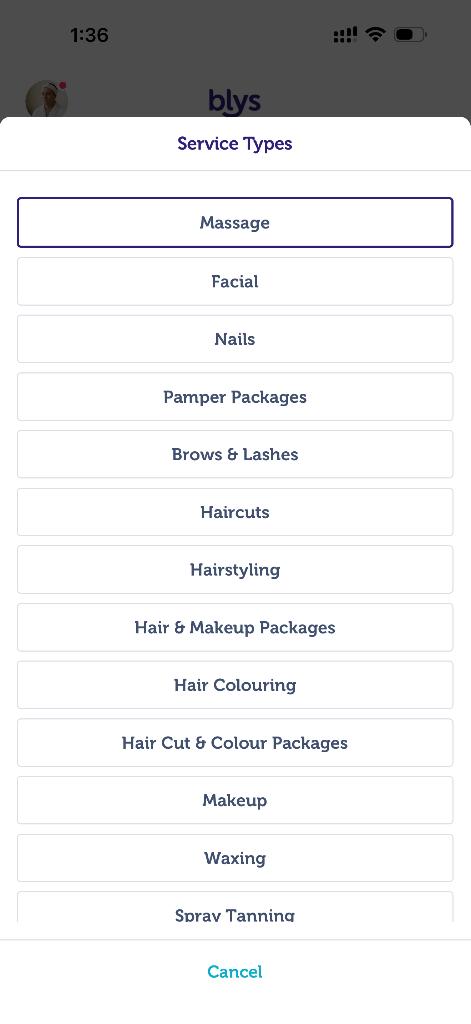
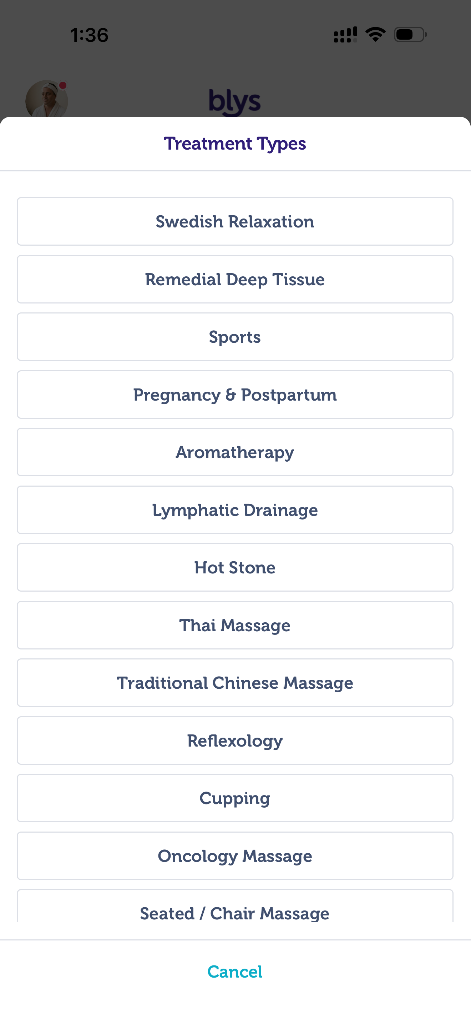
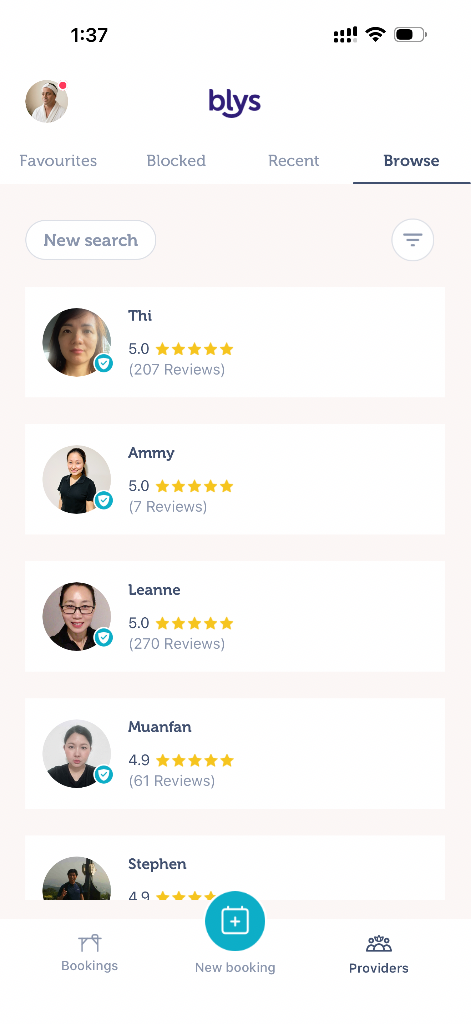
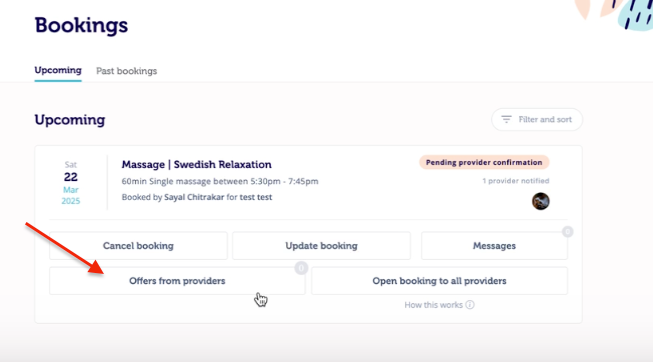
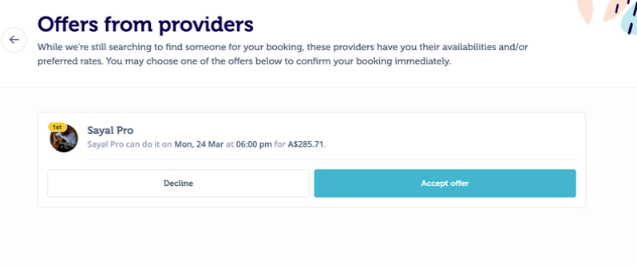
Please note that once a service request is sent to a specific provider, they may respond with their preferred payout or suggest a different time based on their availability.
You’ll have the option to either accept or decline the offer as it best suits you. However, kindly be aware that you will not able to negotiate or bid rates with providers, as service fees are fixed and already quoted within the platform.
If you don’t hear back from the provider, you also have the option to “Open booking to all providers.” This will make your booking visible to all available providers in your location and automatically cancel the direct request sent to the specific provider.
Opening the booking to all providers can help your booking get accepted faster.
If you’re not satisfied with the direct booking or the offer provided, you’re welcome to message the provider through the in-app chat or reopen the booking to all available providers. For guidance, please refer to How can I contact my service provider?
If you have any questions, feel free to contact us. Our team is available 24/7 to help.
You might also like: How do I Book?