In this article
How do I update my preferred client gender?
Providers are now able to personalise their job notifications by selecting the gender of clients they want to receive bookings from.
Via Web
Please refer to this video tutorial for more clarity on How to update my preferred client gender via web?
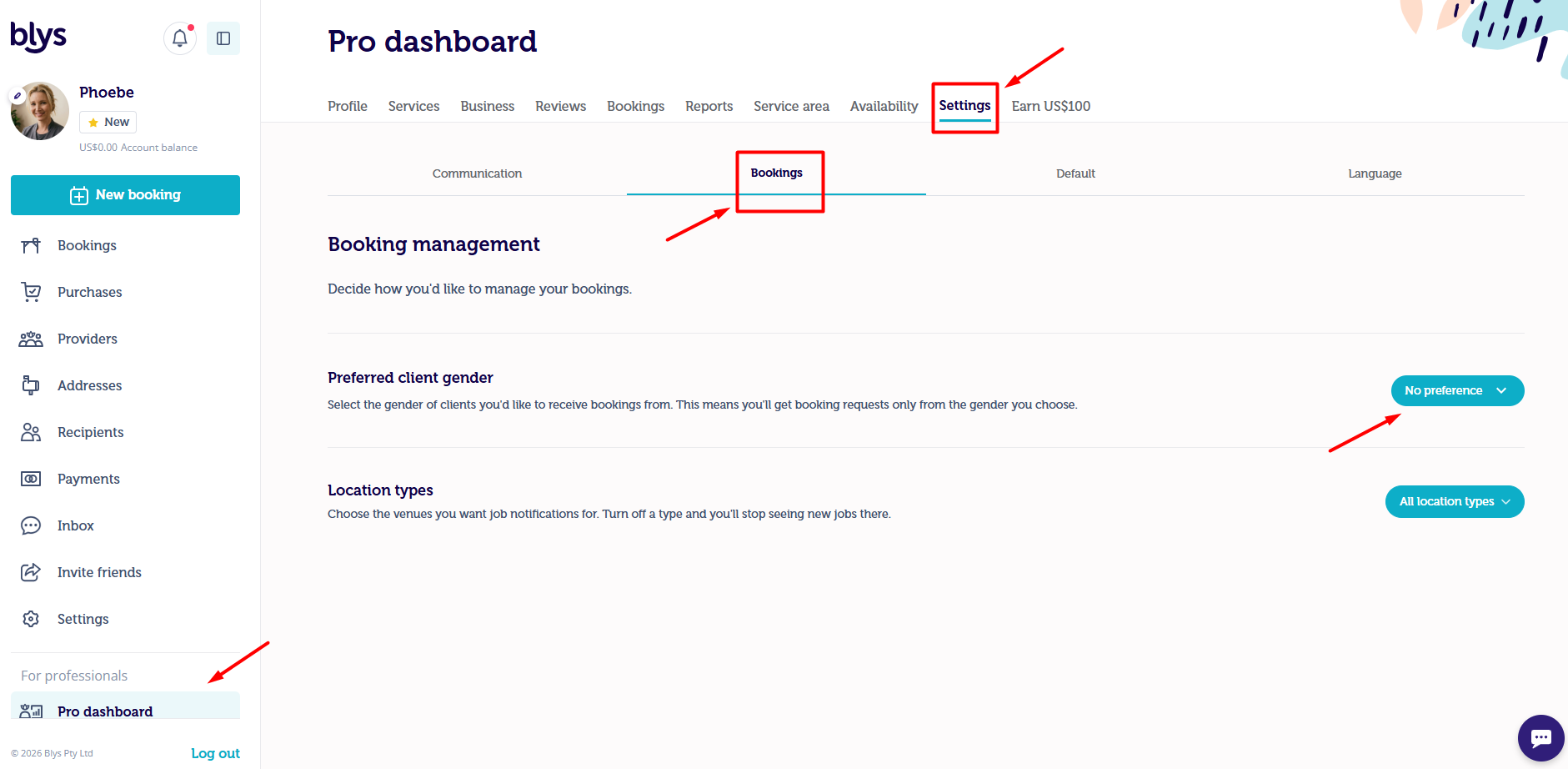
- Once you log into Blys, navigate to the Pro Dashboard, and go to Settings. Click on Bookings.
- Booking Management section, you can select the gender of the client you would like to receive bookings from in the Preferred client gender section. Once you select the preferred gender, you will receive a notification that the preferred gender is updated.
- Please note that this doesn't apply to direct booking requests. Clients can still book you directly.
Via App
Please refer to this video tutorial for more clarity on How to update my preferred client gender via app?
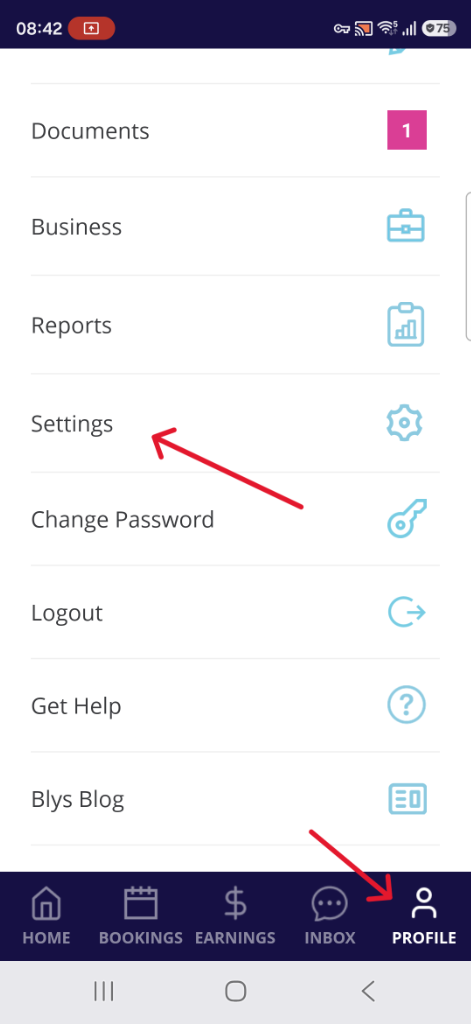
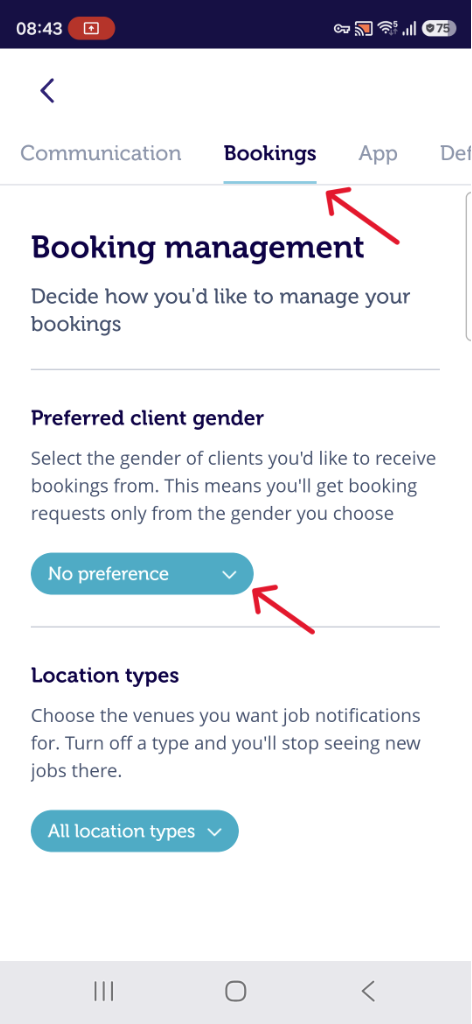
- On your Blys pro app, navigate to Profile and go to Settings. Then, tap on Bookings.
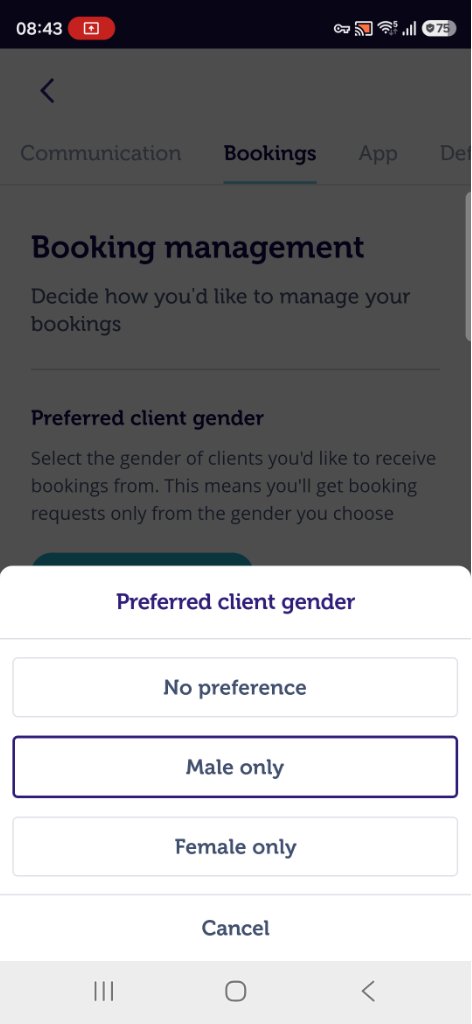
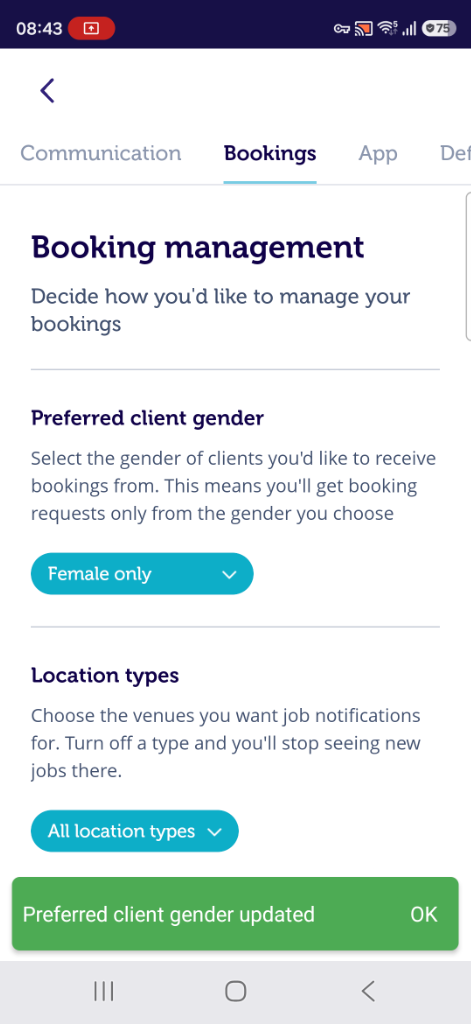
- Select the gender of the client you would like to receive bookings from in the Preferred client gender section of the Booking management section. Once you select the preferred gender you will receive a notification that the preferred gender is updated.
- Please note that this doesn't apply to direct booking requests. Clients can still book you directly.
|
|
|
|