When you create a Blys account, you get your own professional profile / booking page which you can use and share to promote yourself with clients online.
Here's how:
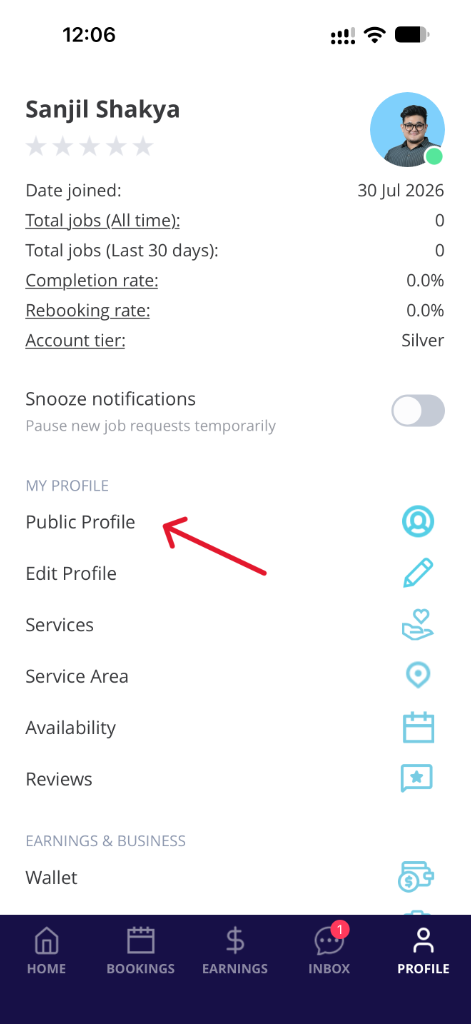
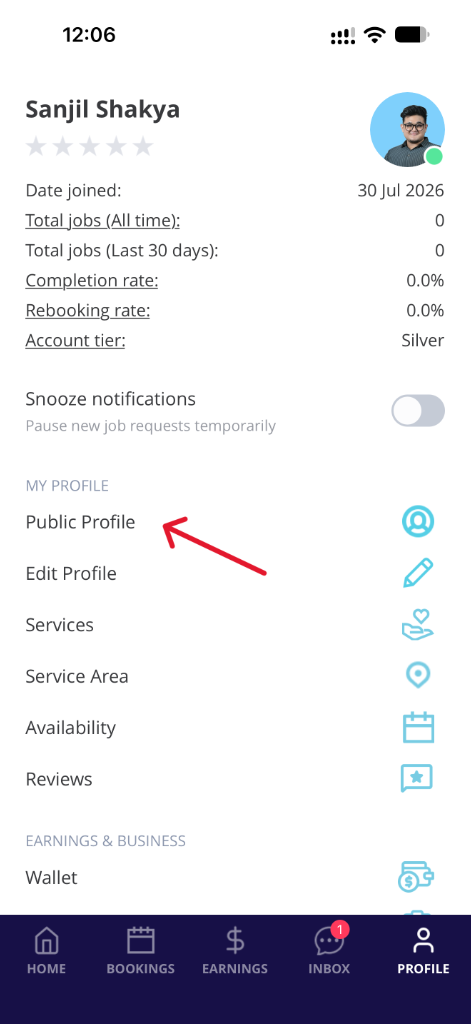
- Go to "Account" and select "Public Profile"
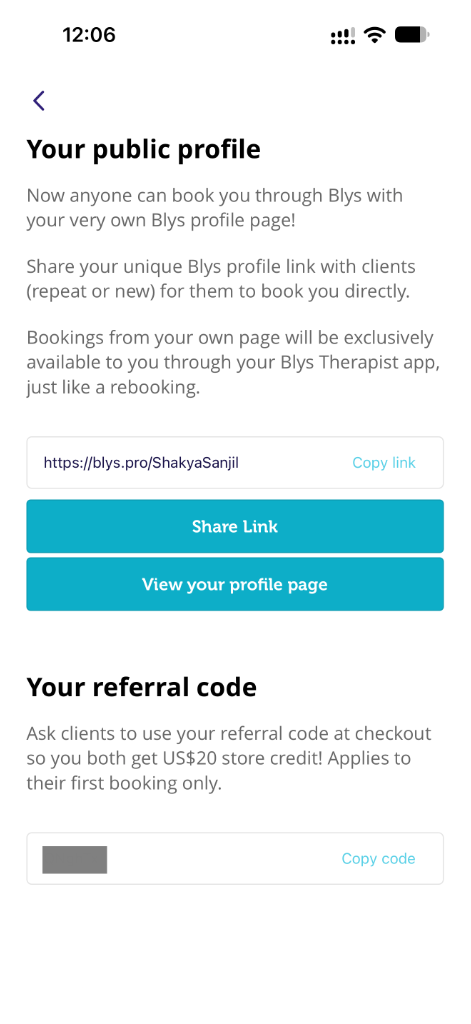
- You can either "Share Link" or "Copy link"
|
|
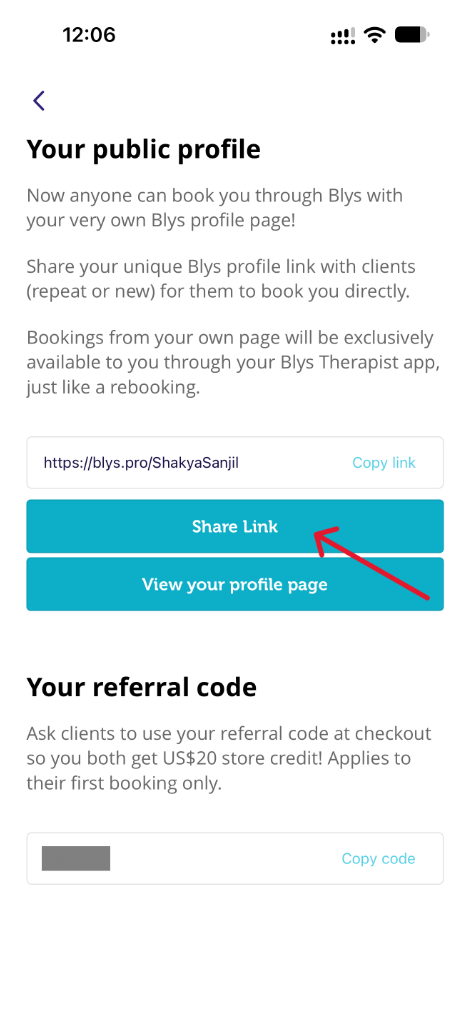
- Choose from the available channels that you wish to share your profile. (e.g. Messenger)
|
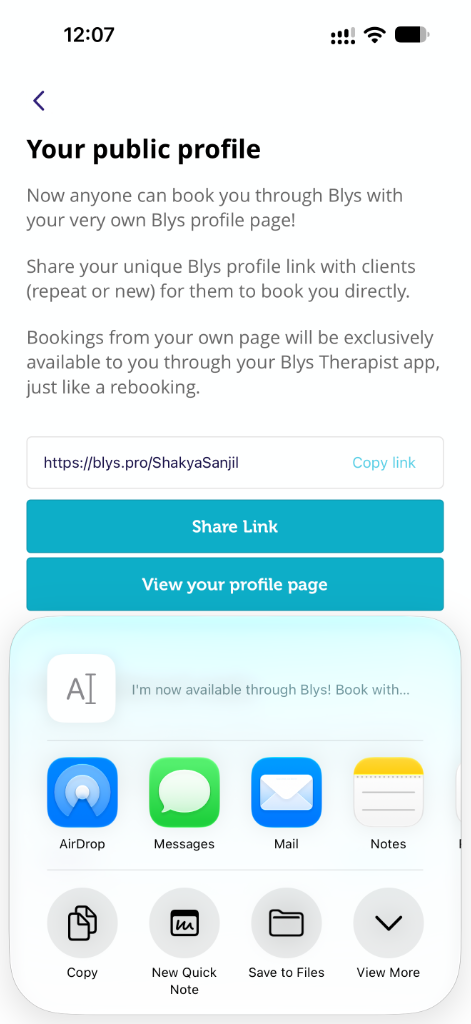
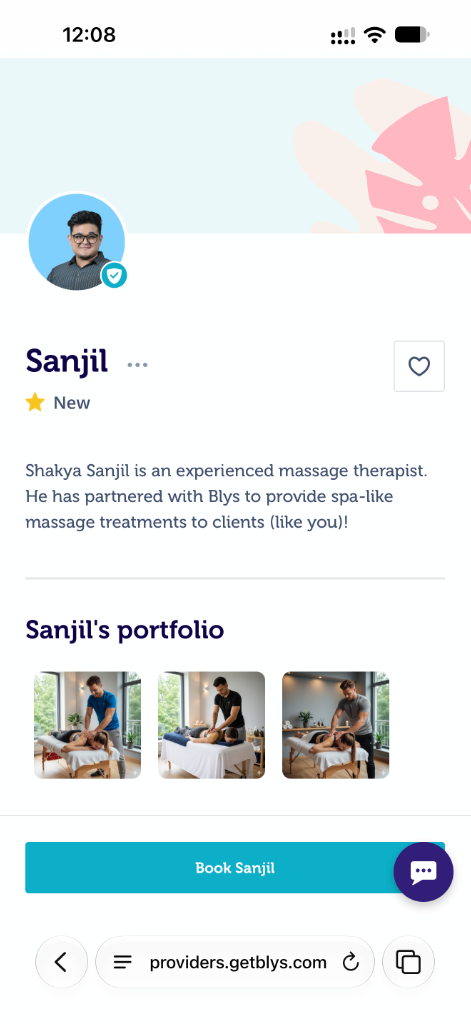
- Once the recipient clicked on the link, they would be able to book you directly.
- They would also see your ratings and reviews.
|
Sharing your referral code to invite new clients to Blys
- Invite New Clients & Earn More section
- This discount of $20 is covered by Blys, so you’ll still receive your standard take-home rate.
- This offer is only available to new clients who have never booked with Blys before, and applies only to their first booking
- You cannot offer personal discounts or promotions — all promotions are managed by Blys.
- You can promote yourself by sharing their professional profile page link and their referral code
Note : This offer is only available to new clients who never booked with Blys before and only for their first booking.
|
|