Yes, you certainly can! You can easily manage your availability from your account so that you only get notified about the jobs that fall within business hours or whatever time suits you best.
In this article
Setting up your availability for job notifications
You can set up your availability by keeping your calendar up to date in your Blys Pro account. You can also hop on to this link for the video tutorial: Provider Calendar feature
Via App
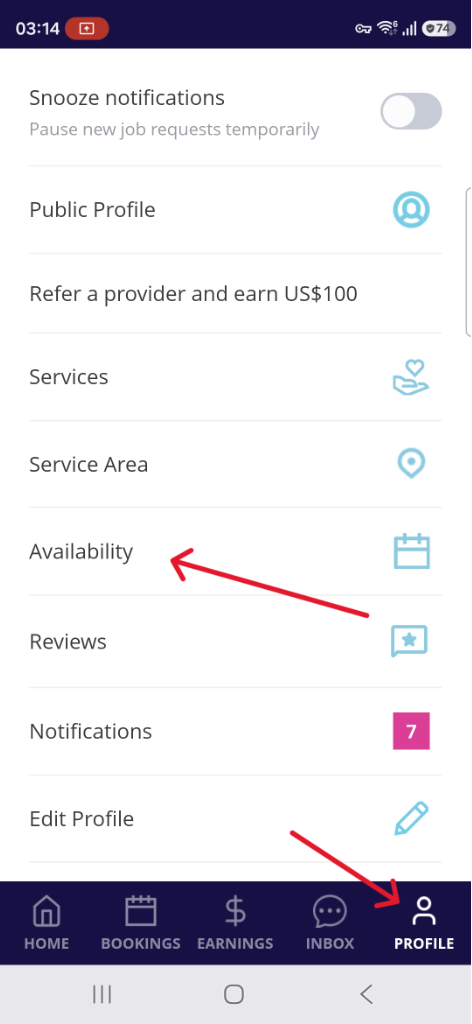
- Log in to your account in the Blys Pro app, go to Profile, then tap on Availability.
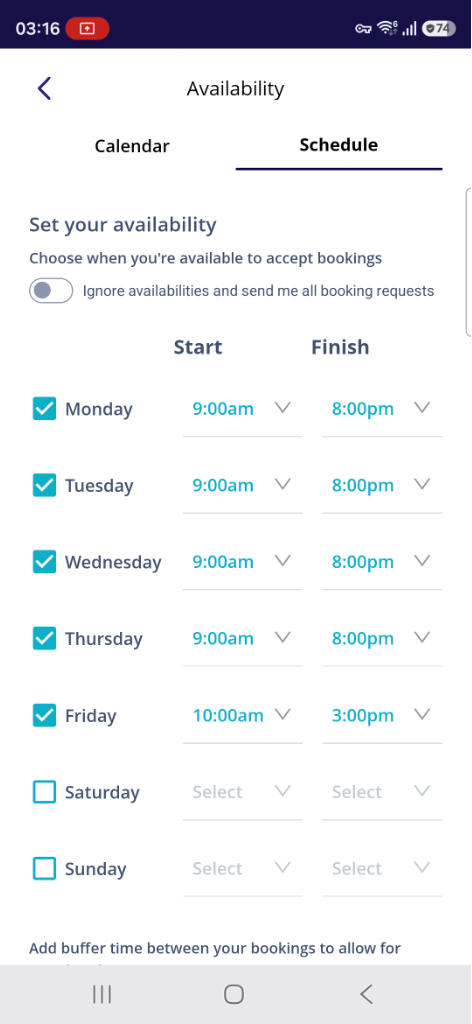
- Tap on Schedule to set your availability from Monday through Sunday.
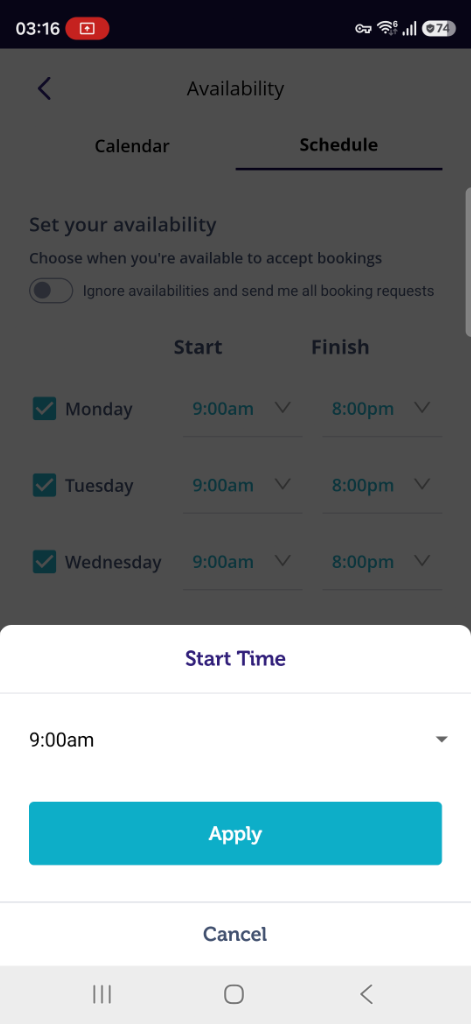
- Once you have selected the Start and Finish times, along with the days, tap on Apply. You will only be notified of the jobs based on your selected dates and time. You can also add buffer time between your bookings.
- You may also Ignore availabilities so you'll receive all new booking requests.
|
|
Via Web
- Log in to your Pro account from the Blys website.
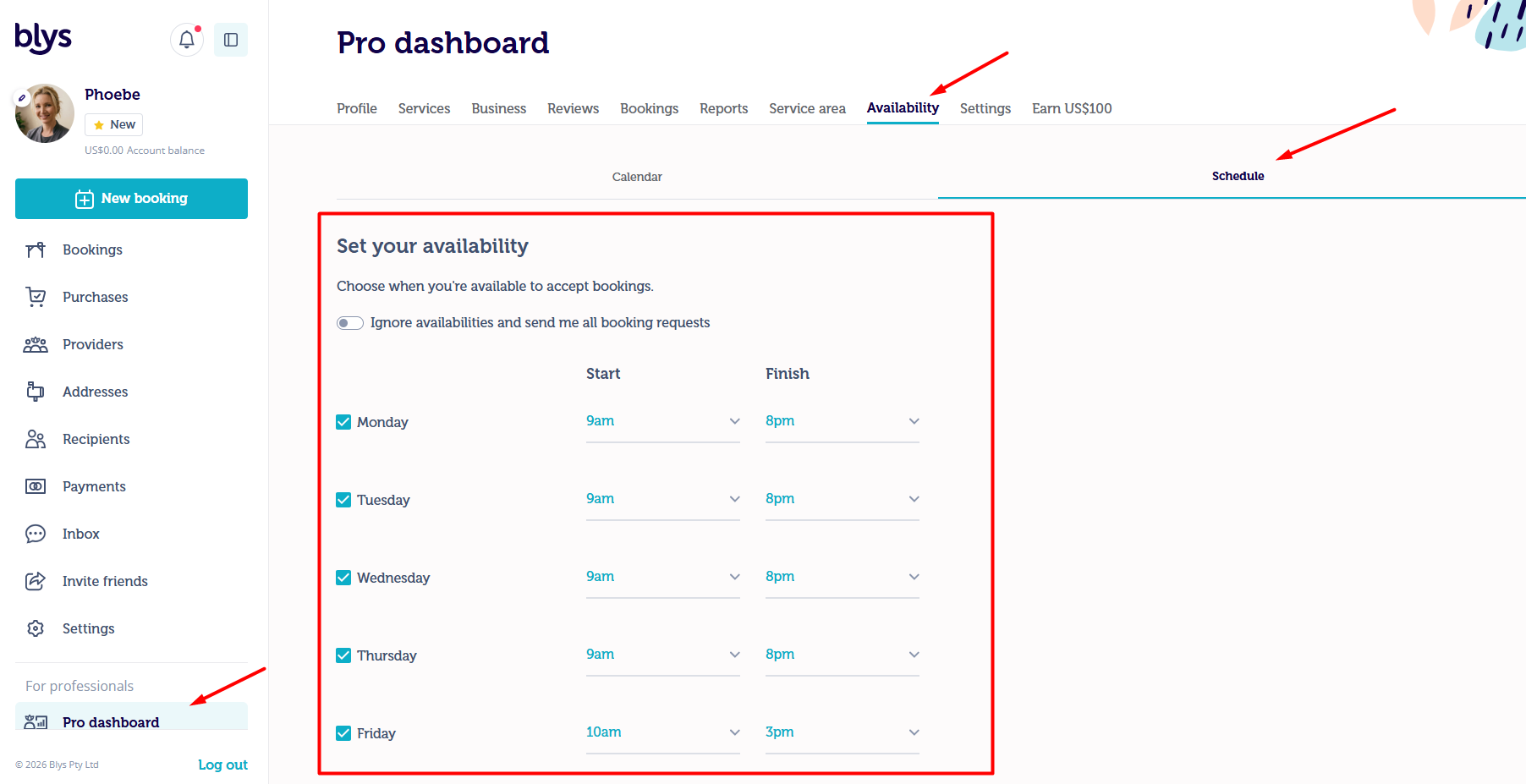
- Go to Pro Dashboard, then navigate to Availability, before clicking on Schedule.
- Once you have selected the Start and Finish times, and the days you’d like to receive job notifications for, click on Apply. You will only be notified of the jobs based on your selected dates and time.
- You may also Ignore availabilities so you'll receive all new booking requests
Setting a minimum booking notice
If you need time to plan your travel or fit jobs around other work, you can choose how much notice you need before a job starts. Blys will then only send you job alerts for new jobs that can still start after that notice period.
- In the Blys Pro app, go to Profile → Settings → Bookings.
- Under Minimum booking notice, choose No minimum (default), or 2, 6, 12, 24 or 48 hours.
⏰ Example: if you set 24 hours, you won’t be alerted about a job that must start within the next 6 hours, but you will be alerted about a job that can still start 30 hours from now.
📌 Good to know:
- This applies to alerts for new open jobs by push notification, SMS, email and WhatsApp.
- It’s based on the latest time the job can start, not the earliest.
- You can still see and accept any open job in the app if you’d like to take it.
- Direct booking requests from clients, and updates to jobs you’ve already accepted, will still notify you as usual.
You might also want to check: How to sync the booking that I've accepted to my device's calendar?