In this article
How do I delete my provider account?
Via Mobile App
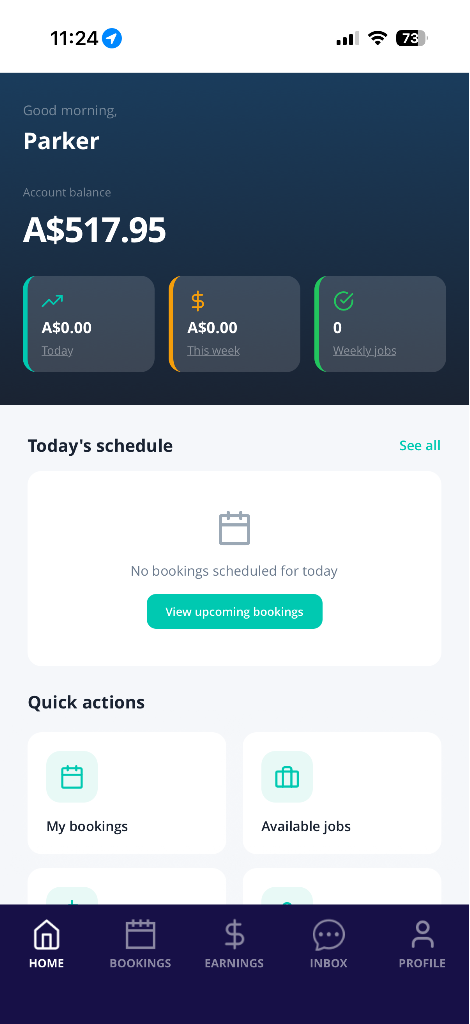
- Open the Blys Pro App.
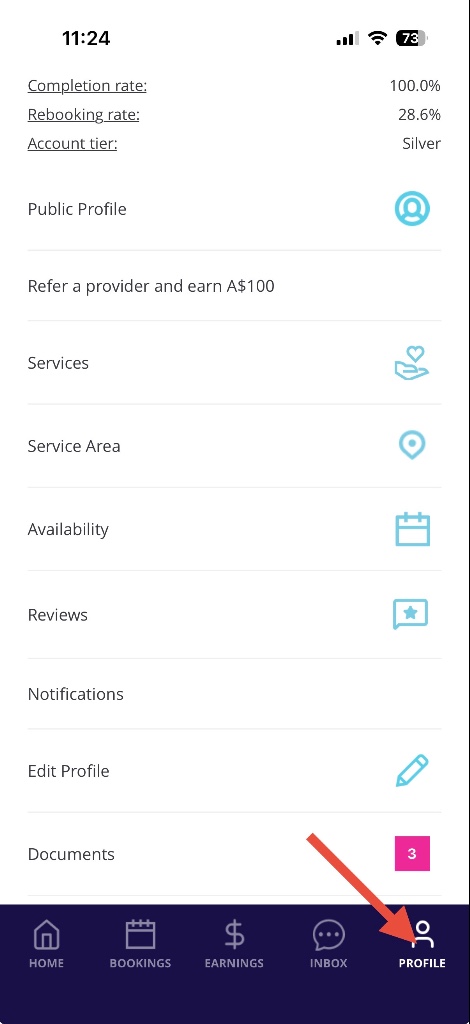
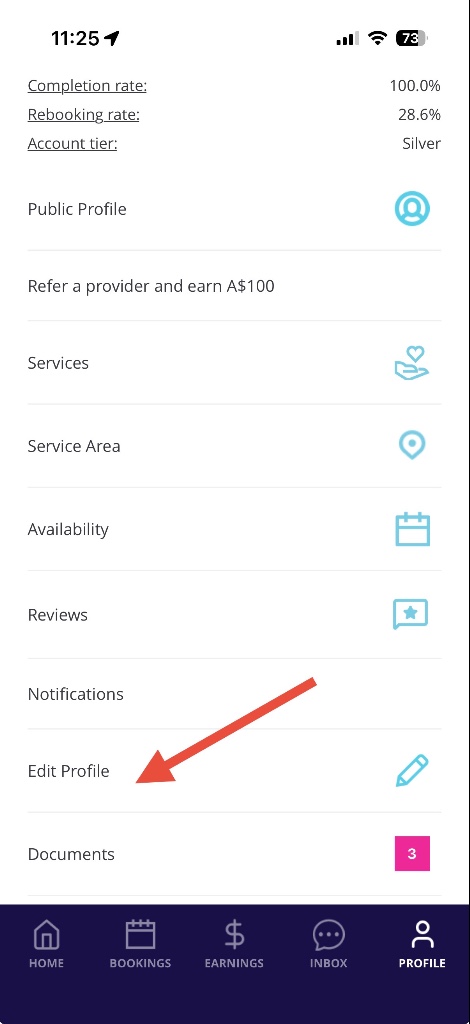
- Tap on Profile, and then select Edit Profile.
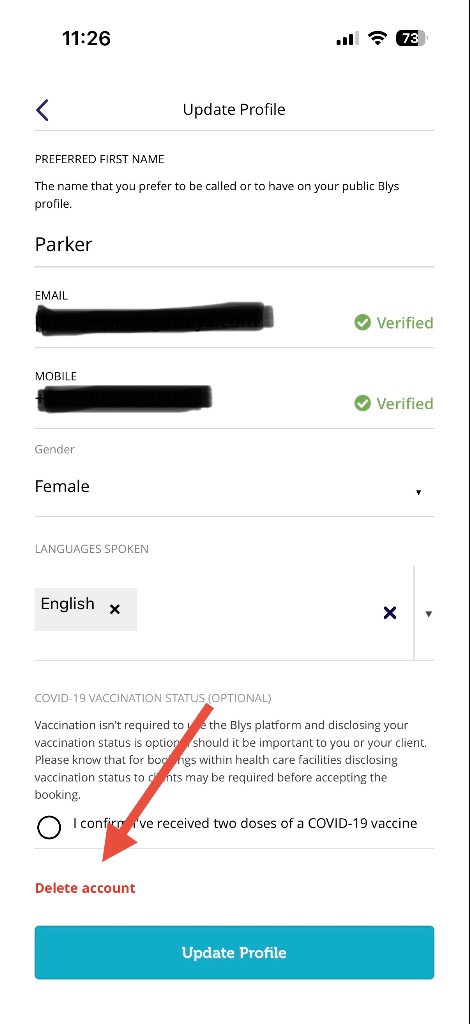
- Scroll down and tap on Delete account.
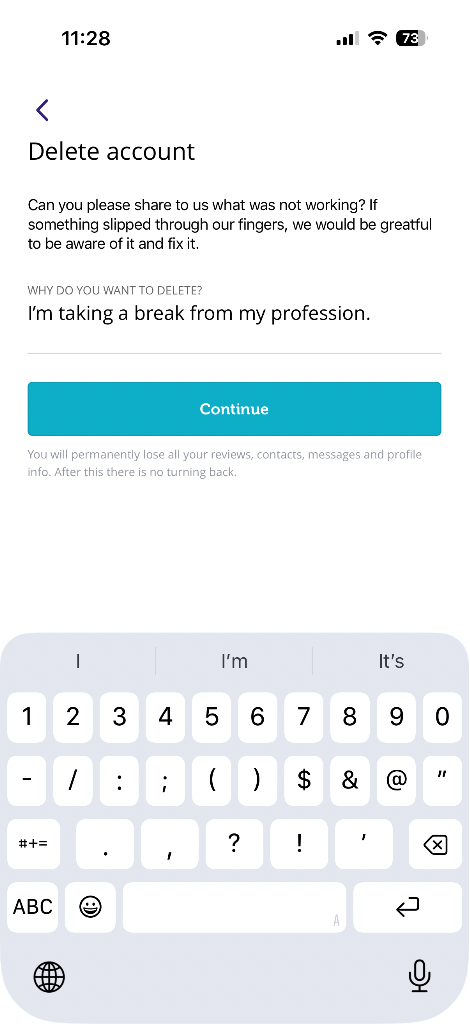
- Provide the reason why you want to delete your account. If it has something to do with our platform or service, we'd like to know because we're always striving to improve. Once you have provided the reason, tap on "Continue".
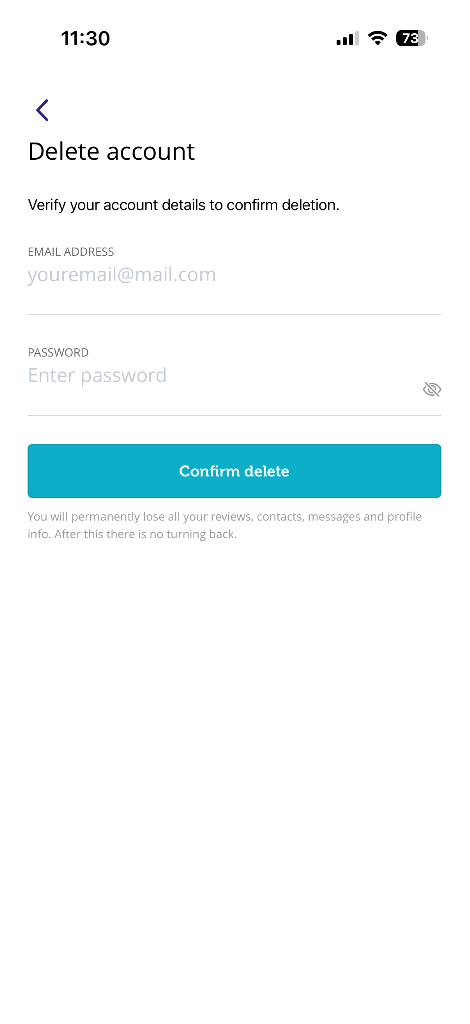
- To confirm the account deletion, re-enter your email address and password. Please note that you will permanently lose all your reviews, contacts, messages, and profile info. Tap on "Confirm delete".
- Your profile and account will be deleted in 48 hours unless you have an outstanding amount or an open complaint ticket.
|
|
|
|
|
|
Via Web
- Log in to Blys.
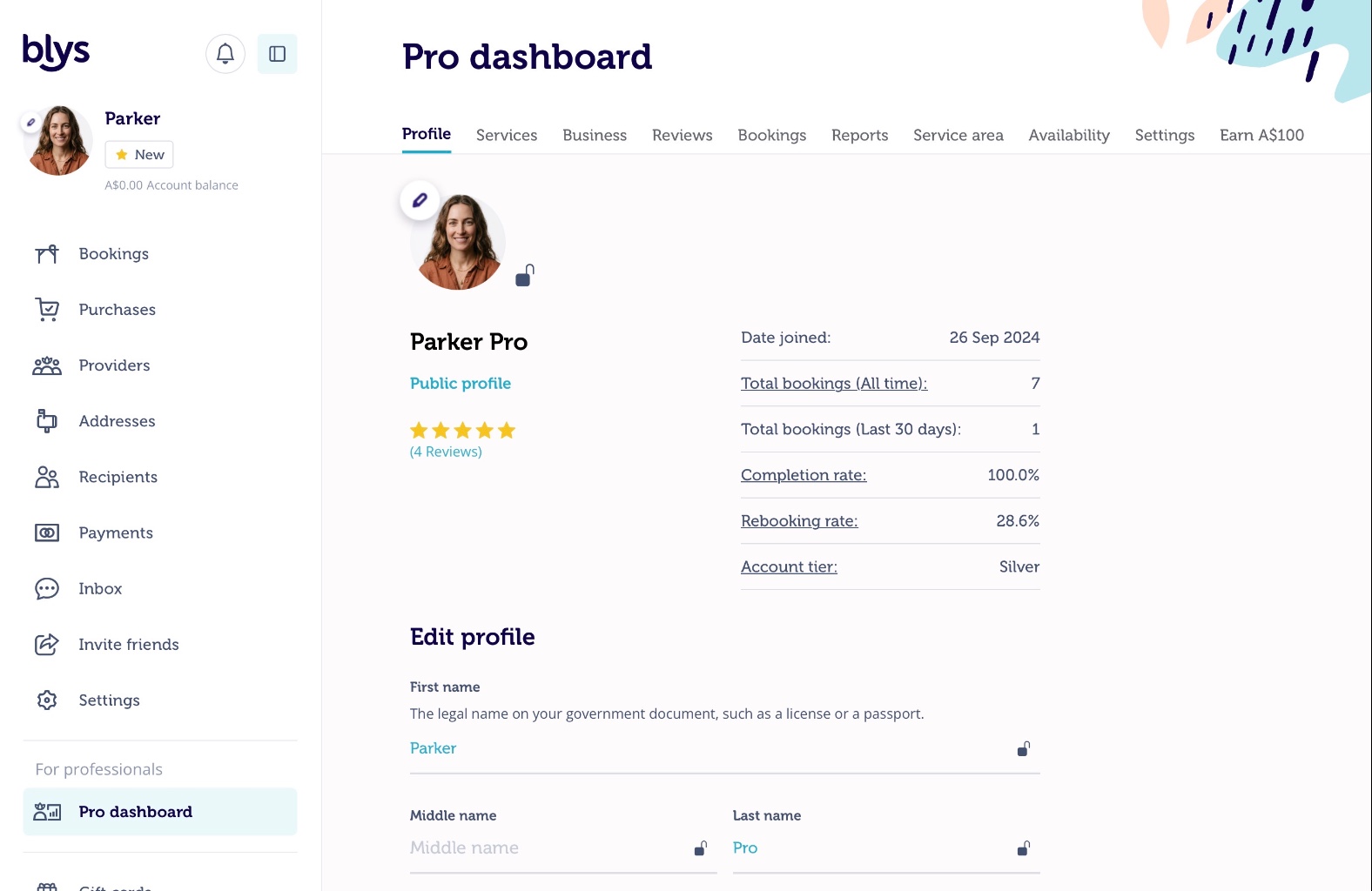
- Click on the pen icon beside your profile picture.
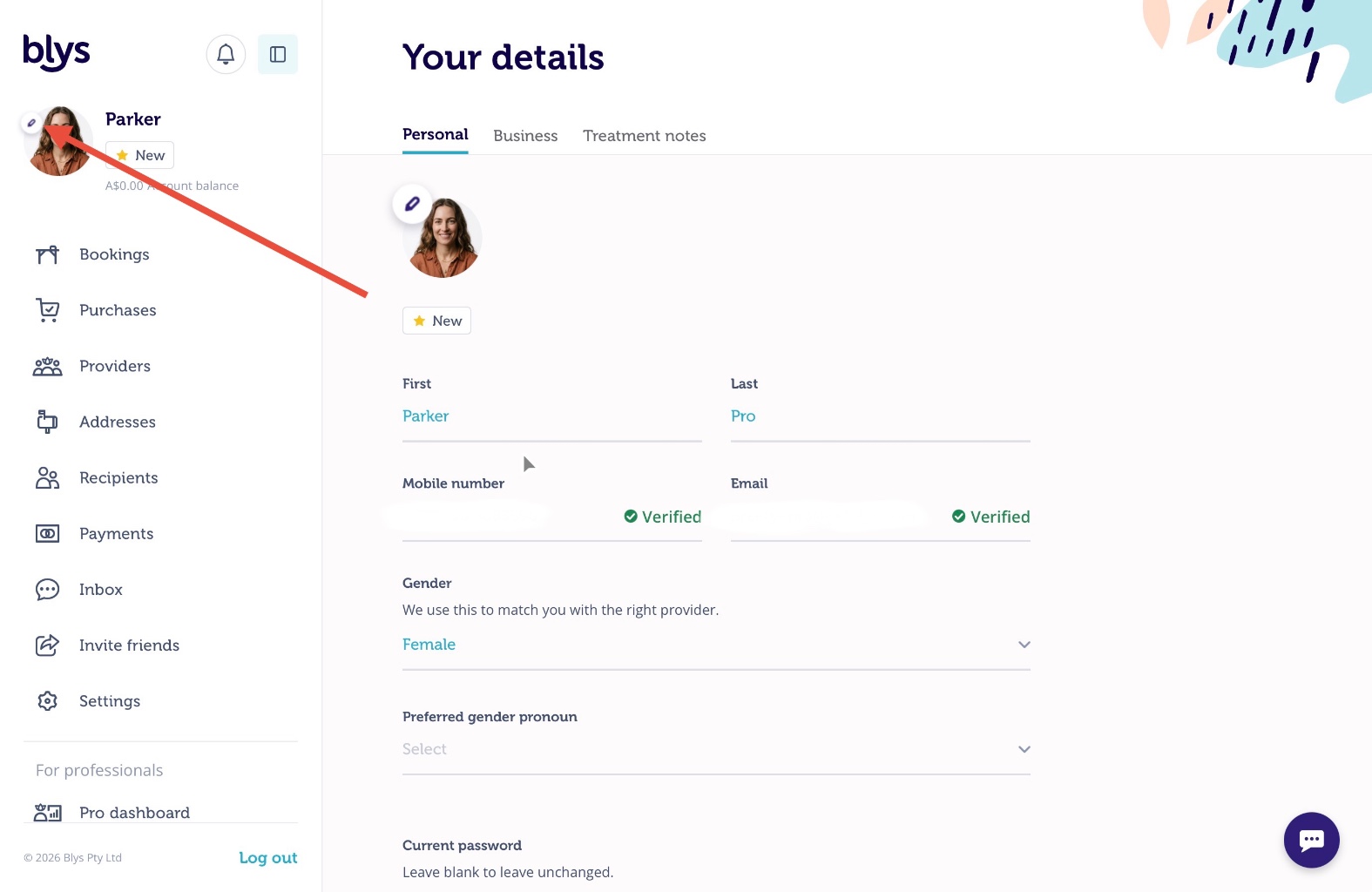
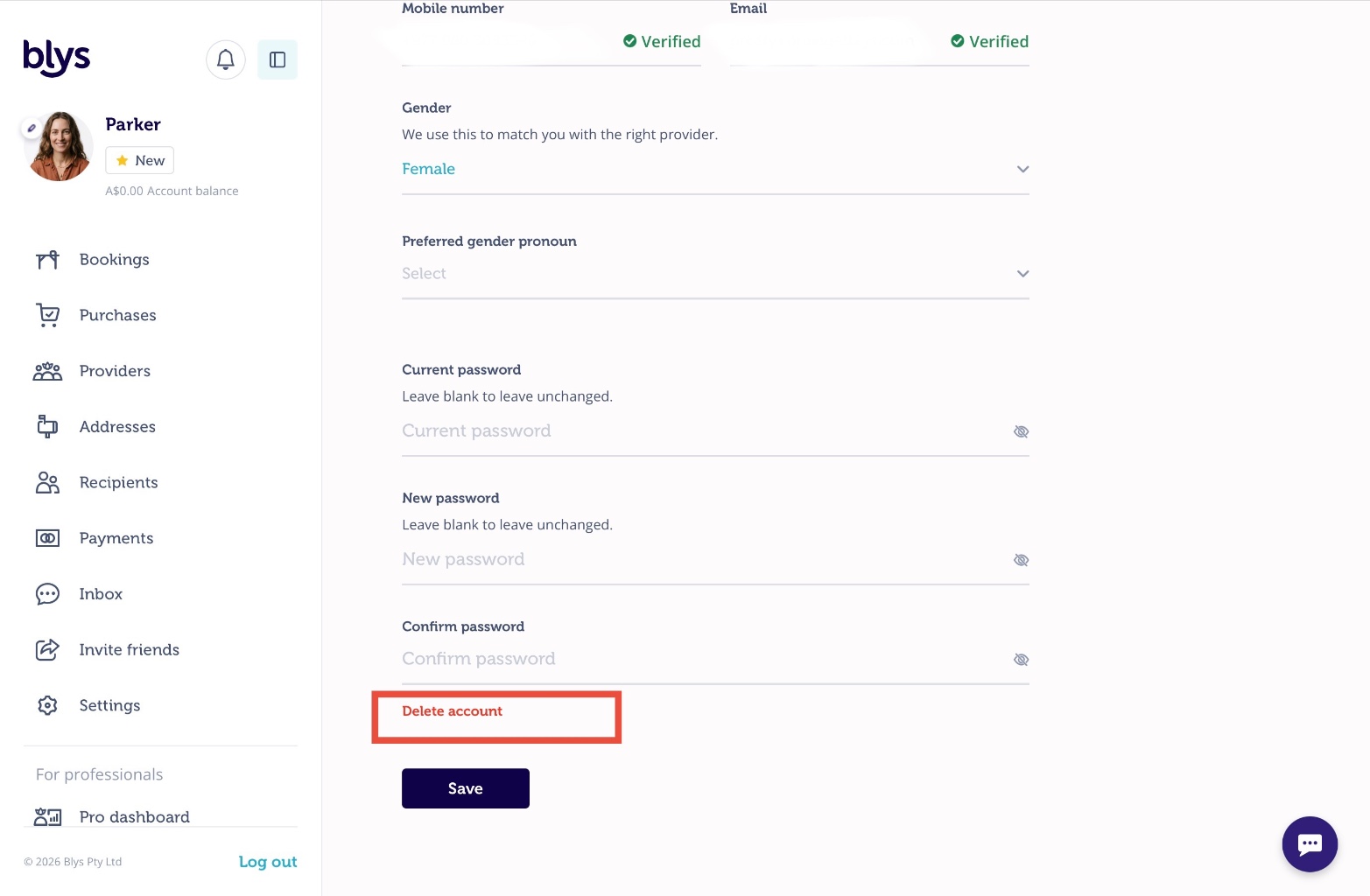
- Under Personal, scroll down and click on Delete account.
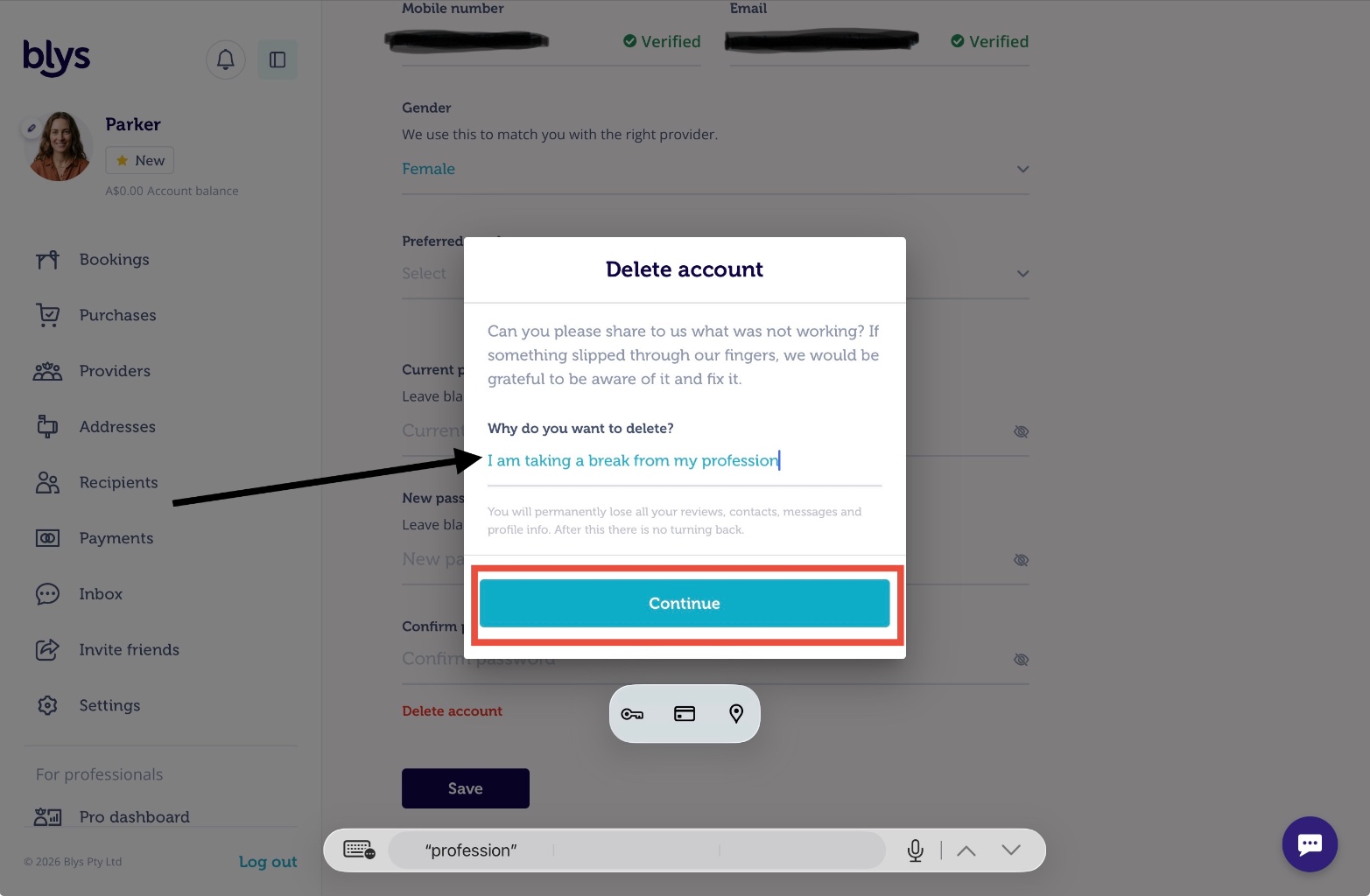
- Provide the reason why you want to delete your account. If it has something to do with our platform or service, we'd like to know because we're always striving to improve. Once you have provided the reason, click on "Continue".
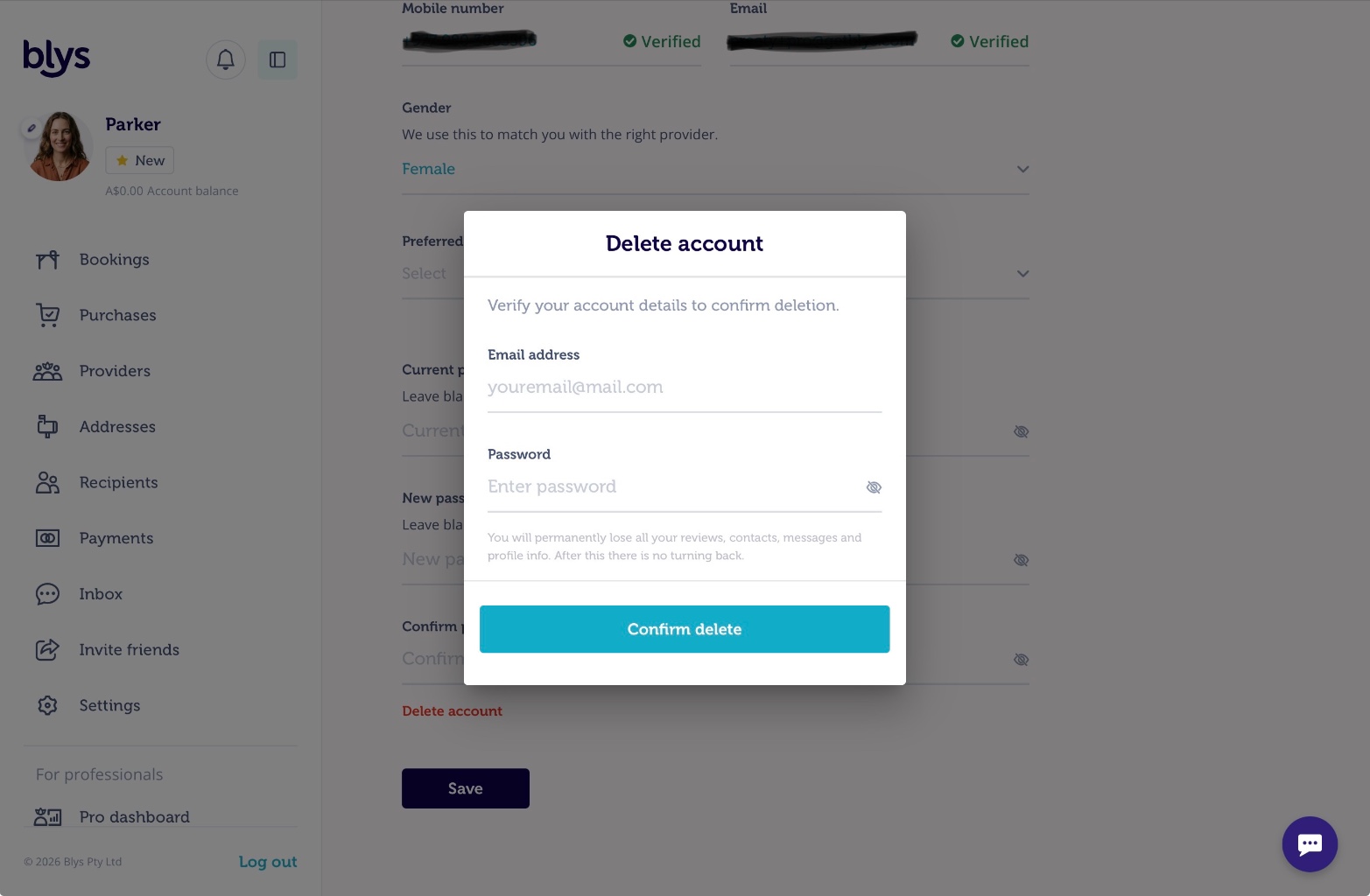
- To confirm the account deletion, re-enter your email address and password. Please note that you will permanently lose all your reviews, contacts, messages, and profile info. Click on "Confirm delete".
- Your profile and account will be deleted in 48 hours unless you have an outstanding amount or an open complaint ticket.
Please note that the email address field is case-sensitive. To ensure a smooth account deletion process, kindly enter your email address exactly as it was registered, including the correct letter casing.
If you have any queries, please feel free to email us at Provider-succcess@getblys.com