If you are unable to provide the service, then you can abandon the booking through the Blys Pro app.
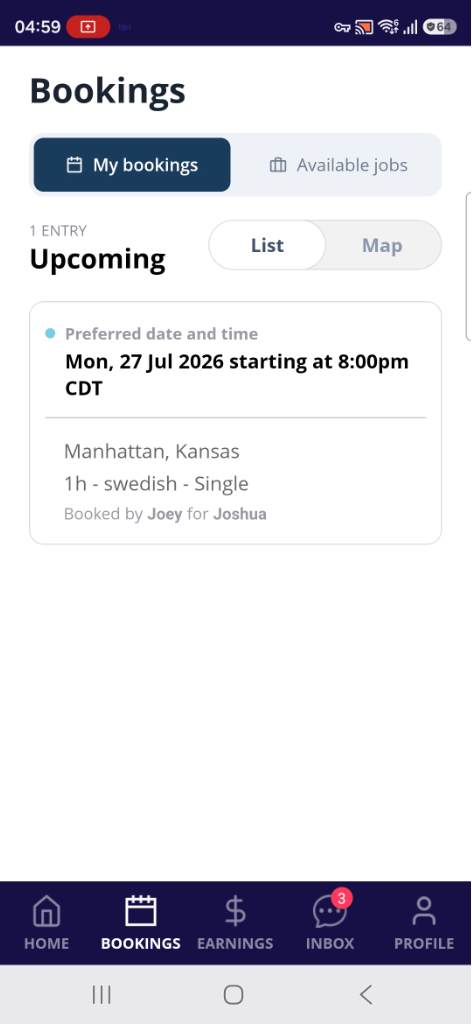
- Go to "Upcoming" under “Bookings”, then select the booking that you need to abandon.
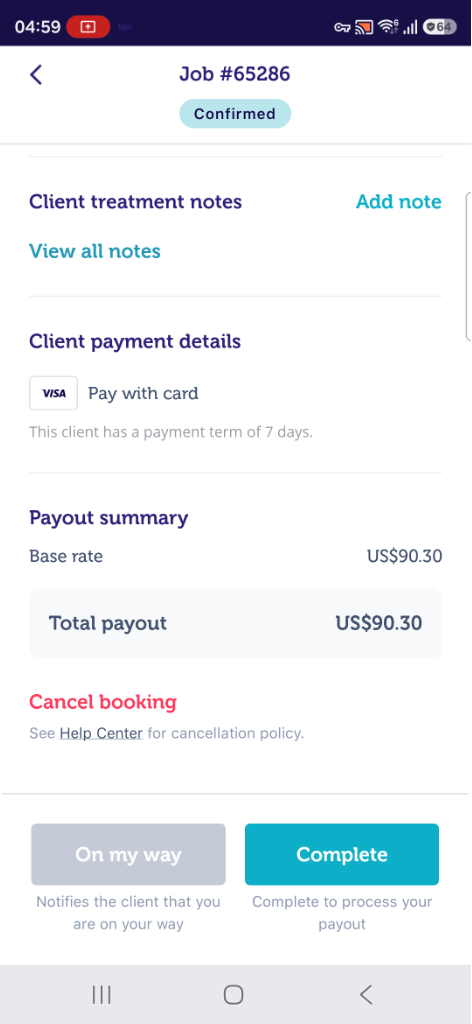
- Select "Cancel booking".
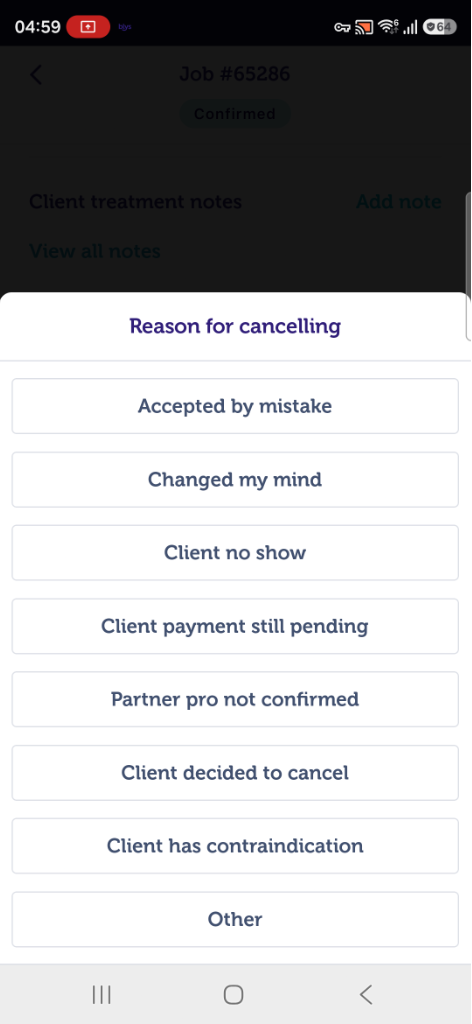
- Choose the reason for abandoning or cancelling a booking.
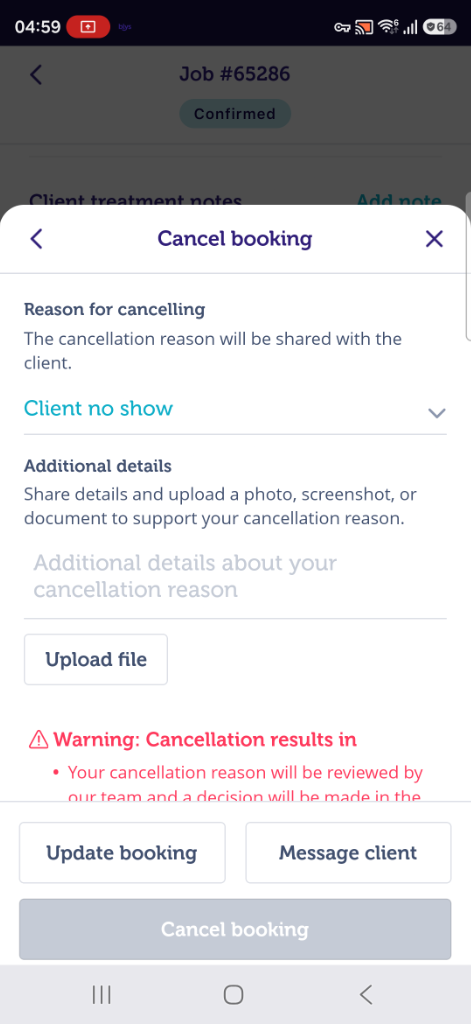
- If the reason is “Client no show”, you will need to add details and upload a photo, screenshot or document to support/validate your cancellation reason.
- Tap on "Cancel booking”.
|
|
|
|
Please note that the abandonment fee will be charged according to our Provider Cancellation (Abandonment) Policy.