In this article
- How do I view my offers for alternate booking dates or times?
- How do I accept a provider's offer?
- Do I have to accept a provider's alternate date or time offer?
- Why don't I have any alternate date or time offers for my couple or group booking?
You can now view and accept offers from providers for alternate dates or times to your pending booking requests!
How do I view my offers for alternate booking dates or times?
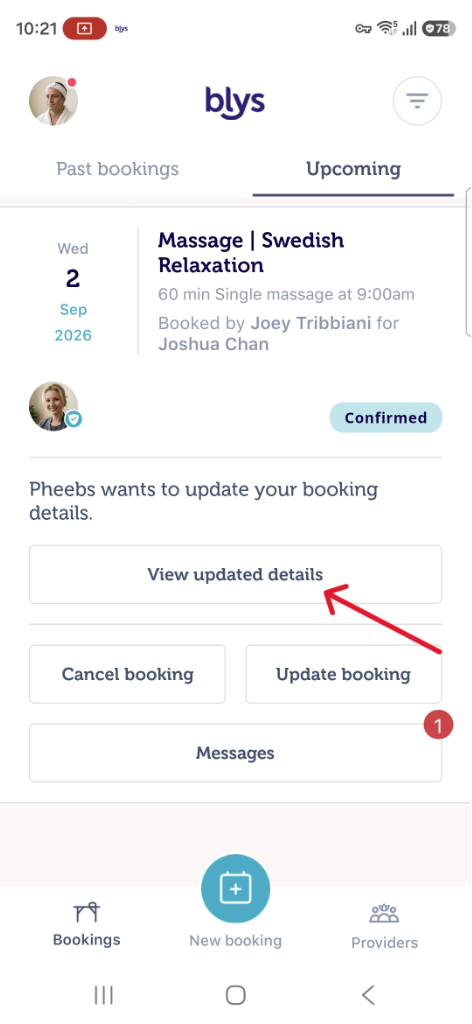
If one or more providers in your area have offered an alternate date or time to your pending booking request, you will be able to view these in the Blys App on your phone by tapping ‘View updated bookings’ under 'Upcoming bookings'. Make sure you have the Blys mobile app downloaded. Get it on the Apple App Store or Google Play.
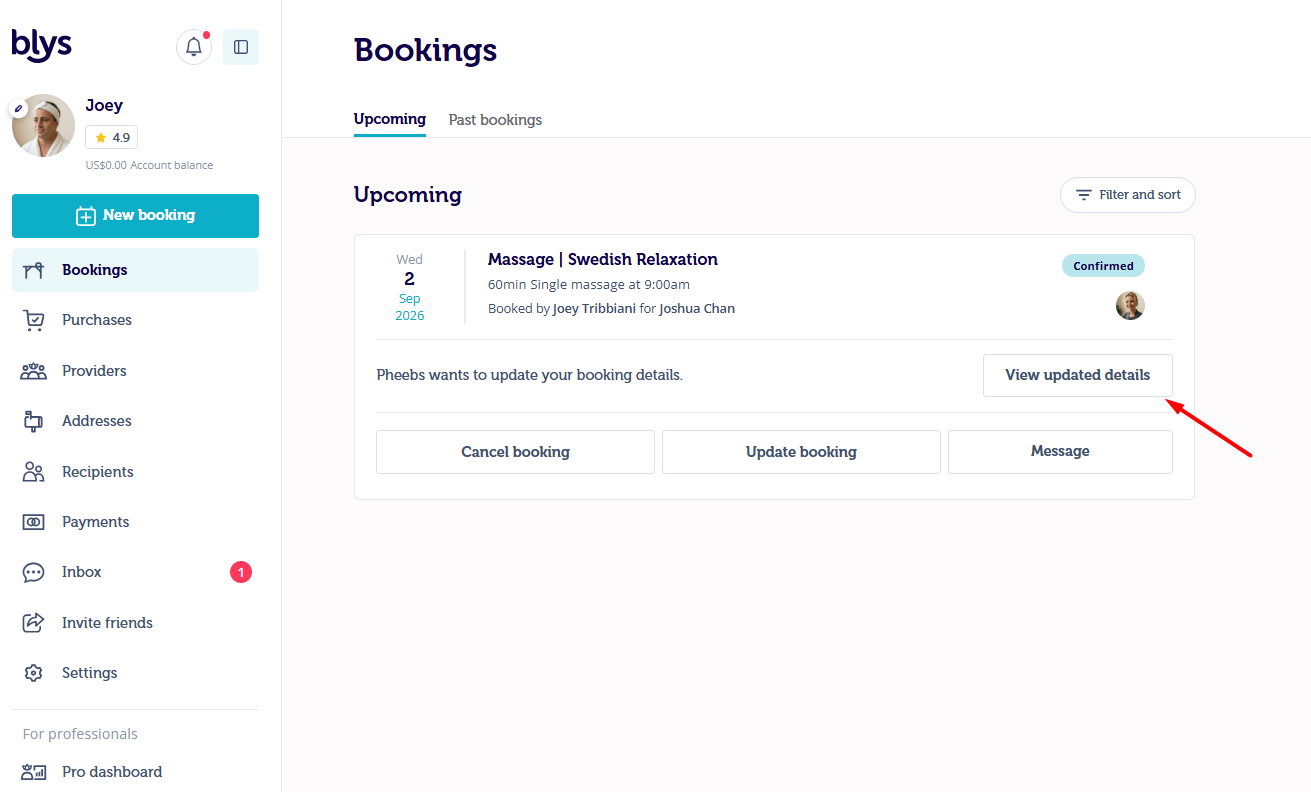
You can also view this via web by logging in to Blys, going to ‘Upcoming bookings’ under ‘Bookings’, and clicking ‘View updated details’ under a particular booking you’d like to view.
|
|
How do I accept a provider's offer?
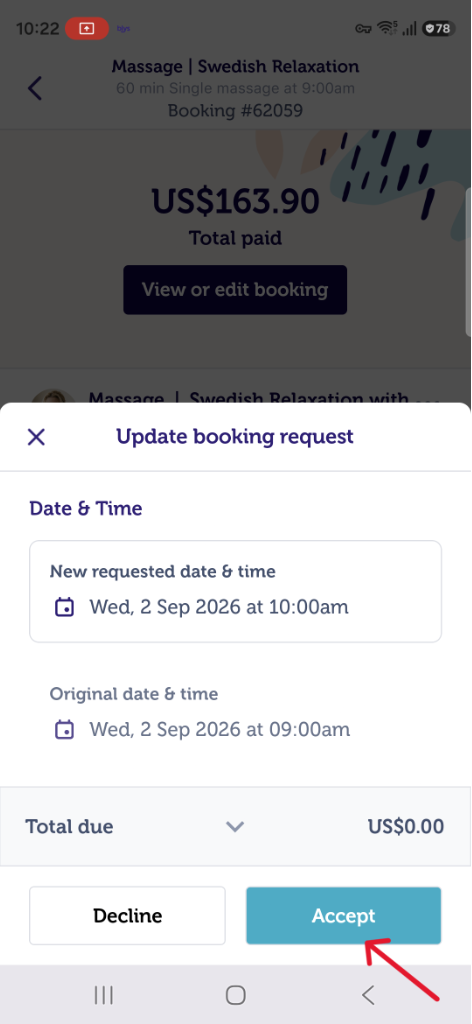
If you wish to accept the provider's alternate date or time offer simply tap on the offer request and tap 'Accept'. The provider will receive a notification that the booking is now confirmed.
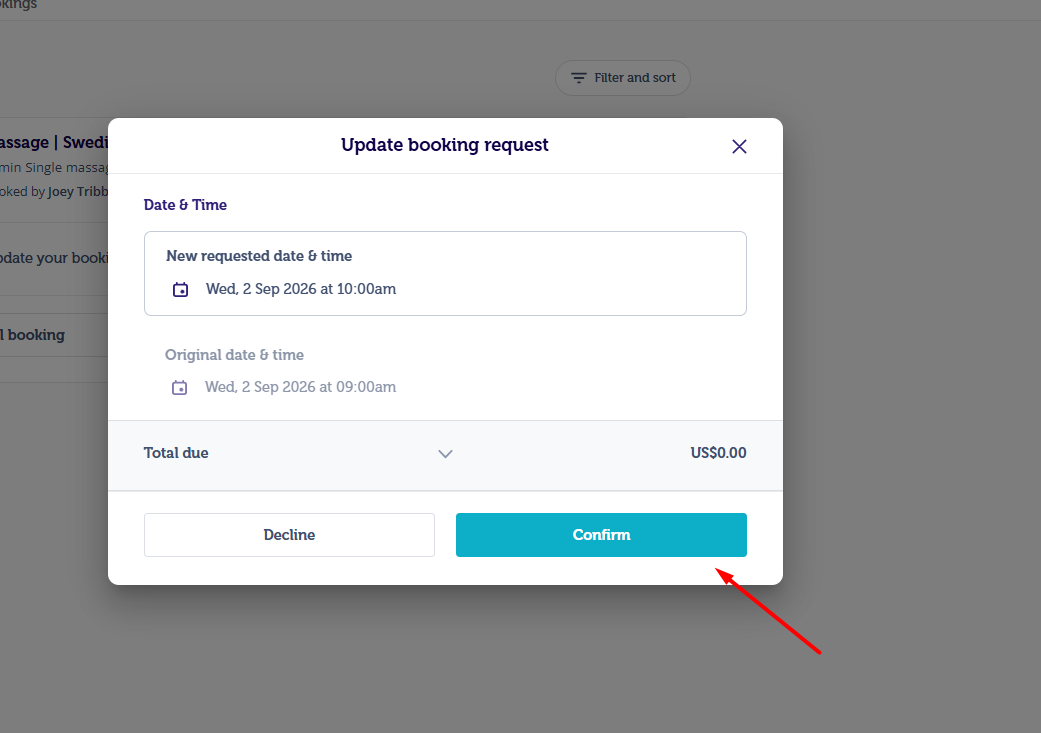
You can also accept the provider’s offer via web. To do so, once you see an alternate date or time offer request, click on ‘Confirm’.
|
|
Do I have to accept a provider's alternate date or time offer?
Nope! You're not obliged to accept a provider's alternate date or time offer. If you would prefer to wait for your current booking request to be accepted you may, this feature simply allows you to increase the opportunities for your booking to be accepted.
Why don't I have any alternate date or time offers for my couple or group booking?
This feature is only available to bookings that require one provider, not multiple.
If you have any questions or feedback feel free to email us at hello@getblys.com.