In this article
Adding or updating a payment method
You can either add or update a payment method easily through Blys.
Via App
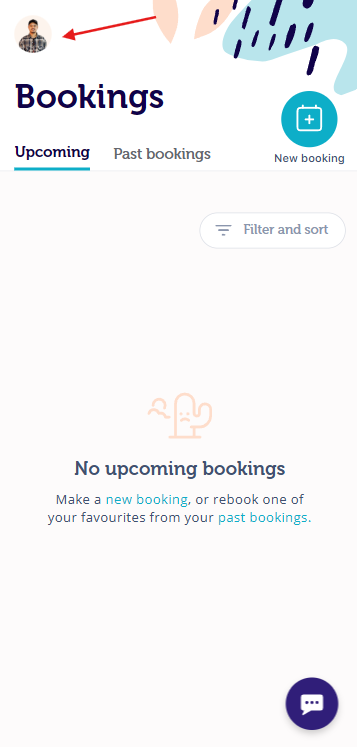
- Login to your account and click on your profile
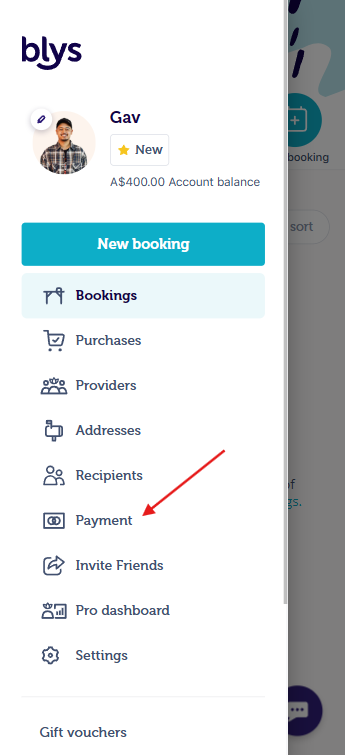
- Select "Payment"
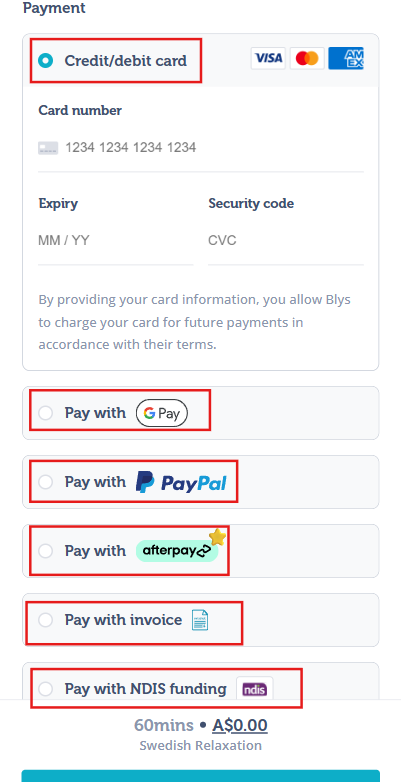
- Add a card, Apple Pay, Google Pay, PayPal Account, AfterPay account, or Klarna account.
- * Please note that "Pay with Afterpay" is only available in Australia, and “Pay with Klarna” is only available in the United States.
|
|
|
Via Web
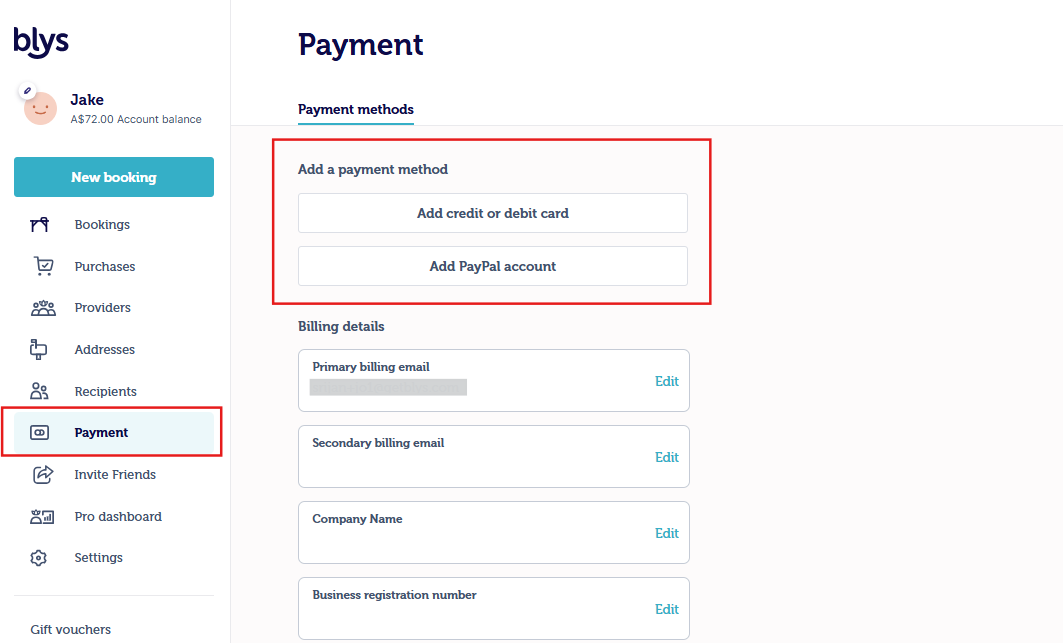
- Log in to your account on our website.
- Select "Payment"
- Add a payment method by selecting a credit/debit card or PayPal Account.
Making a payment
Please log in to your account either via the mobile app or website.
Via App
- Go to Bookings -> Upcoming -> select "Make Payment"
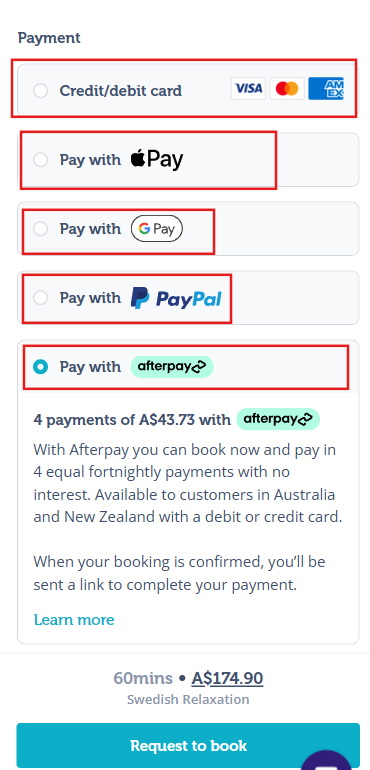
- Select payment with credit/debit card, Apply Pay, Google Pay, PayPal, AfterPay or Klarna
- Please note that "Pay with Afterpay" is only available in Australia.
- Please note that "Pay with Klarna" is only available in the United States.
- After adding tap on "Request to Book"
|
|
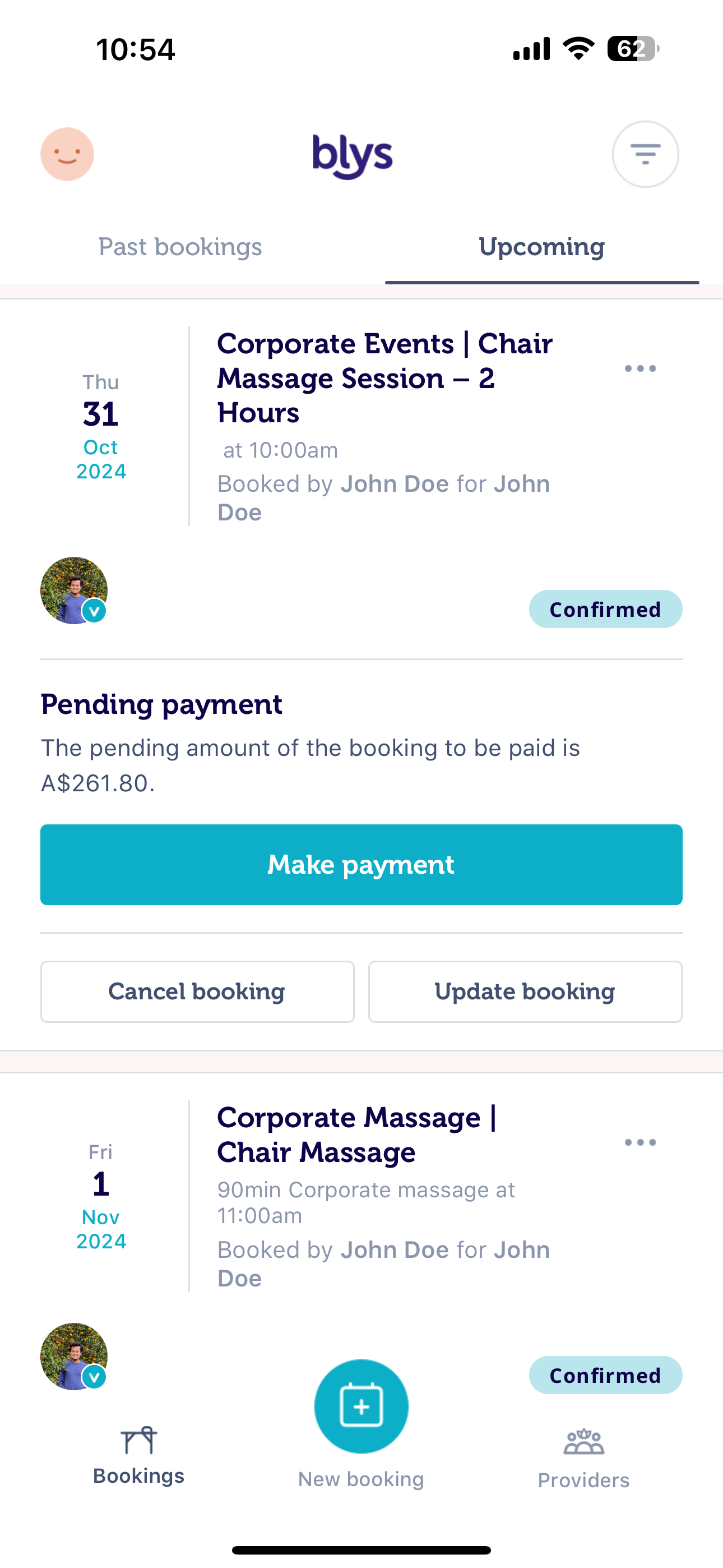
Via Web
- Go to Bookings -> Upcoming -> "Make Payment"
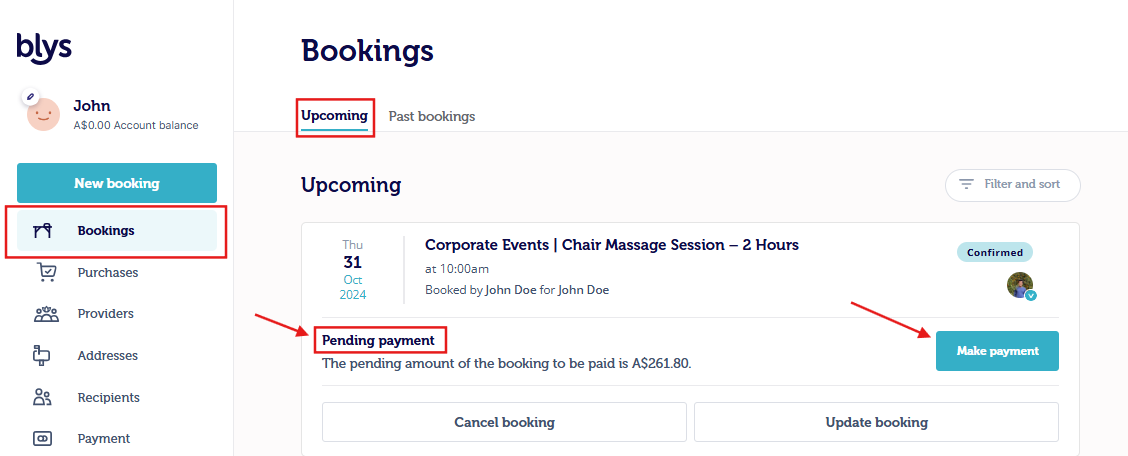
- Select credit/debit card, Apple Pay, Google Pay, or PayPal
- Please note that "Pay with Afterpay" is only available in Australia.
- Once selected, click on "Request to Book"
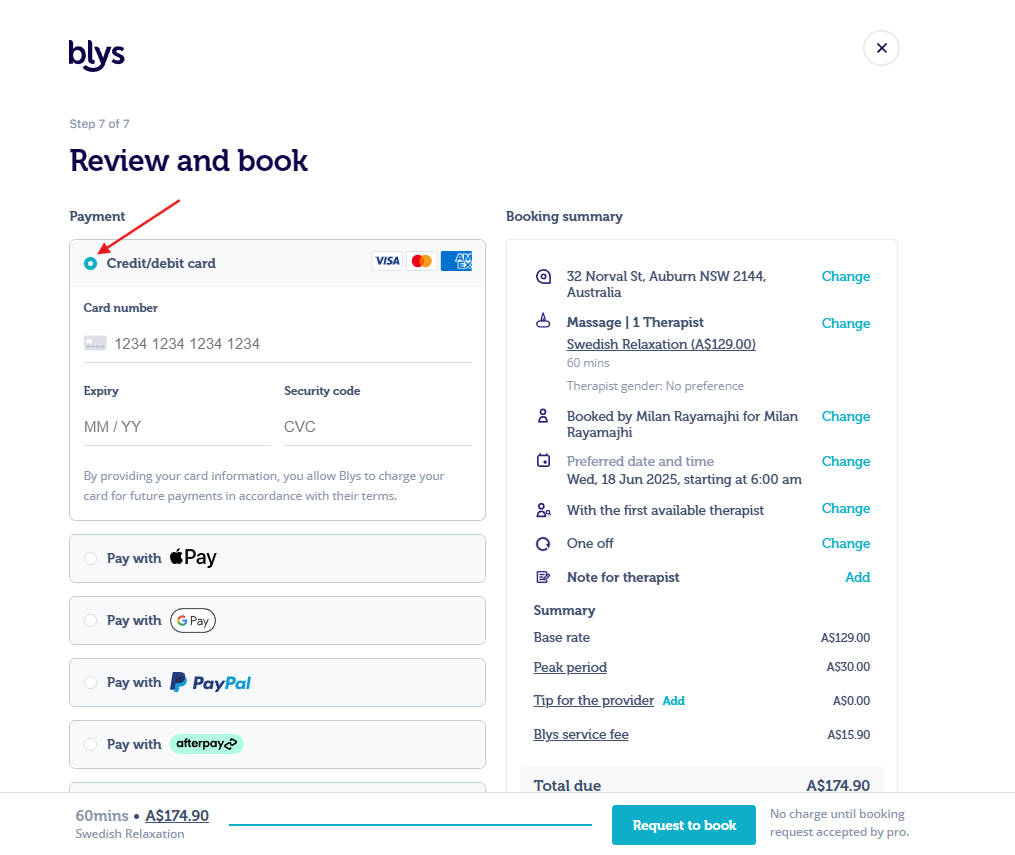
Or if you want to use Afterpay
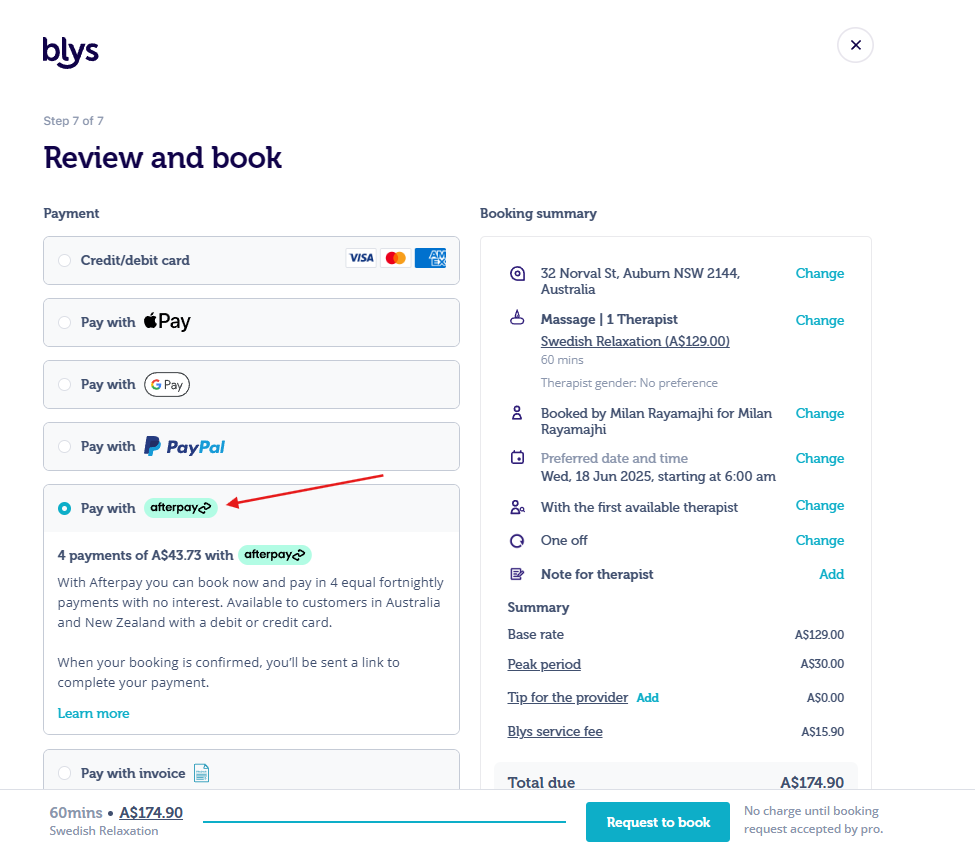
Soon as you have added your new card, it will automatically be charged.