You can now remove a payment method/card from both the Blys website and the Blys mobile app for your convenience
Via Web
- Click on the "Account" icon in the top right-hand corner and sign in to your account.
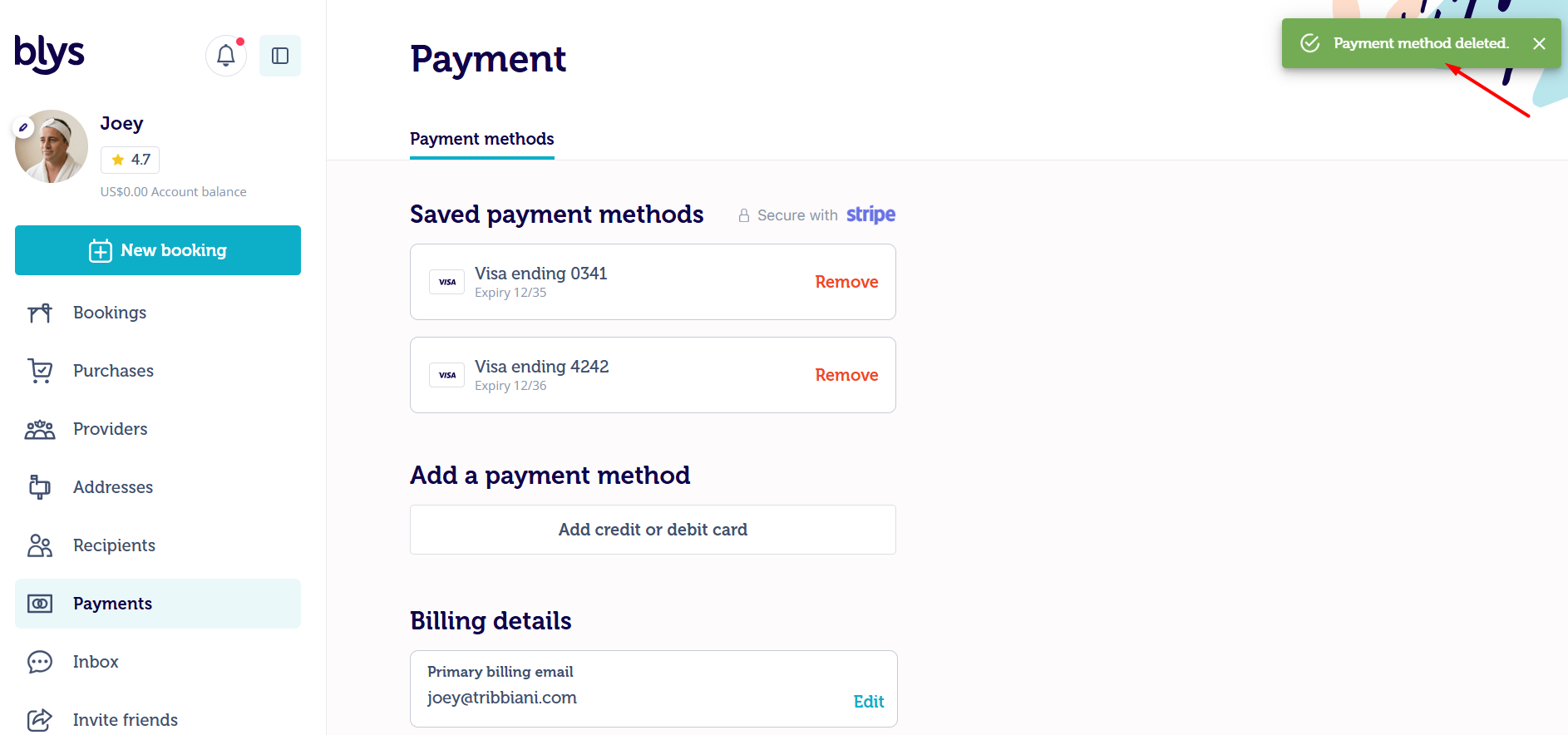
- Select "Payment" from your account
- Select "Remove" on the payment method you want to remove from your account
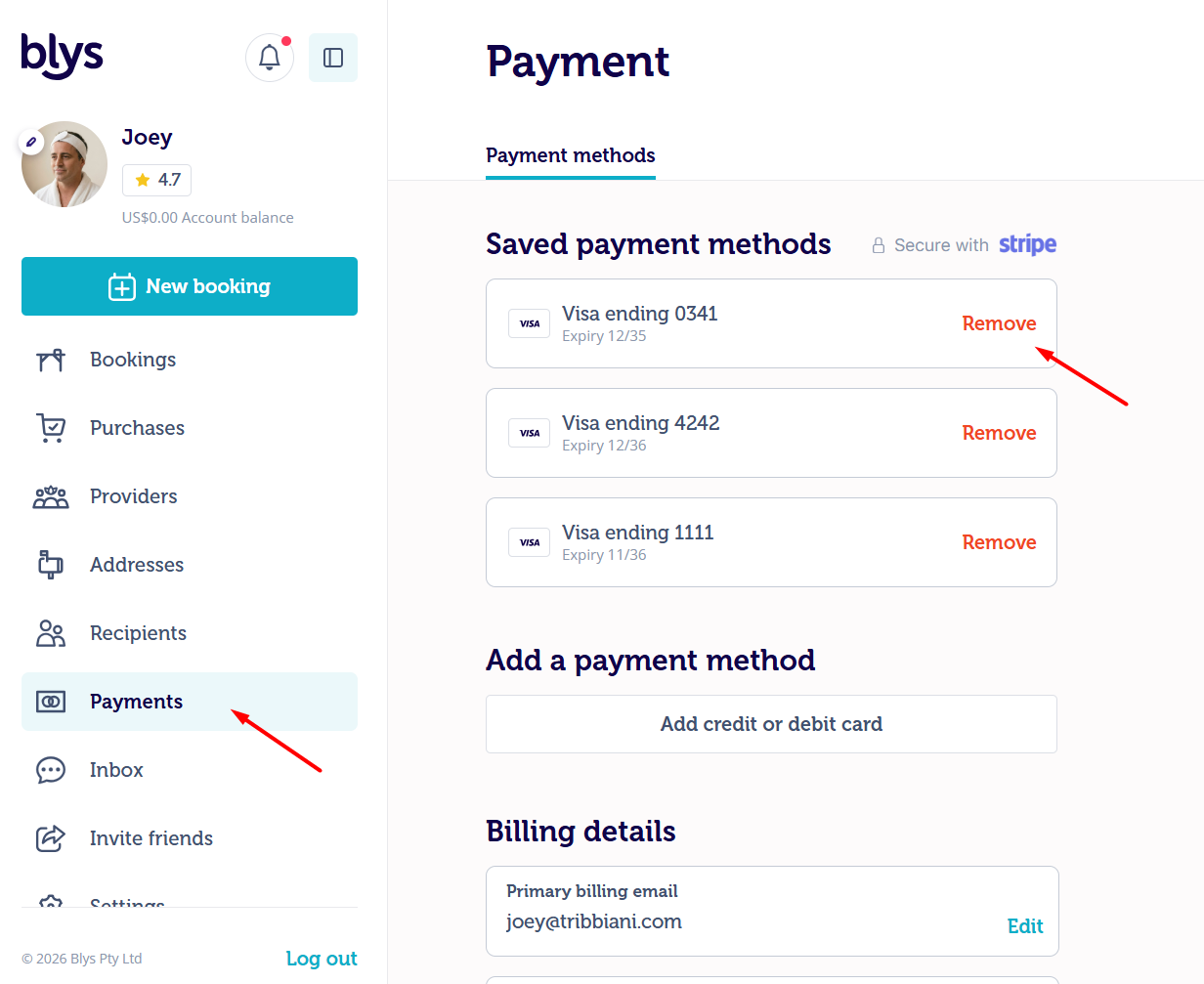
- You will see a confirmation at the upper right of your screen as soon as the selected payment method has been removed.
Via App
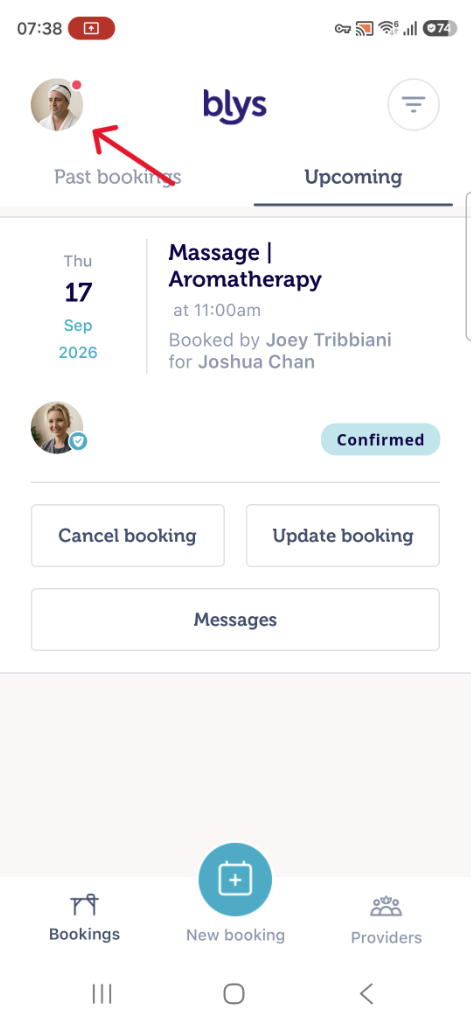
- Log in to your Account
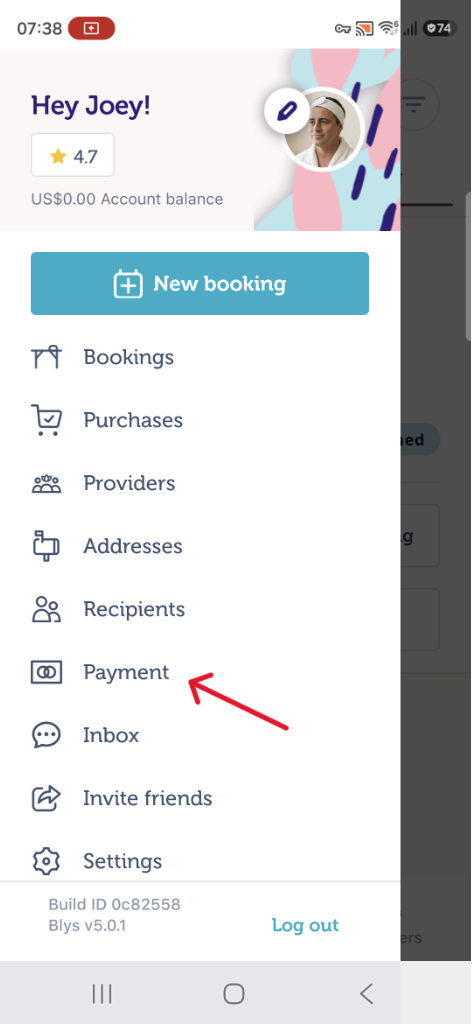
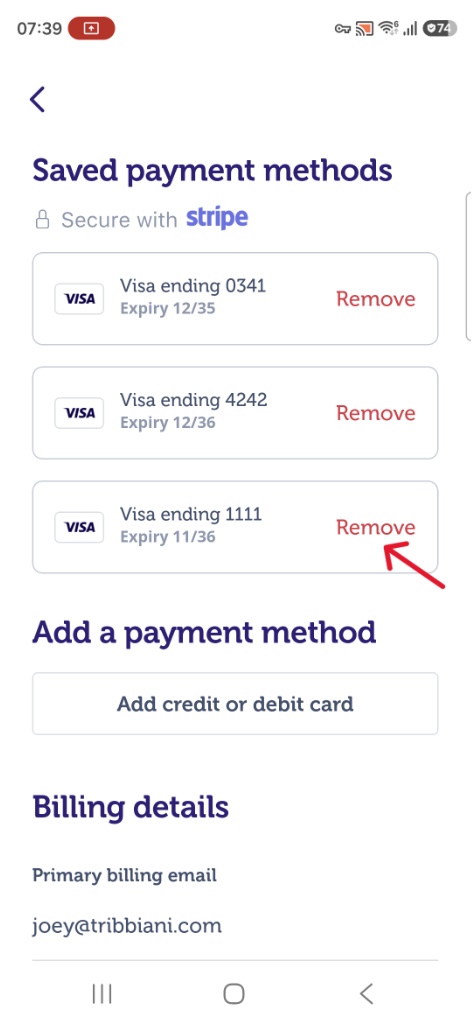
- Go to Payment and click on "Remove" to delete the added payment method on your account
|
|
|