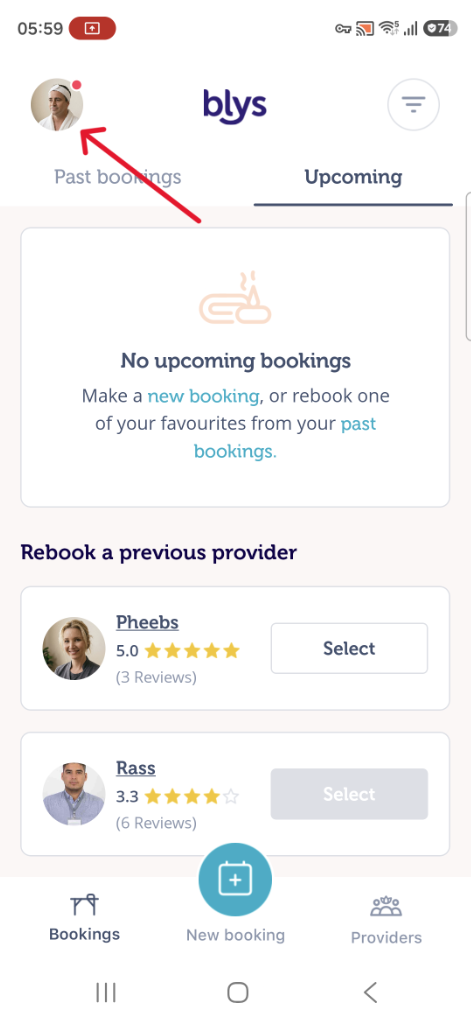
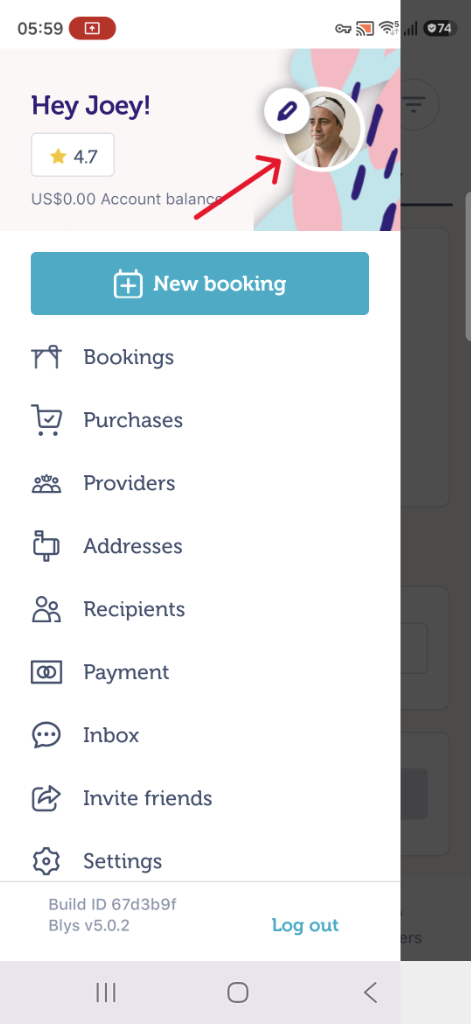
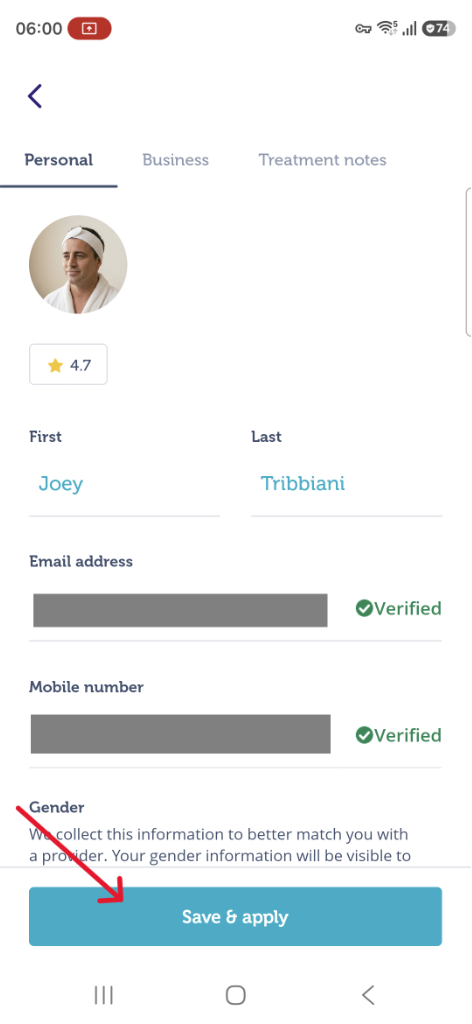
You can easily update your details including your mobile number on the website or through the app.
Via Web
- Login to your account from our website.
- Click on the "Account" icon from the top right hand corner and sign in to your account.
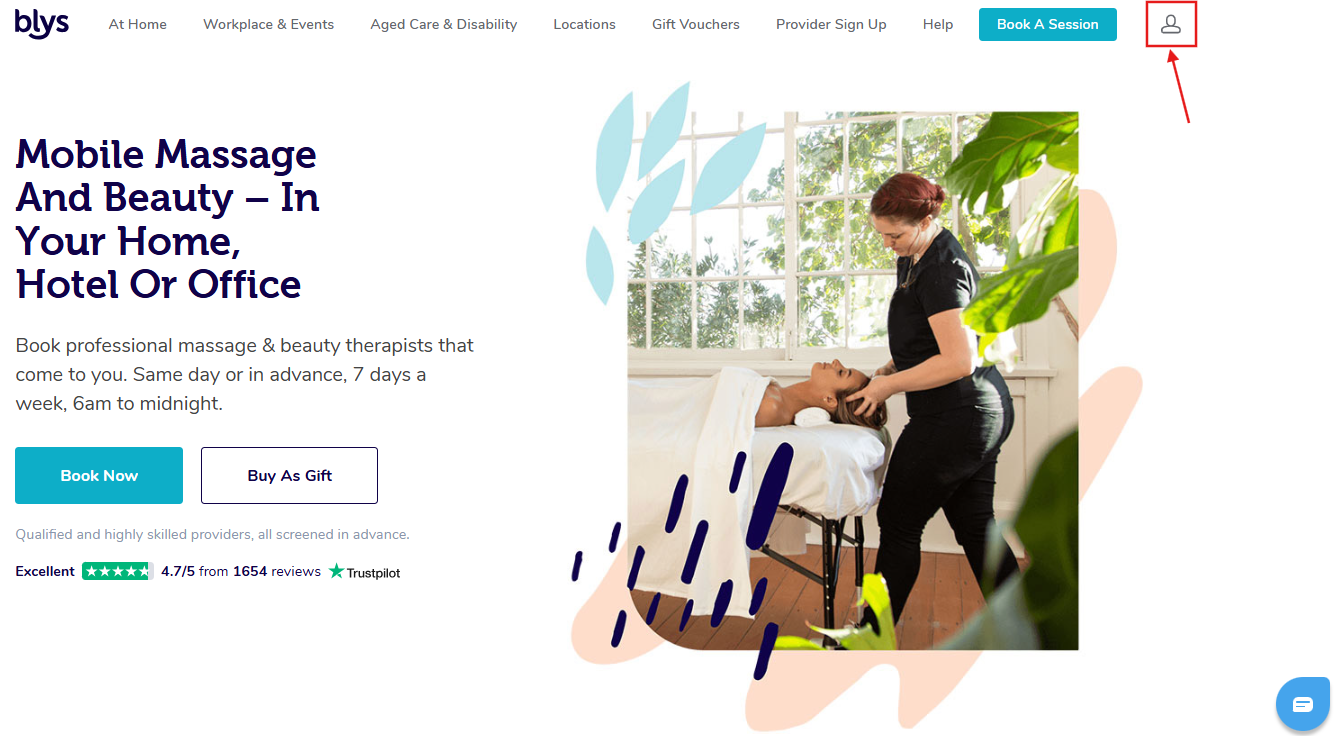
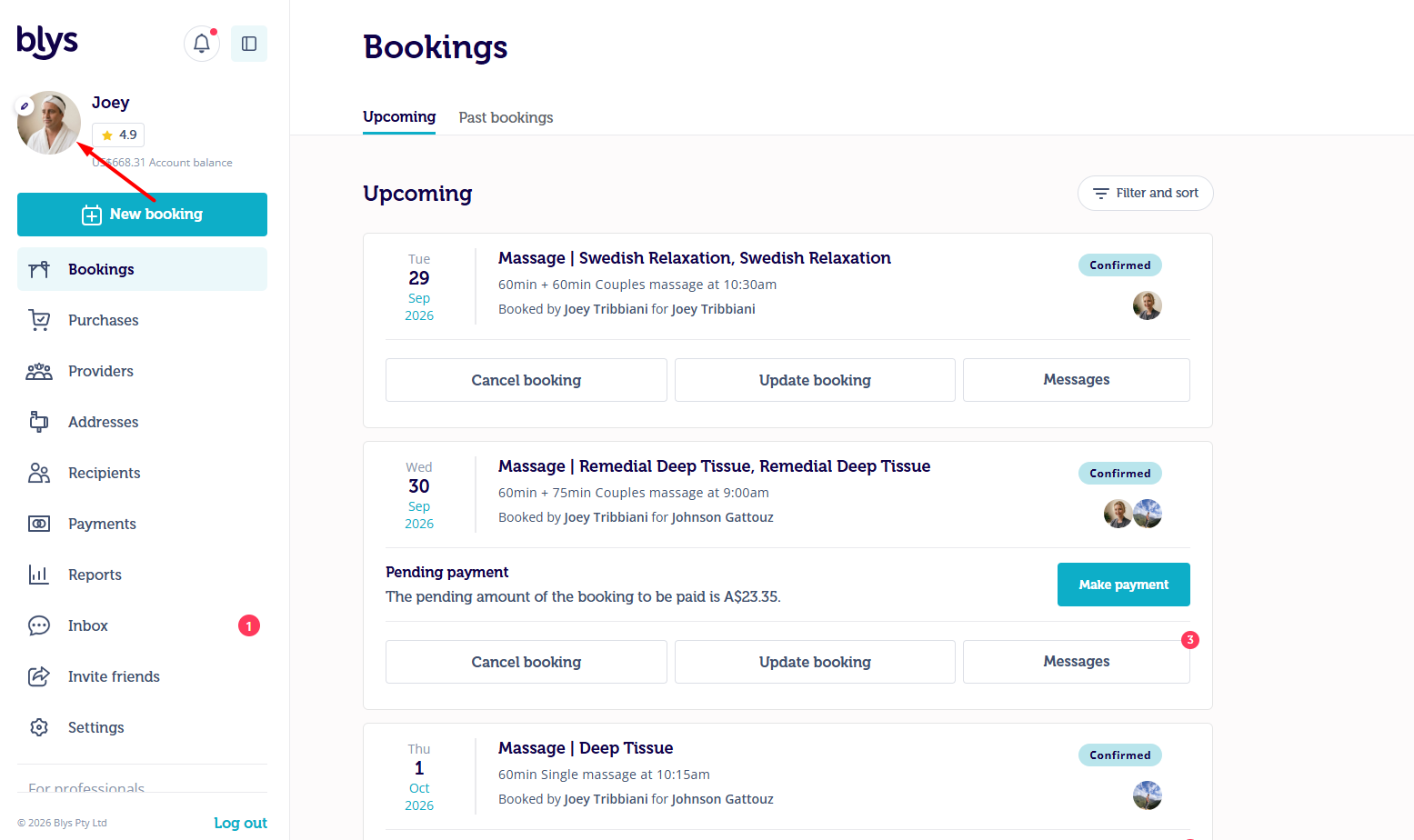
- Click on your profile as highlighted in the screenshot below.
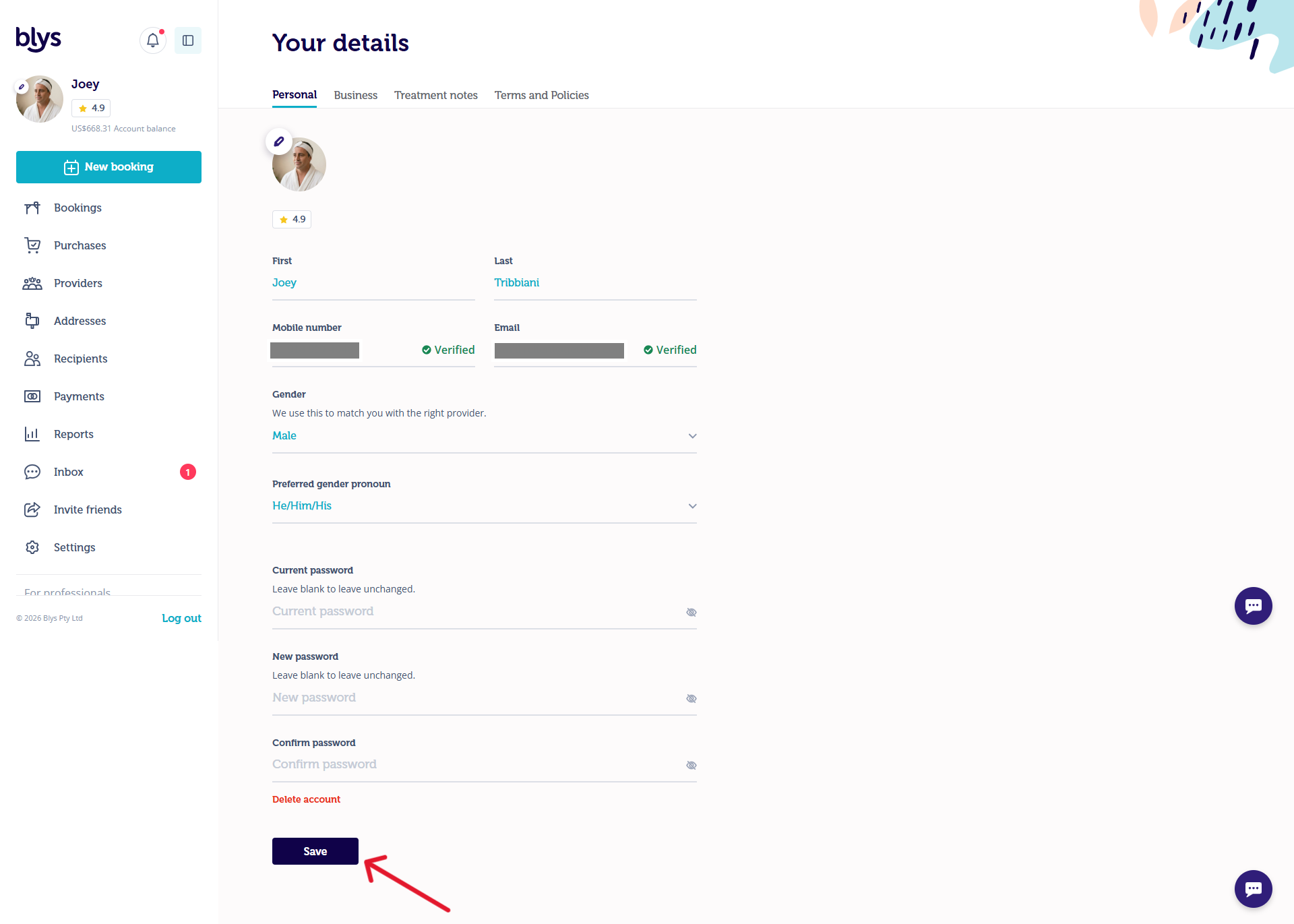
- Enter your mobile/email address should you need to update them.
- Click "Save"
Via App
- Click on your profile and edit your profile by clicking on the small pen icon.
- Update your details and click "Save & apply" to apply the changes.
|
|
|