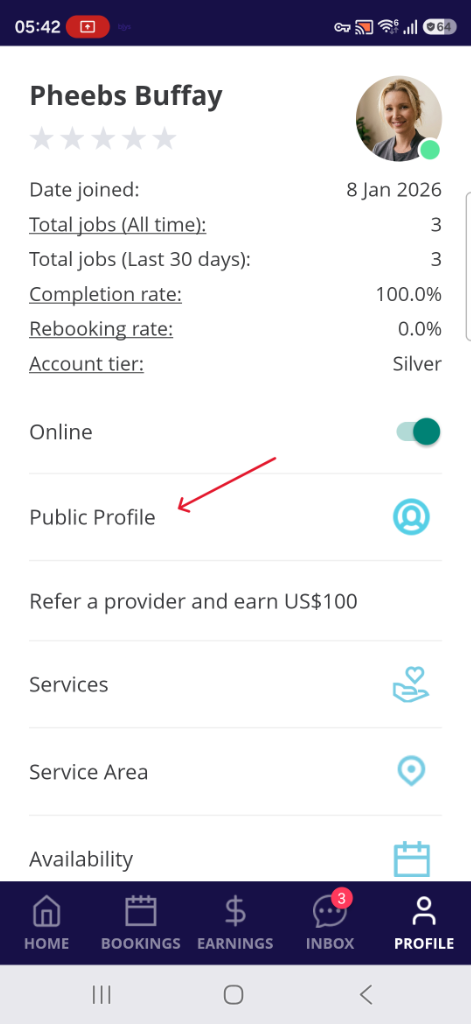
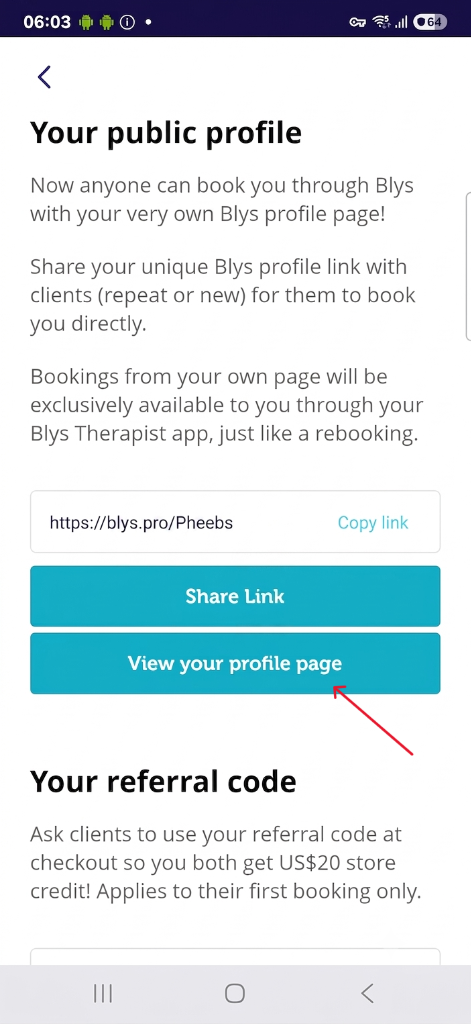
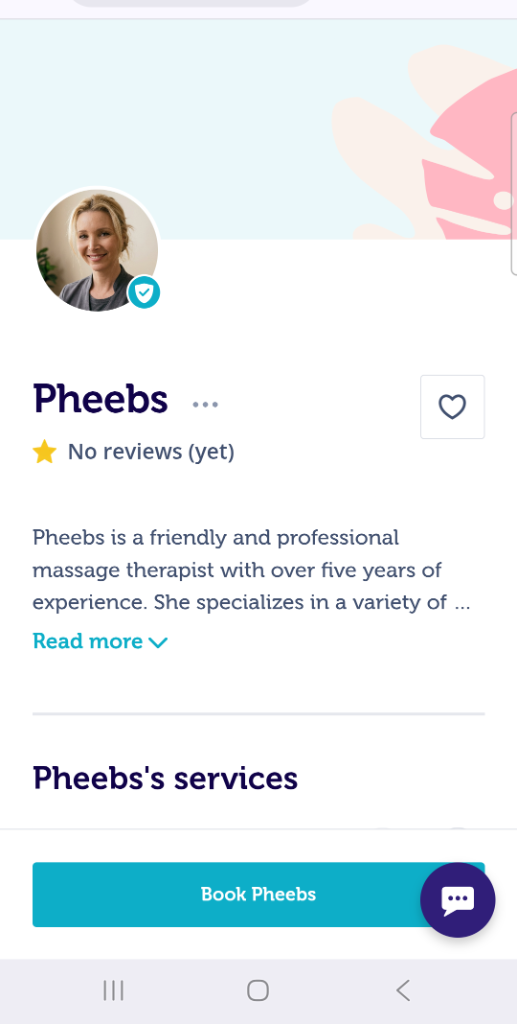
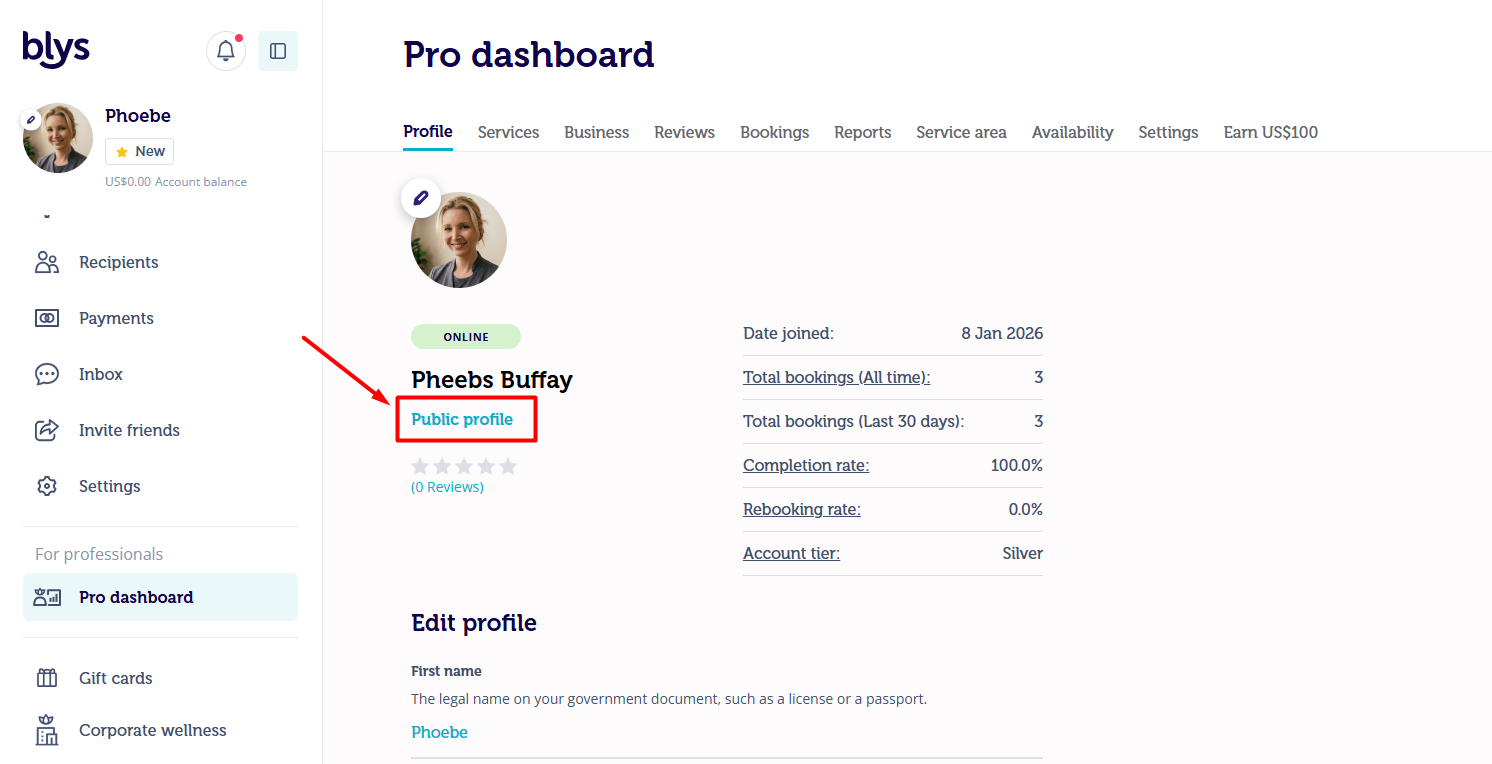
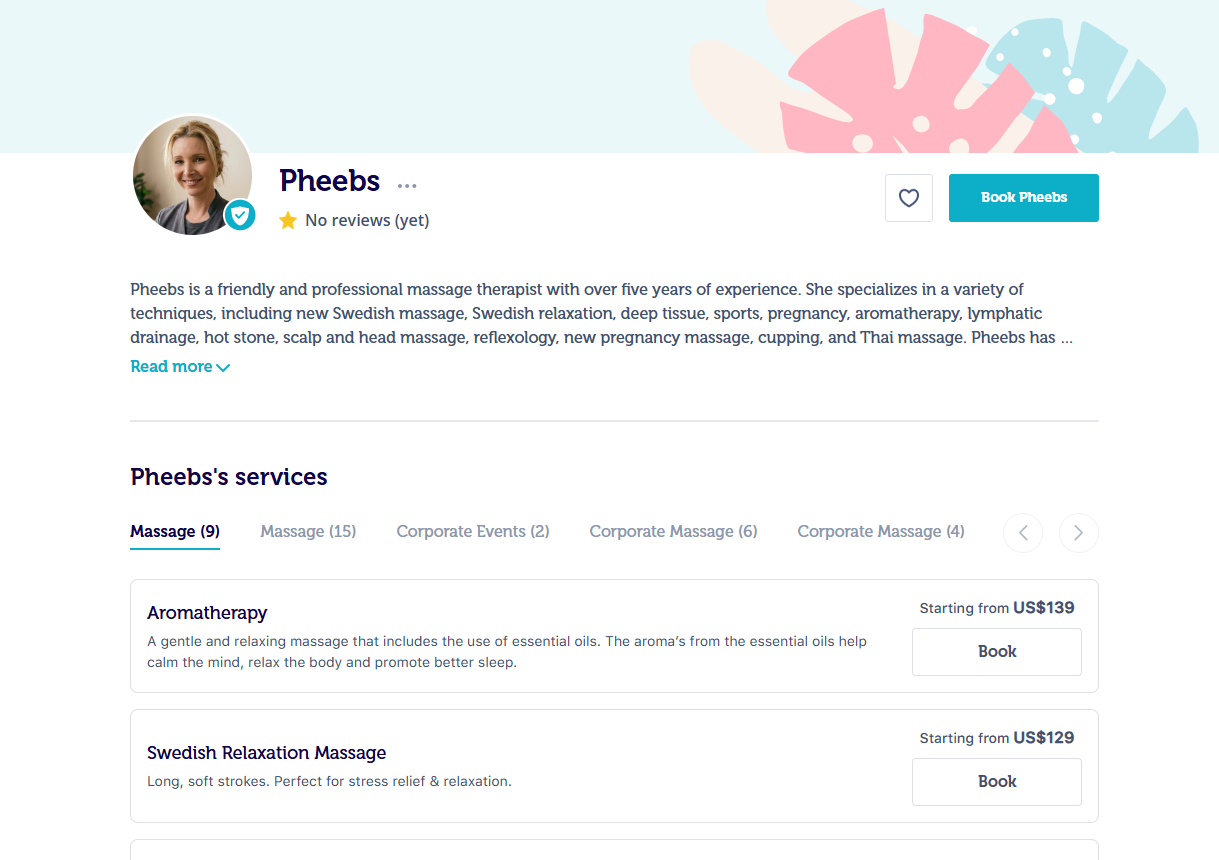
Mobile AppGo to "Account"Select "Public Profile"Tap the "View your profile page" buttonWeb AppGo to Pro Dashboard > ProfileJust below your name, click "Public profile"