In this article
- How to choose your location types
- Available location types
- What happens after you update your preferences?
Use Location Types in the Blys Pro app to choose which types of venues you want to receive job requests for.
How to choose your location types
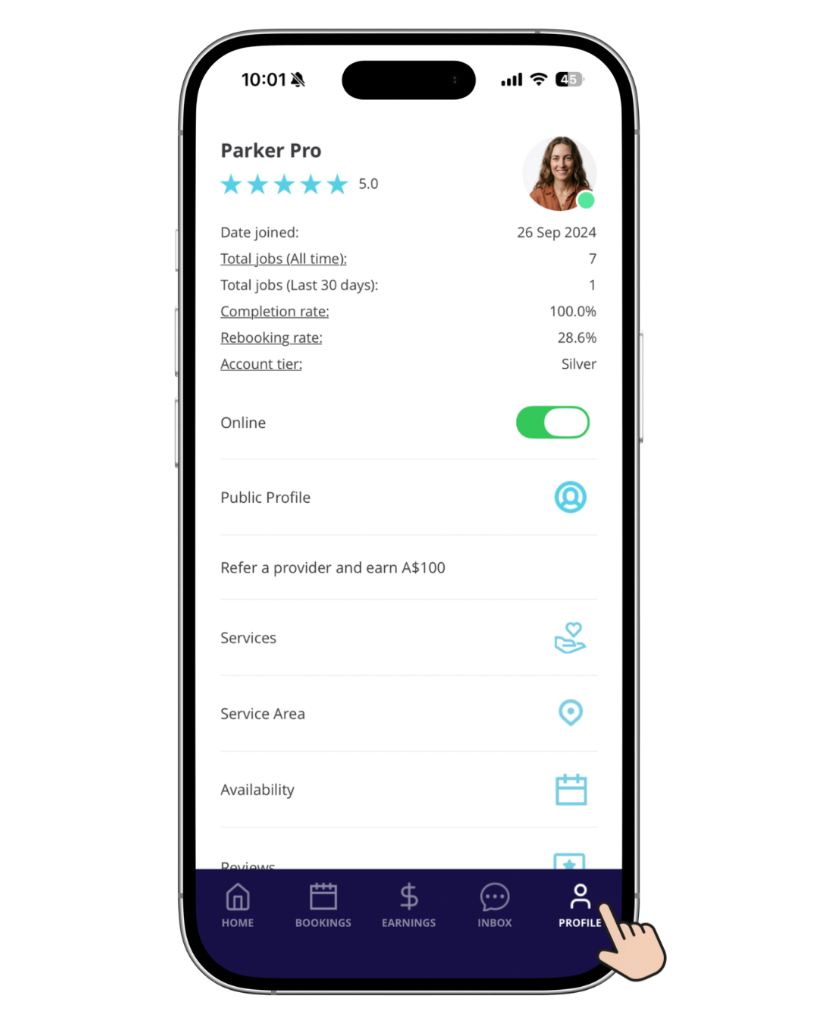
1. Open the Blys Pro app and tap Profile.
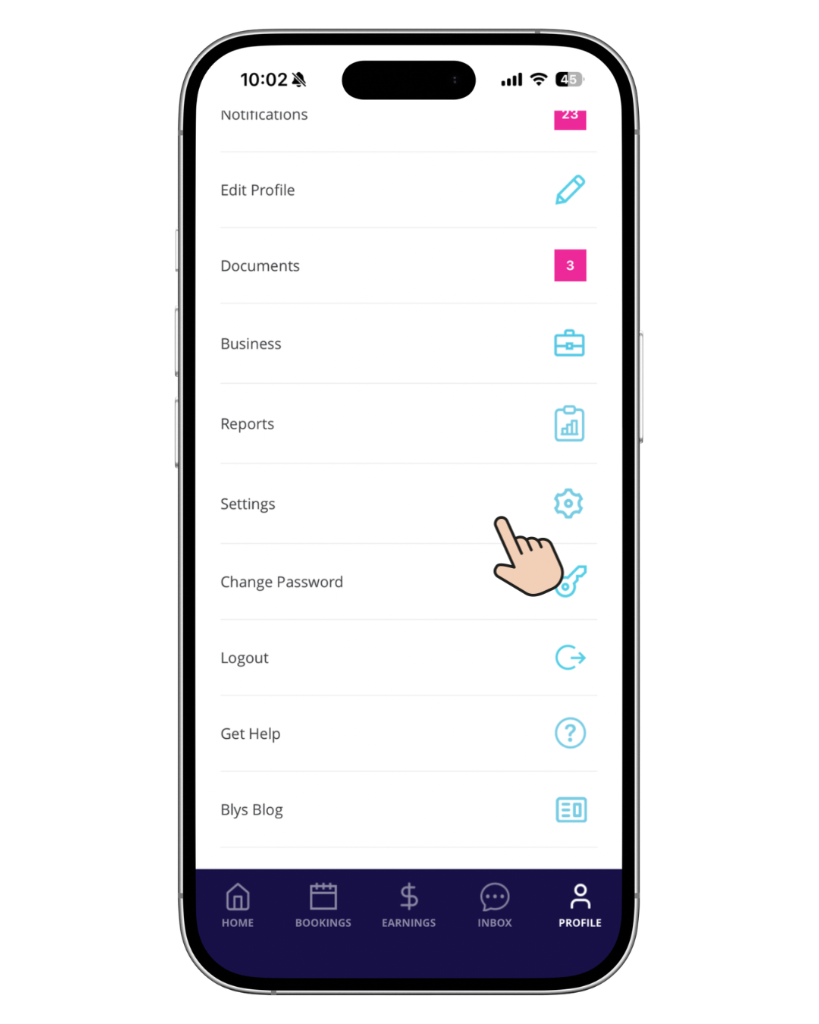
2. Go to Settings.
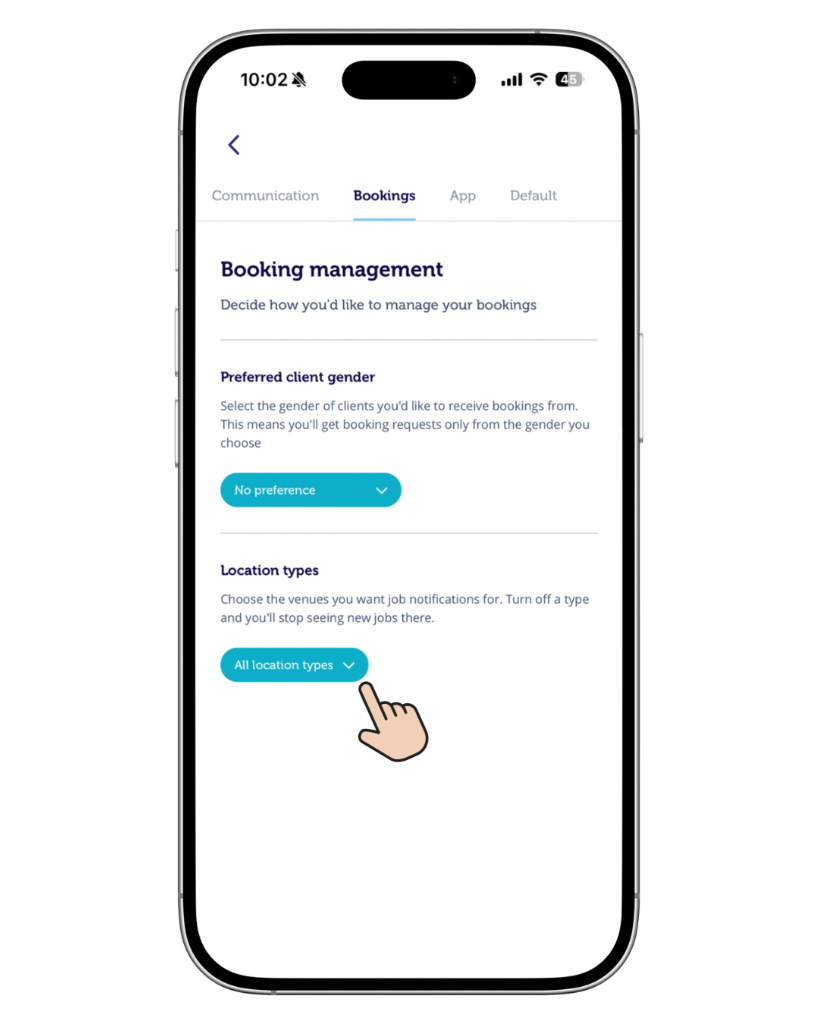
3. Tap the drop-down option in Location Types under Bookings.
4. All locations are turned on by default.
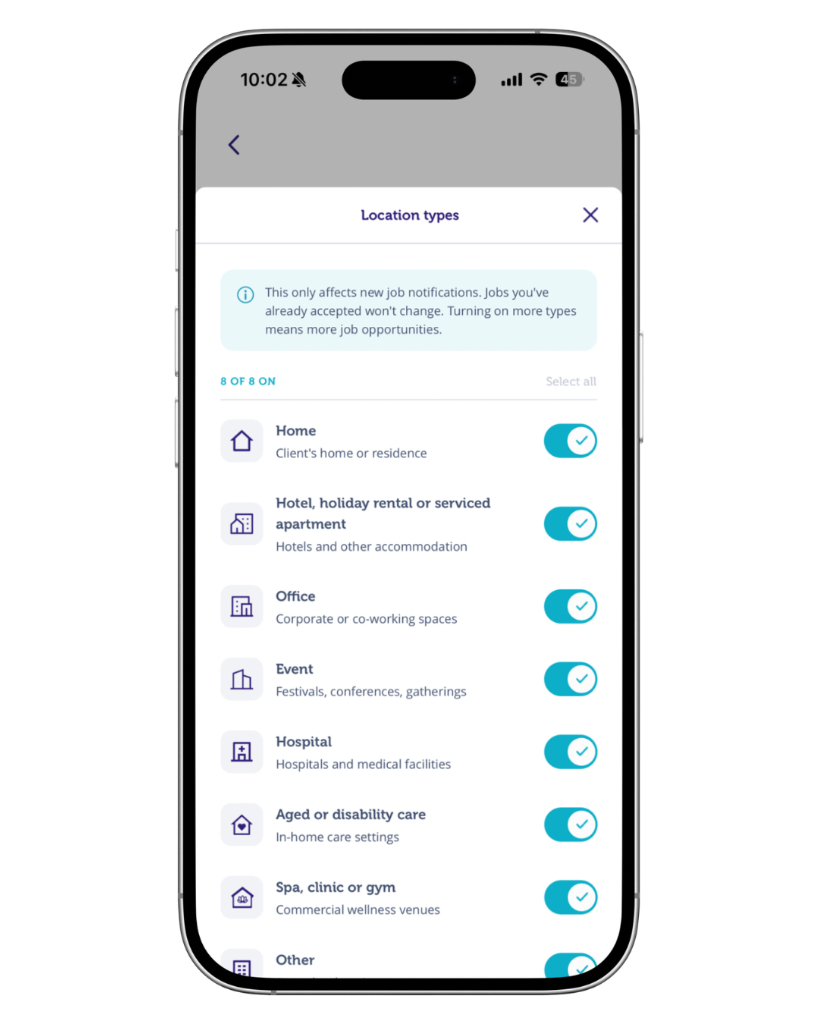
5. Turn each location type on or off based on the job requests you want to receive.
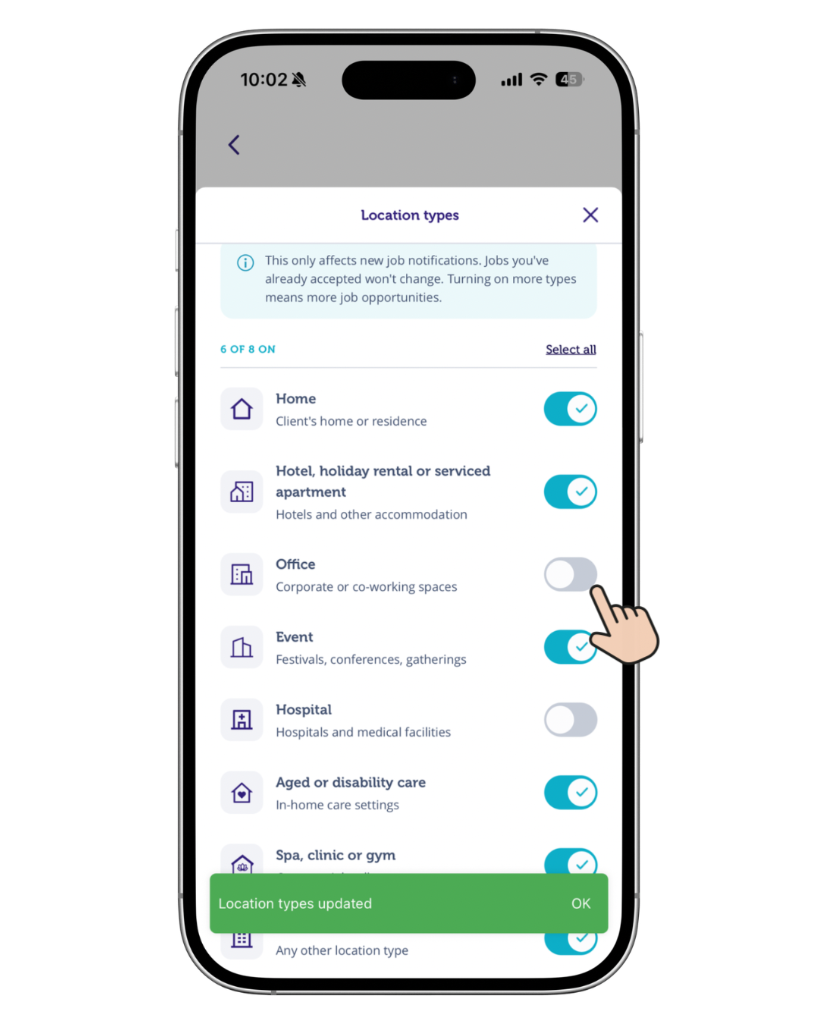
6. You’ll now be able to view the updated location types in your settings.
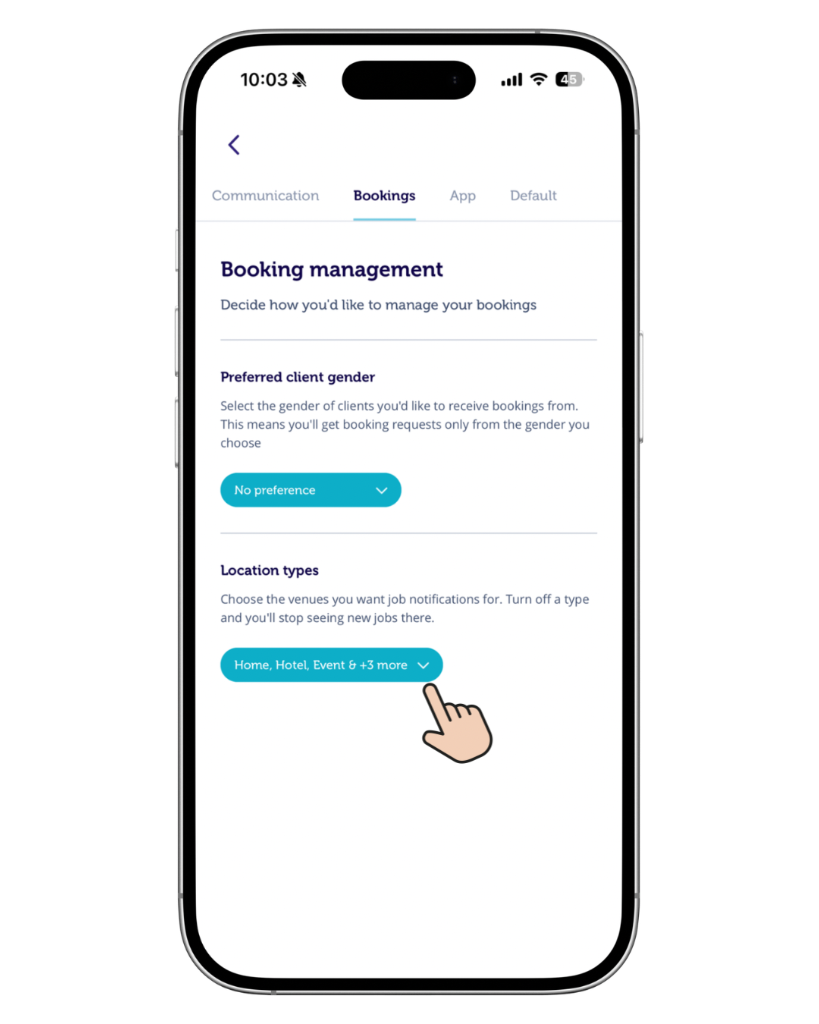
You’ll be able to update your location types similarly via web as well through your Pro Dashboard.
Available location types
- Home: the client's residence
- Hotel: a hotel or other accommodation
- Office / Workplace: a corporate or co-working space
- Event: a festival, conference or gathering
- Home Care: an in-home care setting
- Hospital / Aged Care: a hospital or aged care facility
- Spa, Clinic & Gym: a commercial wellness venue
- Other: any other location type
Note: All location types are selected by default, and at least one type must remain selected. Selecting more location types may increase the number of job opportunities you see.
What happens after you update your preferences?
Your changes apply to future job notifications only. Jobs you have already accepted are not affected.
Location Type Preferences work alongside your service area and availability.