Here you'll find the step-by-step instructions on how to view your client's ratings & reviews.
Website
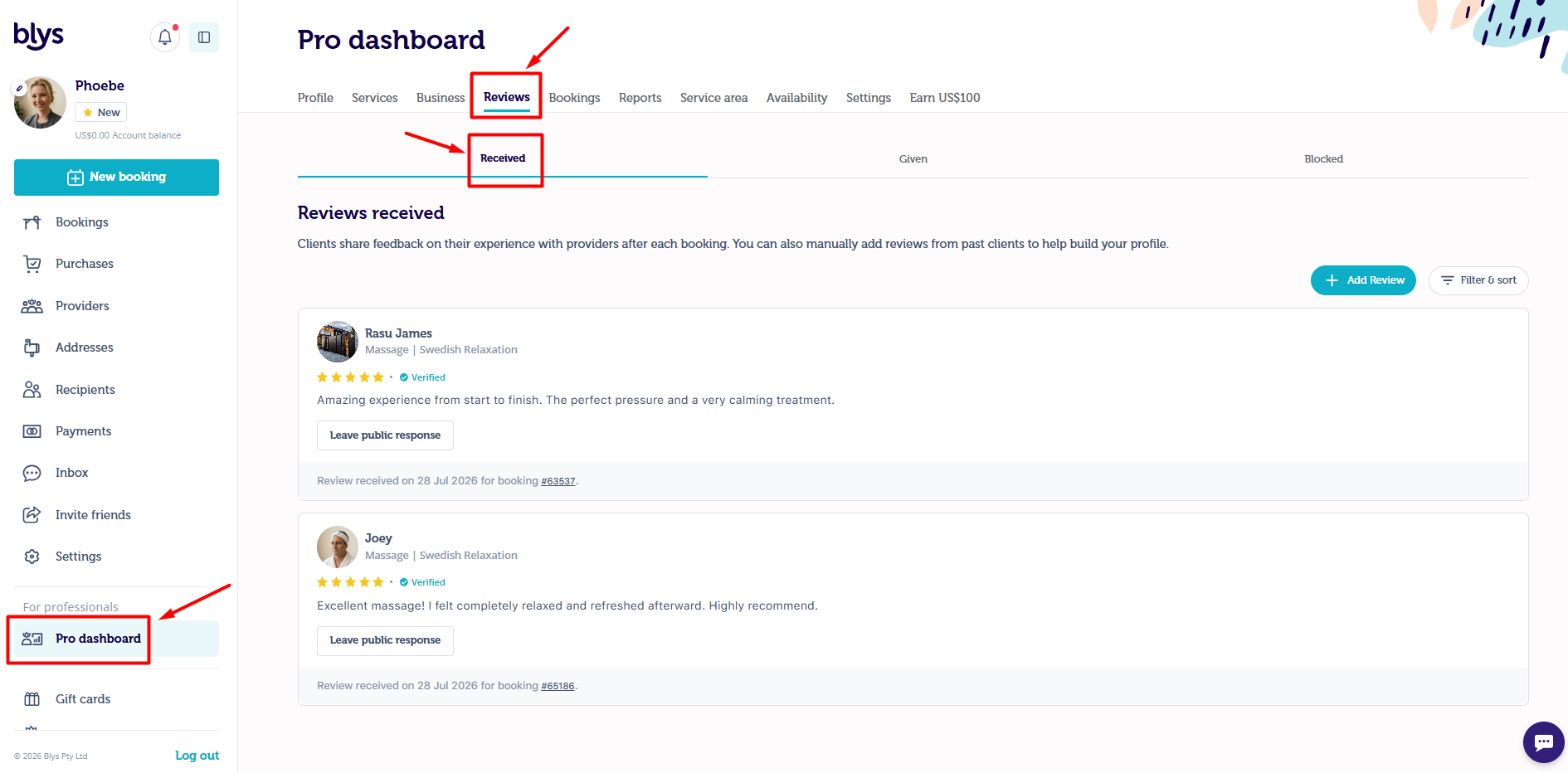
- Log on to our website using the same email and password you used to sign up at https://getblys.com.au/my-account.
- Once logged in, you will see your profile, and click "Pro dashboard".
- Click "Reviews" to see all of your reviews.
App
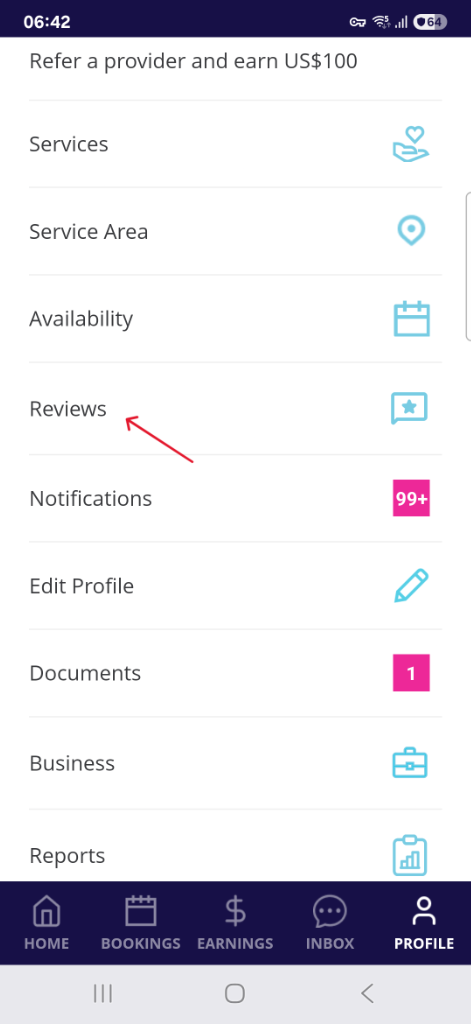
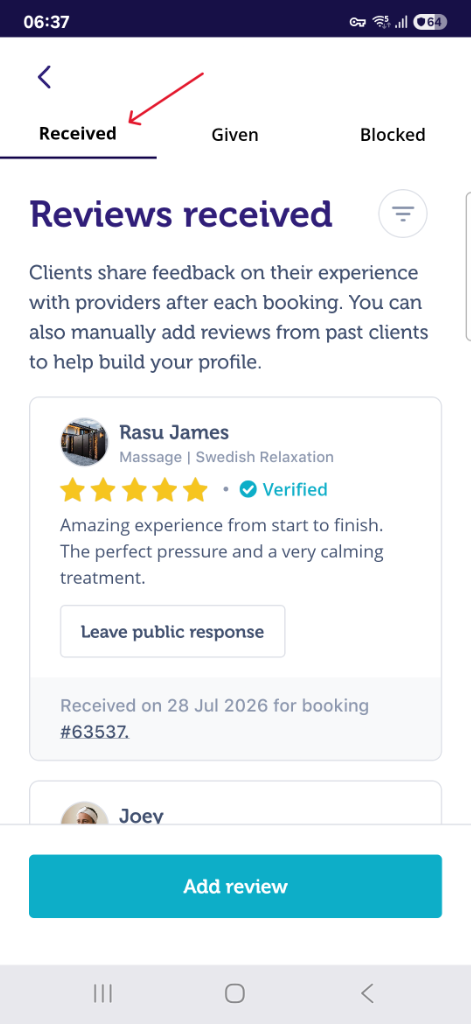
- Go to 'Account' then 'Reviews'
|
|
You can also find your client ratings & reviews from your public profile page. Please read this article on How do I access my Blys Provider profile page?