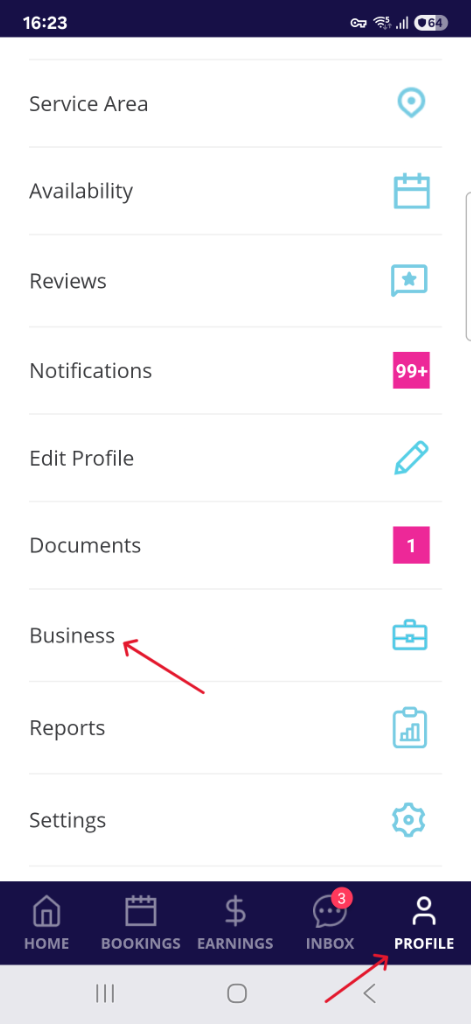
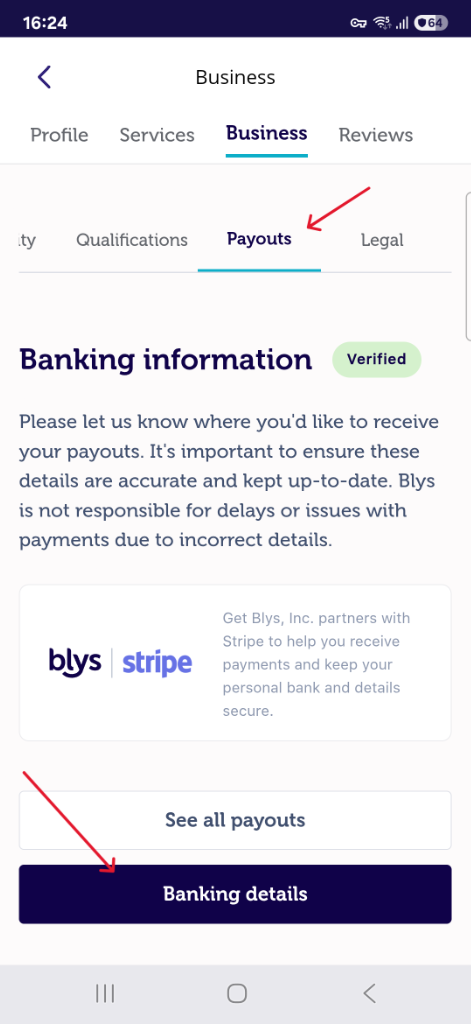
You can update your W-9 form details from your Blys Web or Blys Pro app.
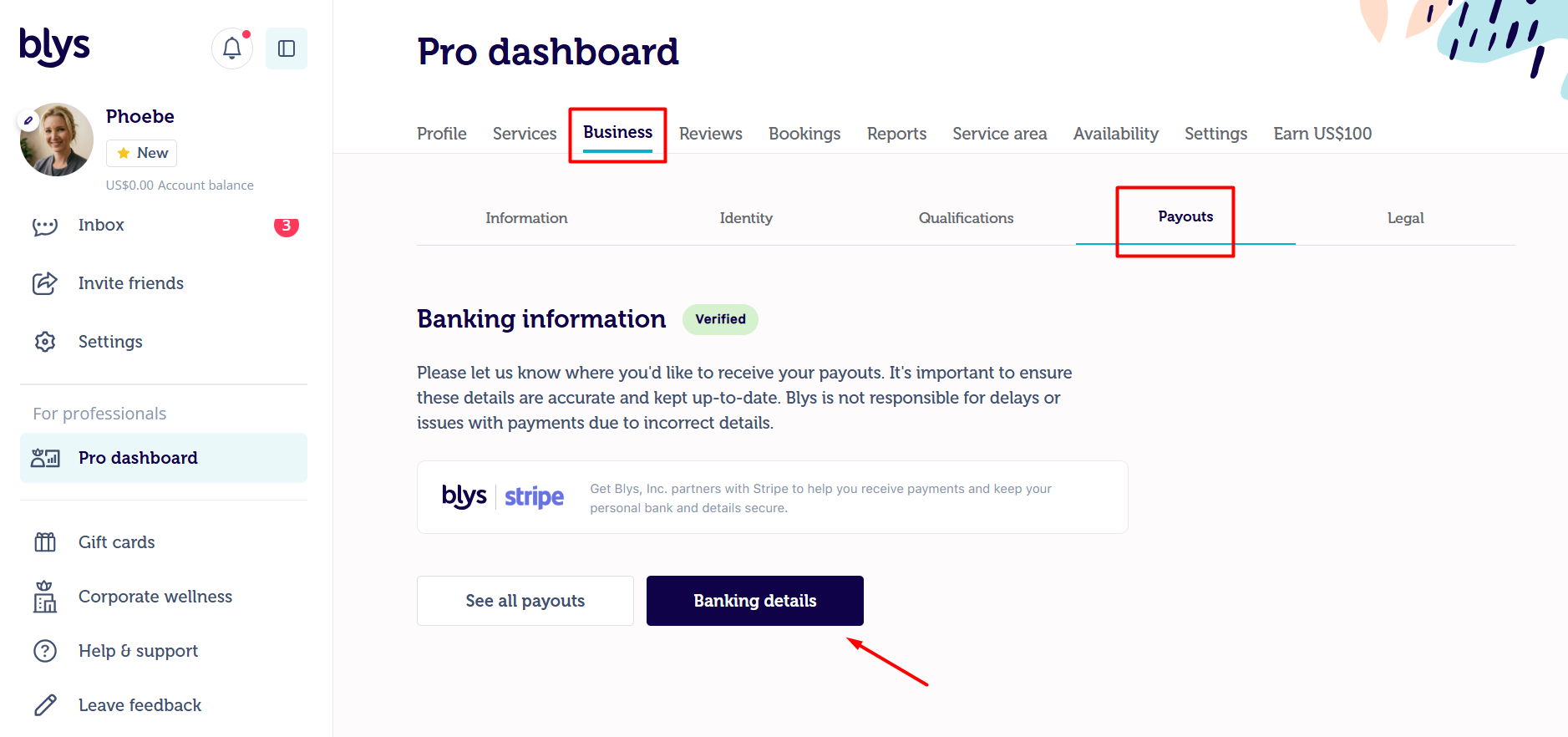
Via Web:
- Navigate to Pro dashboard -> Business -> Payouts
- Click on Banking Details
- Update/Add your W9 information and click on "Confirm & submit" to save the details
Via App:
- Navigate to Account -> Business -> Payouts
- Click on Banking Details
- Update/Add your W9 information and click on "Confirm & submit" to save the details
|
|