In this article
- Earnings Reports
- End of Financial Year Report
- Weekly Payout Summary
- Wallet Statement (Australia, New Zealand, Canada, United Kingdom, Europe & United States)
- Tax Invoice
- Which report should I use?
- What’s included in the Earnings report?
- Understanding your Earnings report
- Keeping your records
Your Blys Pro account gives you access to different reports that can help you keep track of your earnings, payouts, and invoices.
Earnings Reports
You can access your earnings reports through the Blys Pro Dashboard on the web or through the Blys Pro App.
In the Earnings section, see the:
- Overview report to view and download your earnings for a financial year.
- Payouts report to view your weekly payout information.
- Billing section to view and download your tax invoices.
End of Financial Year Report
The End of Financial Year report gives you an overview of your Blys earnings for a selected financial year. This can be useful when preparing your records for tax time.
End of Financial Year Report
Via Web
- From your provider account, go to "Pro Dashboard" --> "Reports" --> "Overview"
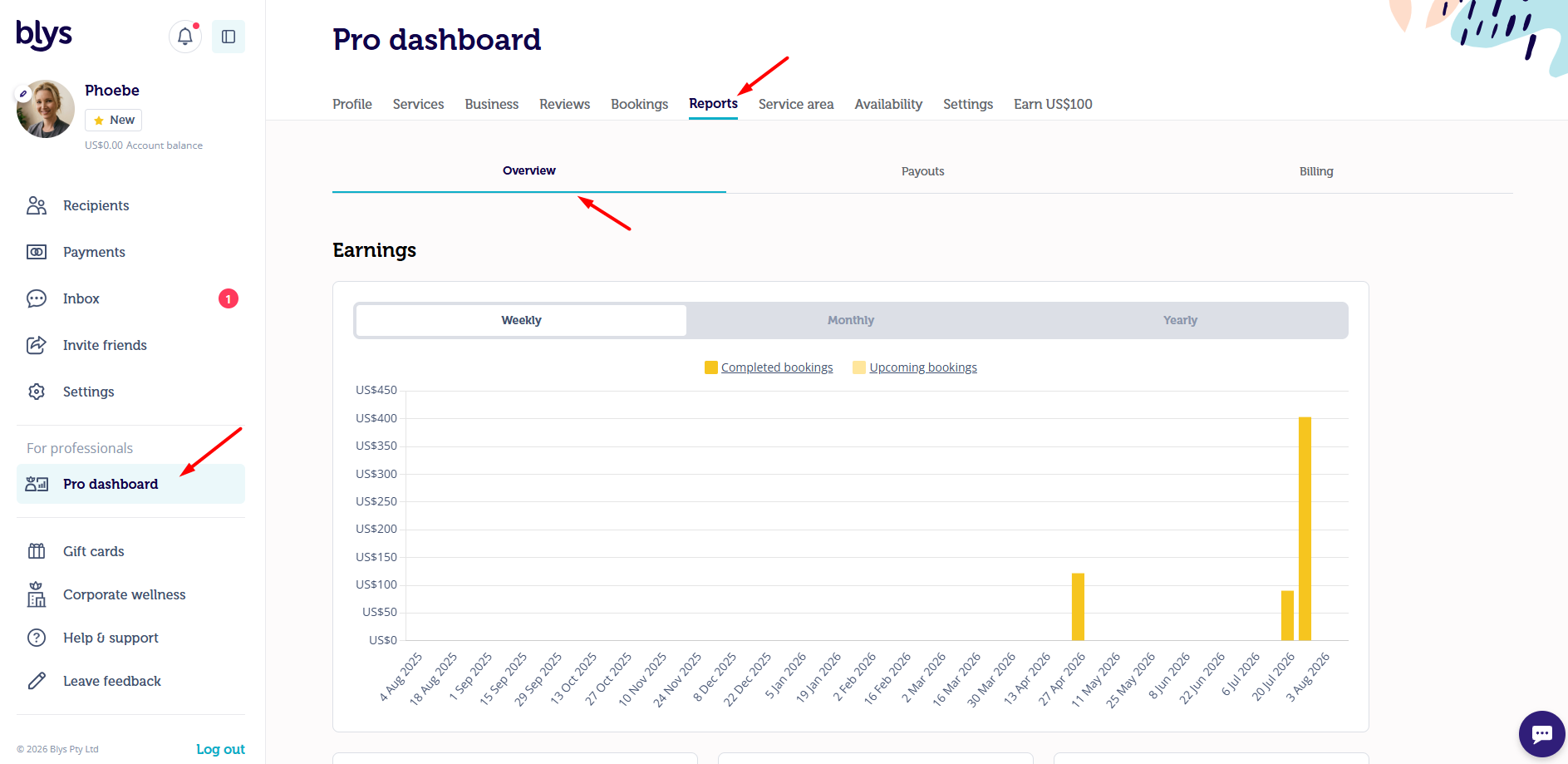
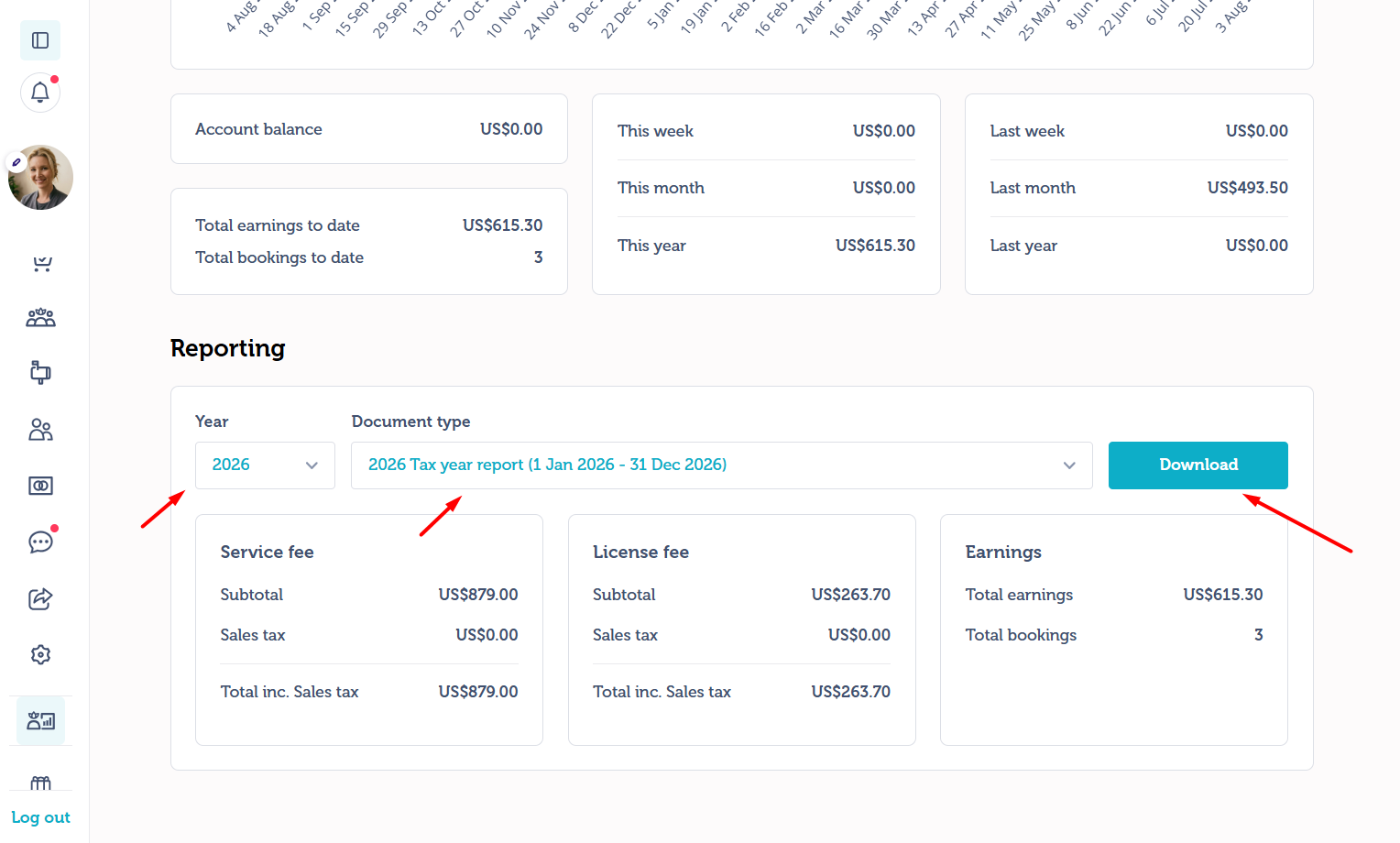
- Choose the respective Financial Year for the report that you need.
- Click 'Download Report'
- Save your file.
Via App
- Open your Blys Pro App and go to Earnings.
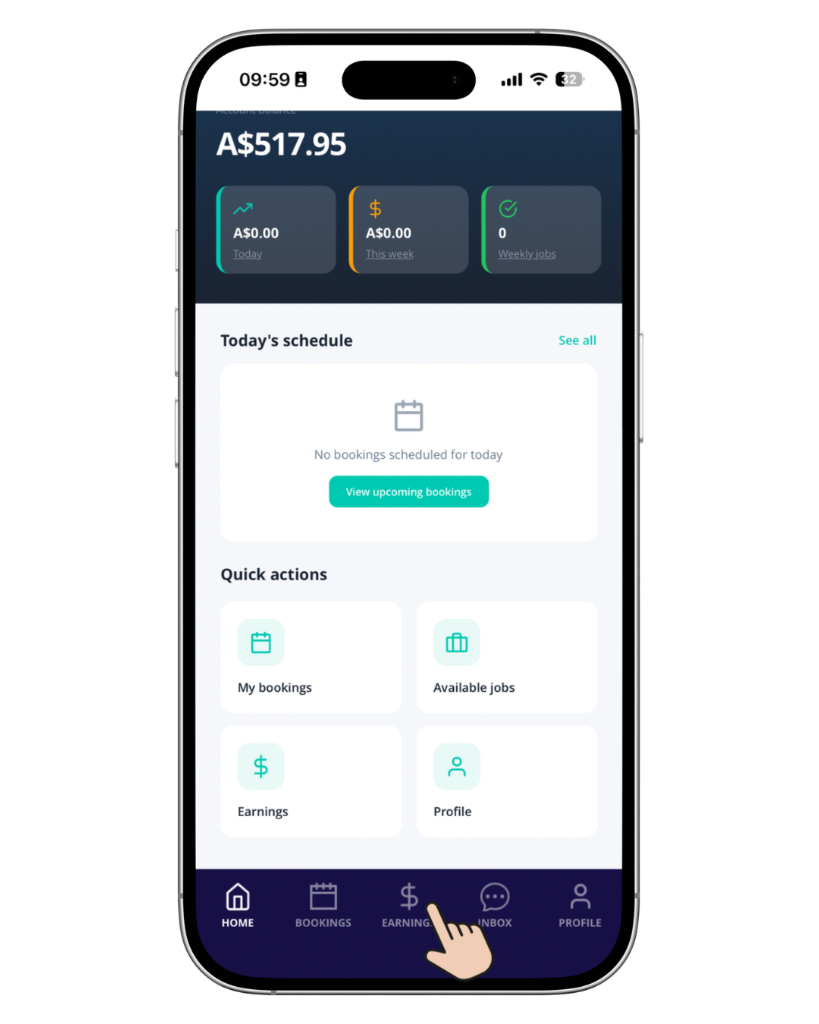
- Tap on View Reports.
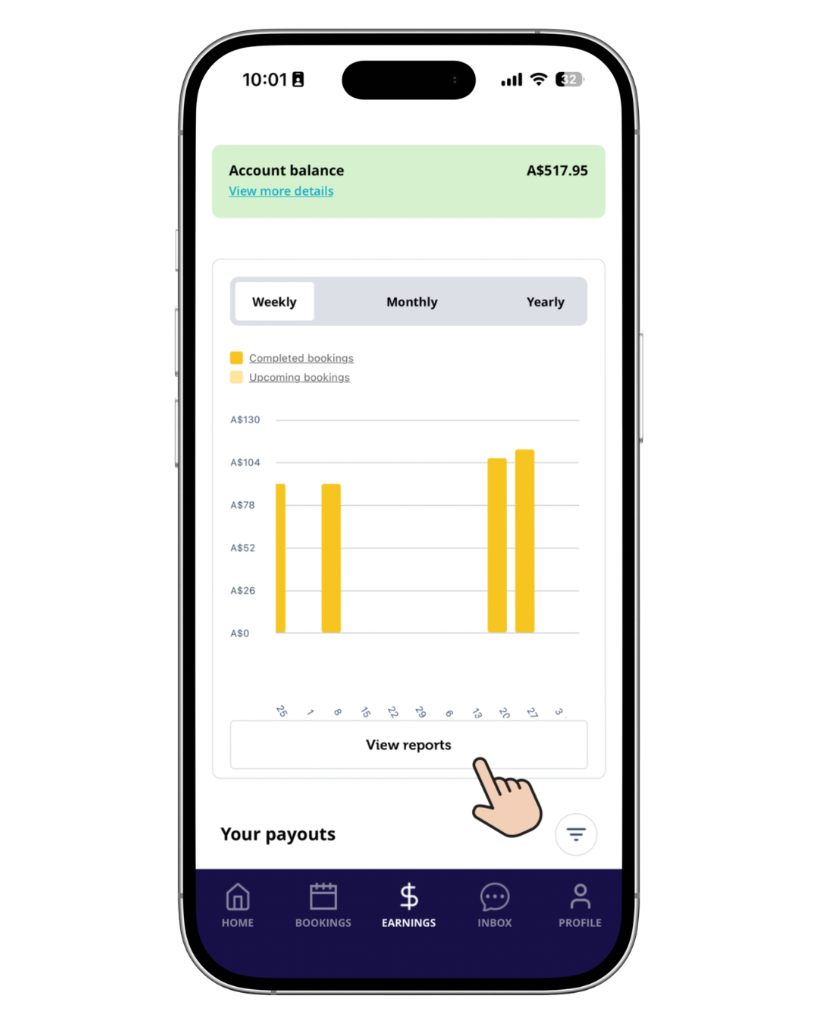
- Go to Overview, and scroll down to Reporting section.
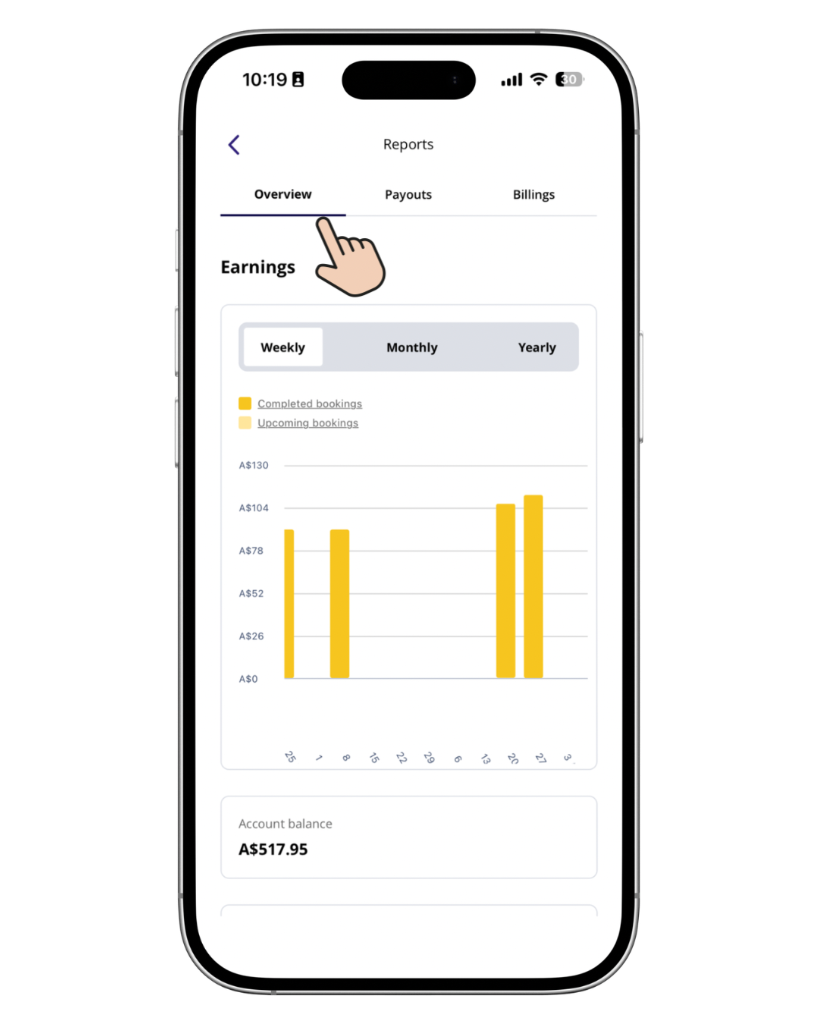
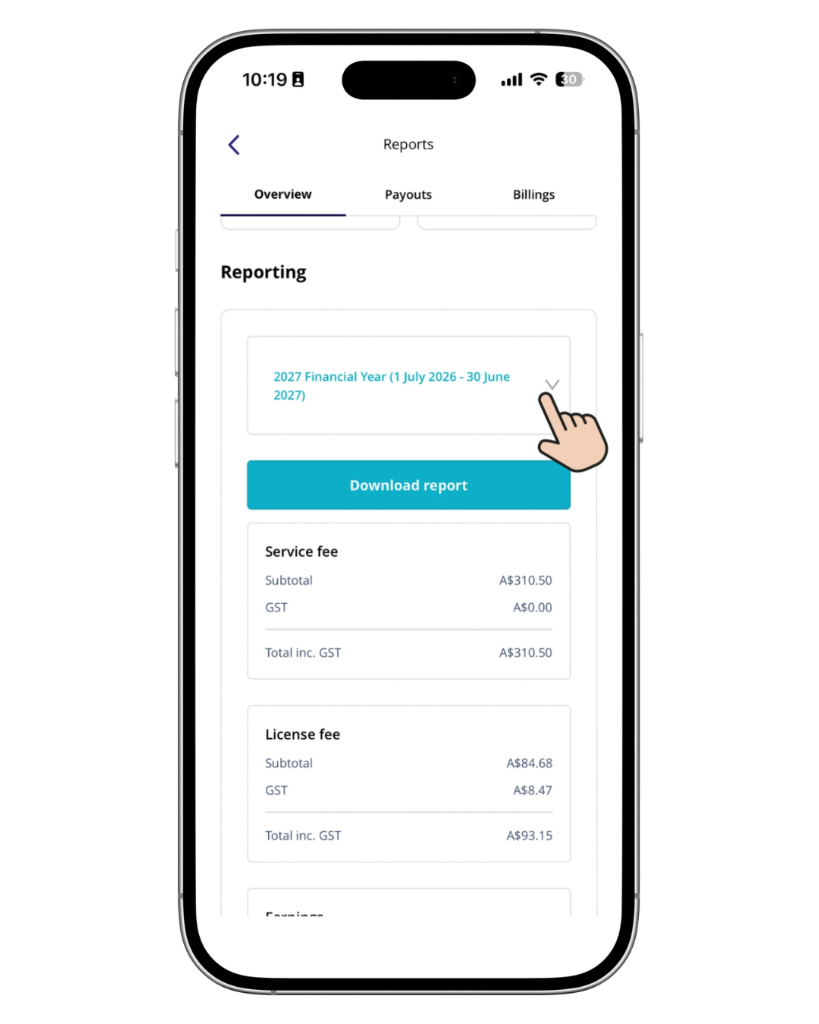
- Tap on the drop down menu to choose the Financial Year for which you need to download the report.
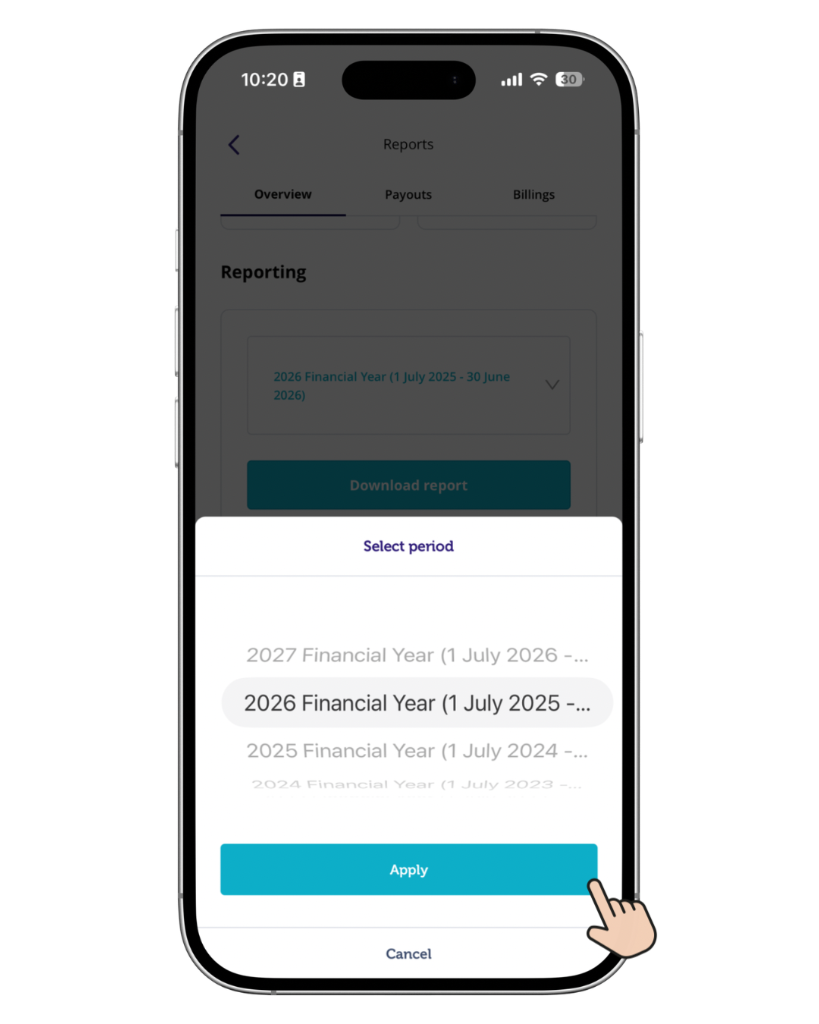
- Choose a financial year, and tap on Apply.
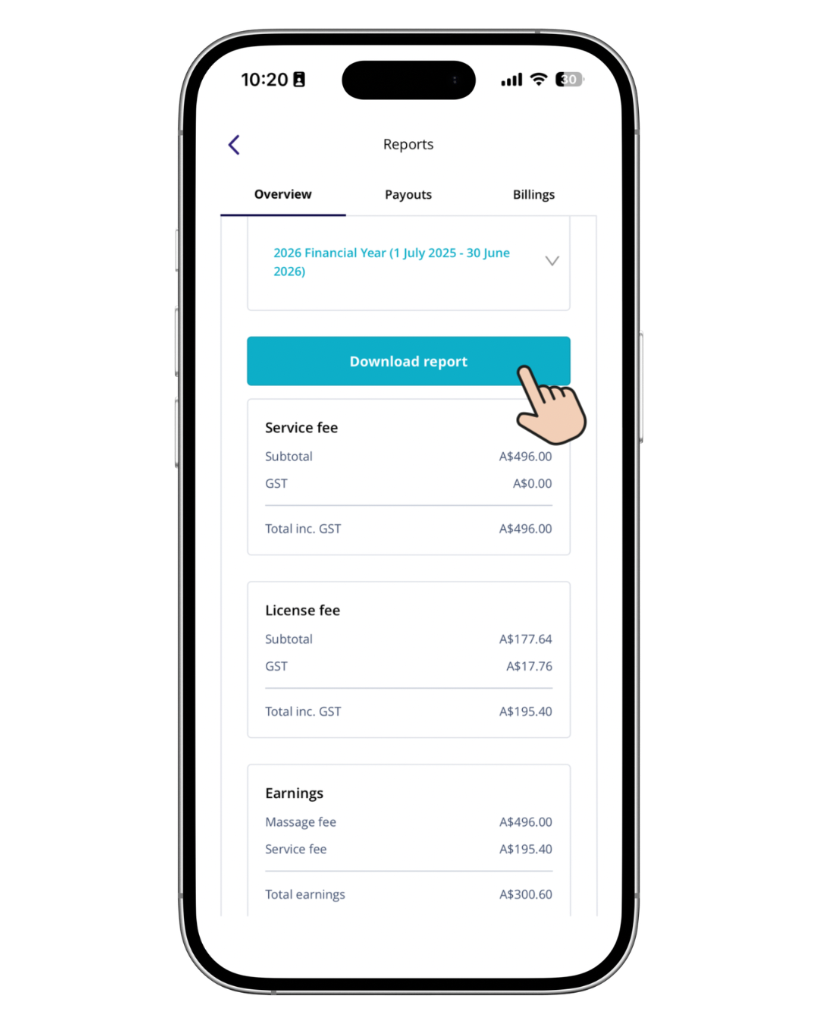
- Then, tap on Download Report.
Weekly Payout Summary
The Payouts report lets you view your payout information for a particular week.
This is useful if you want to check the bookings included in a weekly payout or keep a record of your regular Blys payments.
Your weekly payout report shows tips separately from the service price. Each booking line shows the service amount and any tip you received as separate amounts, and the summary section includes a tips subtotal. Bookings without a tip show a dash instead of $0.00. Tips are paid to you in full.
Via Web
- Go to Pro Dashboard > Reports > Payouts
- Select the corresponding week that you wish to download.
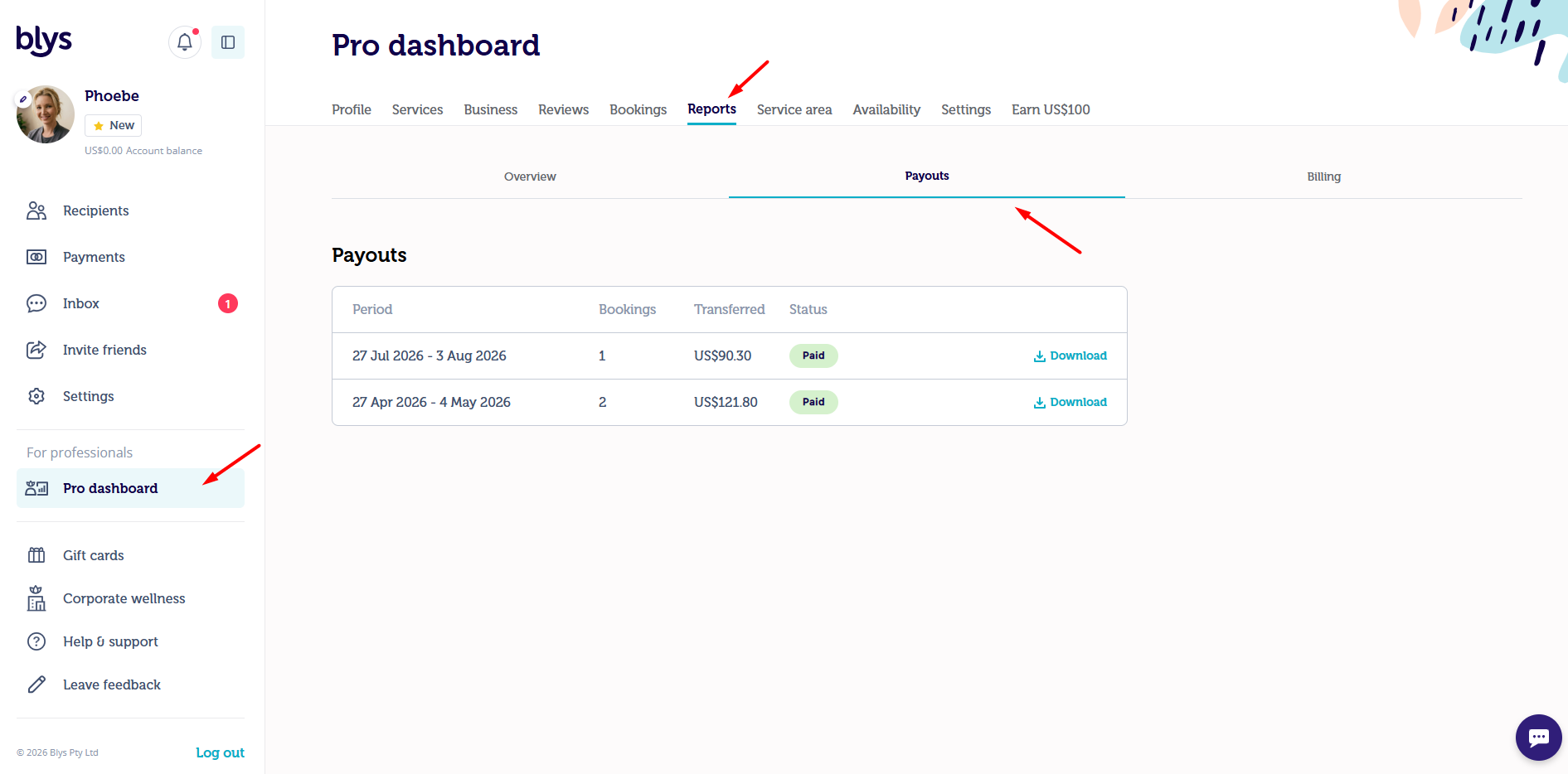
Via App
- Open your Blys Pro app, go to Earnings.
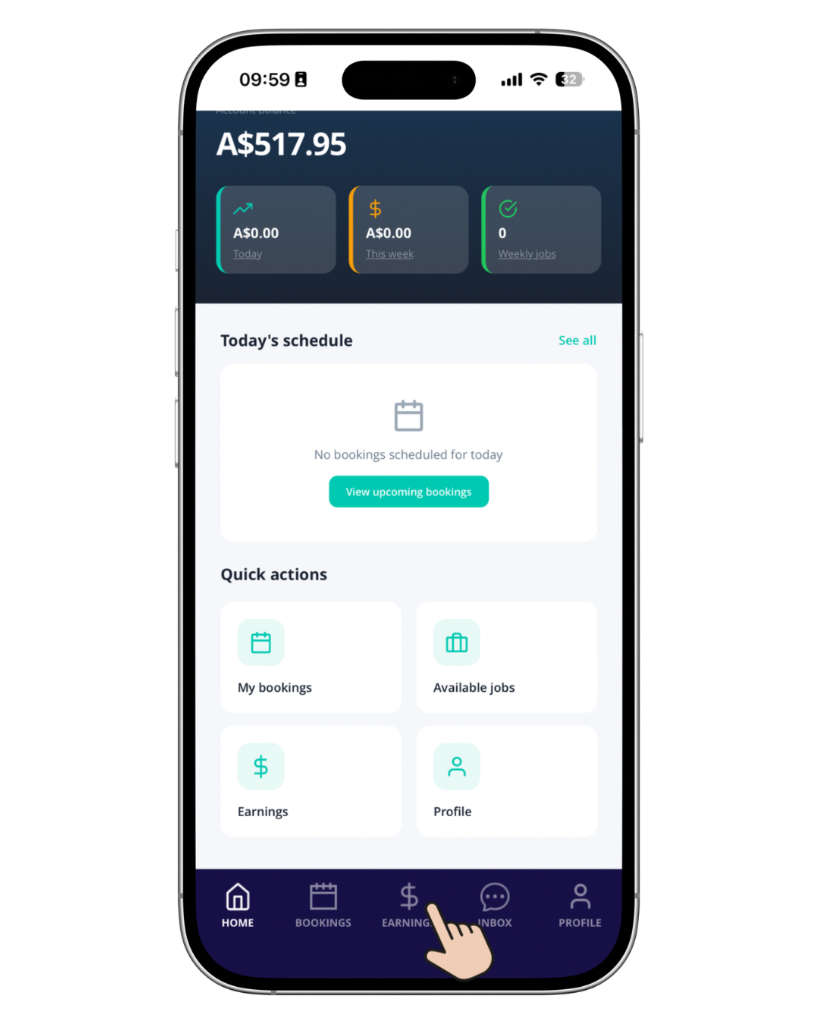
- Tap on View Reports.
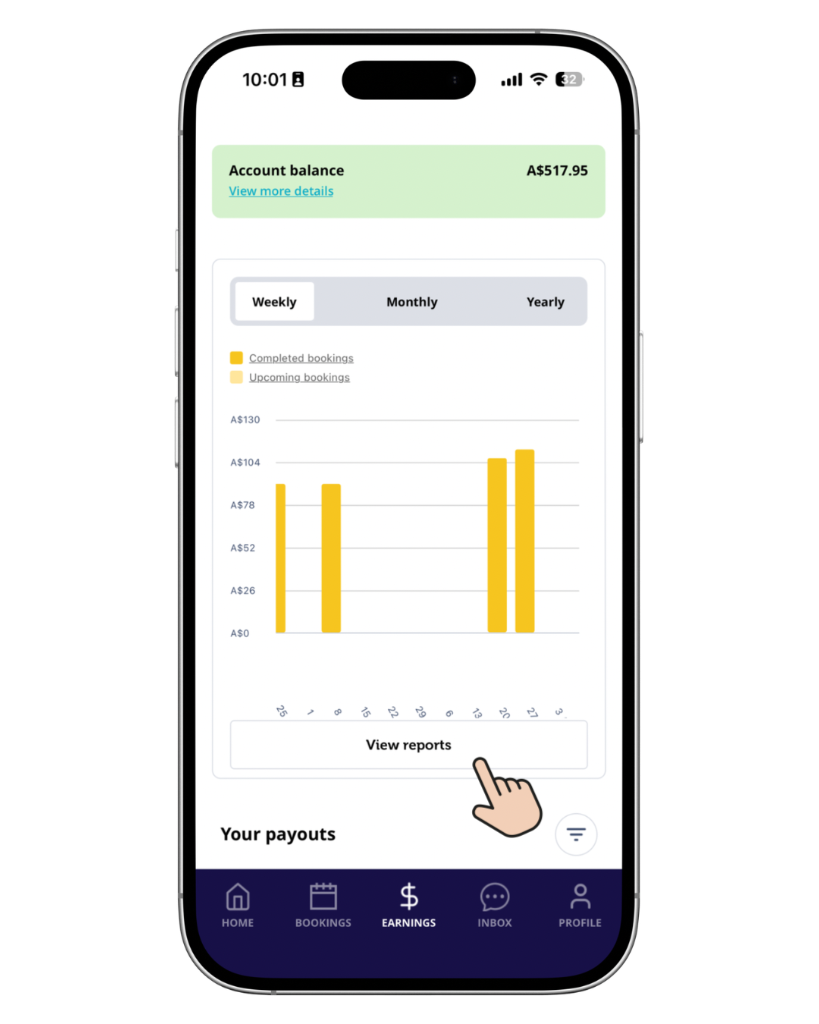
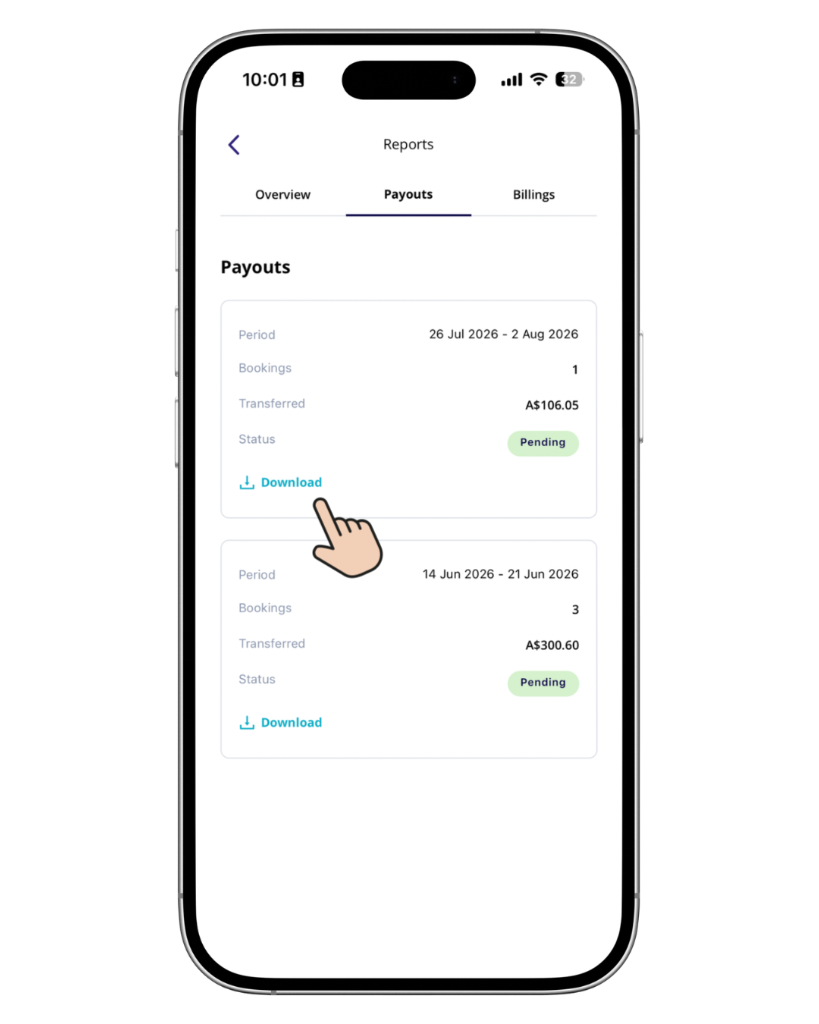
- You’ll be able to view the overview of your earnings right away. Tap on Payouts.
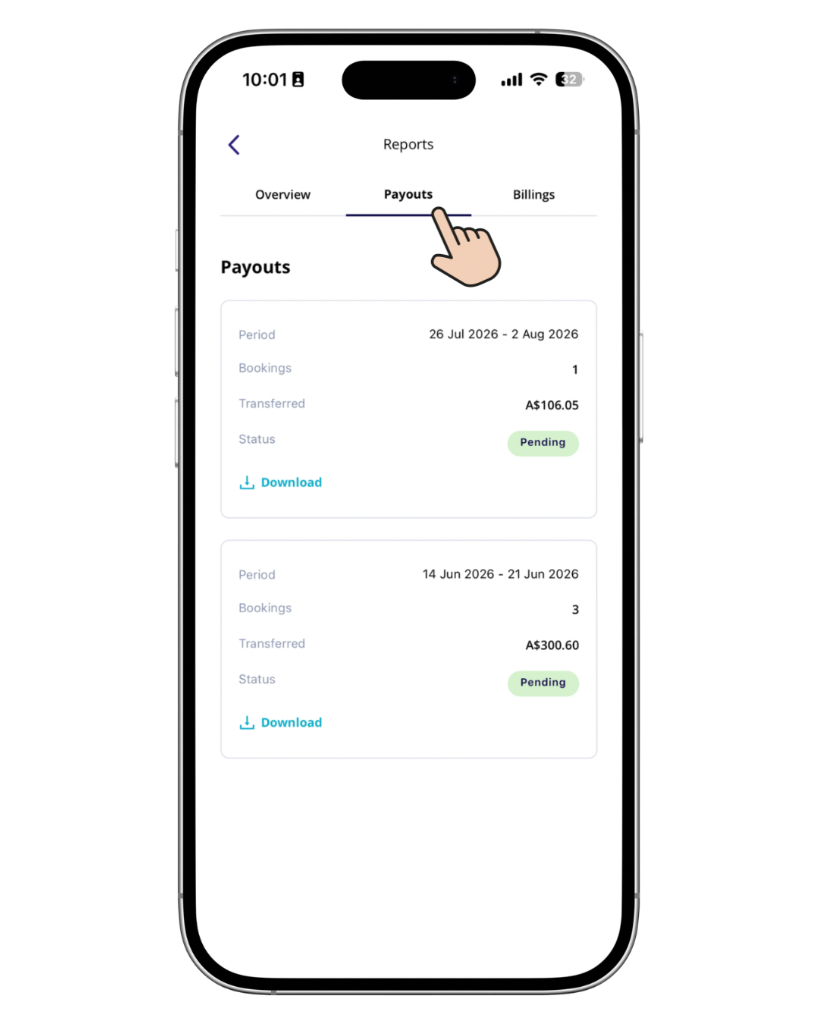
- View your weekly payout information and download the required report by tapping on Download.
Wallet Statement (Australia, New Zealand, Canada, United Kingdom, Europe & United States)
If you’re a provider based in Australia, New Zealand, Canada, United Kingdom, Europe or the United States, your Weekly Payout Summary has been replaced with a Wallet Statement.
Your Wallet Statement is a single, chronological record of everything affecting your Blys Wallet balance, including job earnings, payouts, credits, purchases and any adjustments. Each entry links back to the related booking or payout.
You can view and download your Wallet Statement as a PDF from the Reports section of your Pro Dashboard or Blys Pro App, the same way you previously downloaded your weekly payout report.
See How do the payouts work? How and when do I get paid? for a full explanation of your Blys Wallet, including Available, Pending and Credit balances.
Tax Invoice
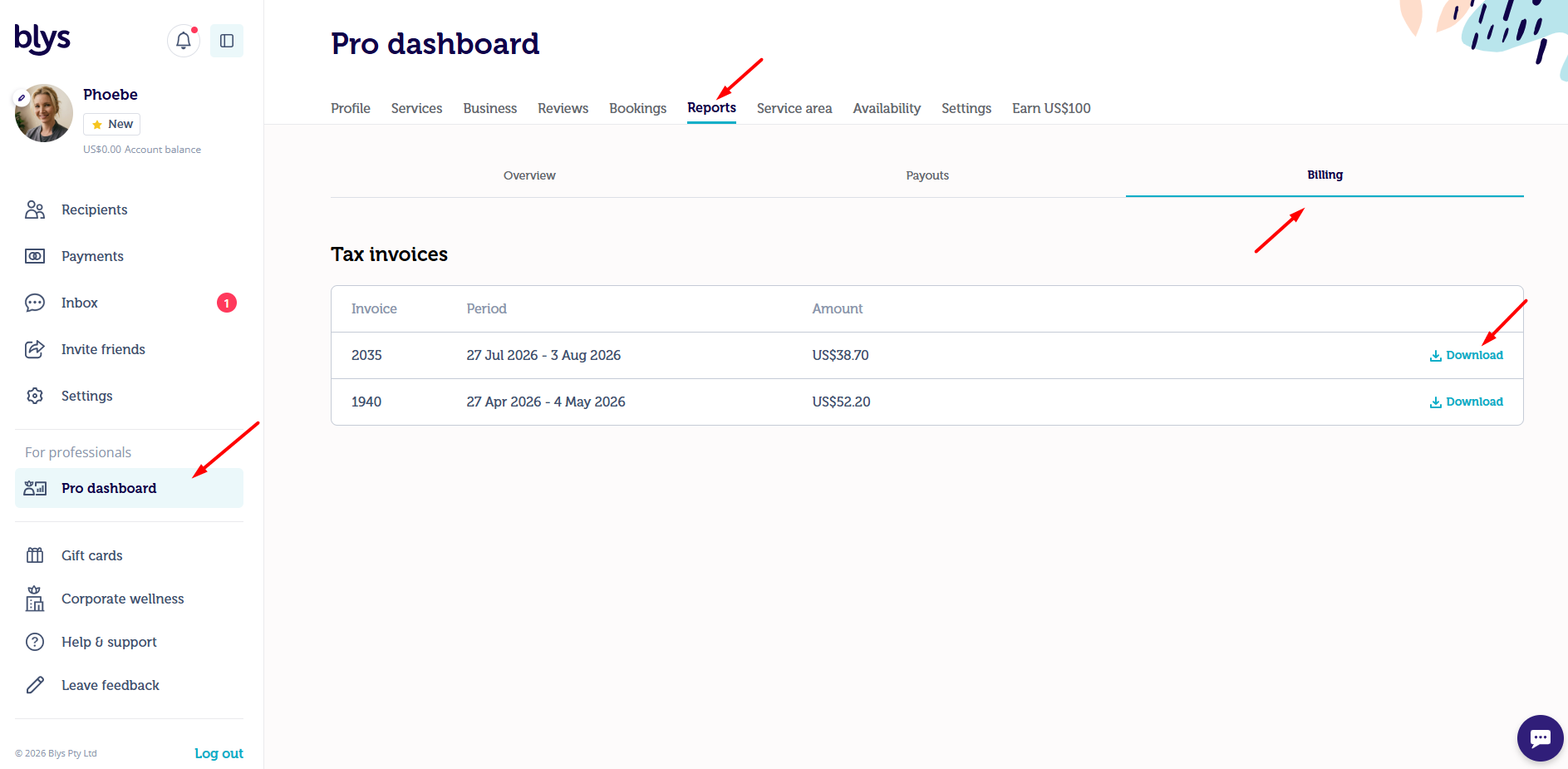
You can view and download your Blys tax invoices from the Billing section of your Pro Dashboard.
Via Web
- Go to Pro Dashboard > Reports > Billing
- Select the corresponding week that you wish to download.
Via App
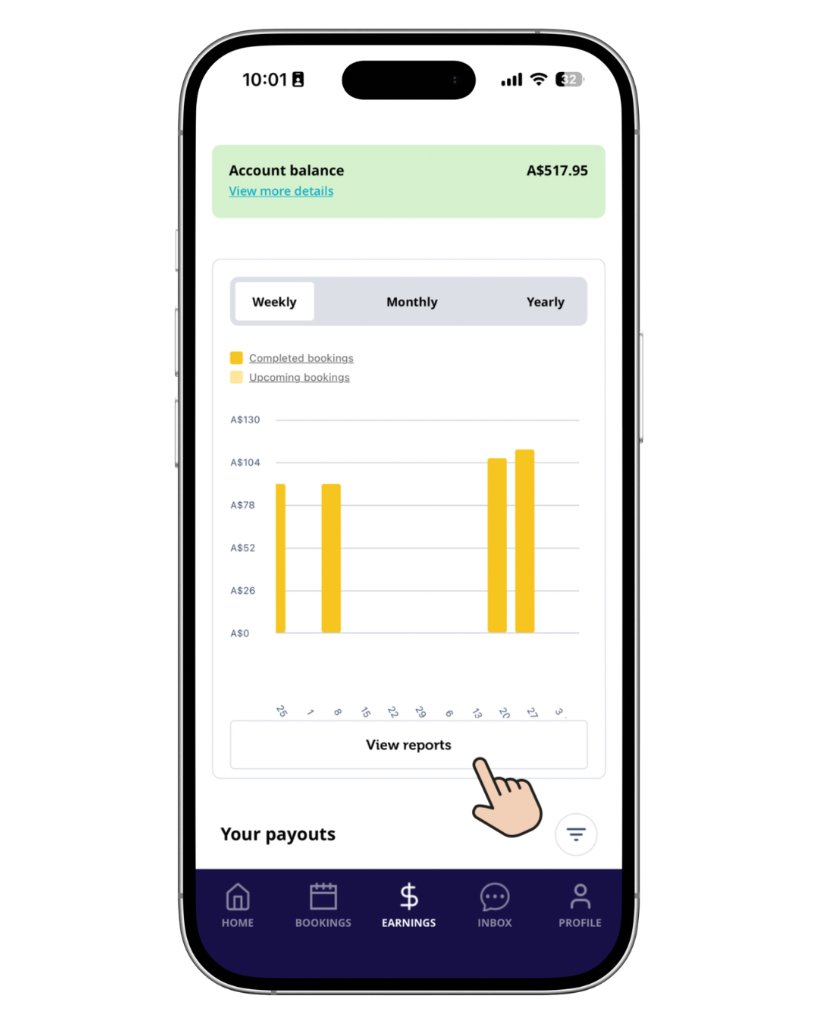
- Go to Earnings section, and tap on View Reports.
- Tap on Billing. Here, you’ll be able to view the tax invoice details.
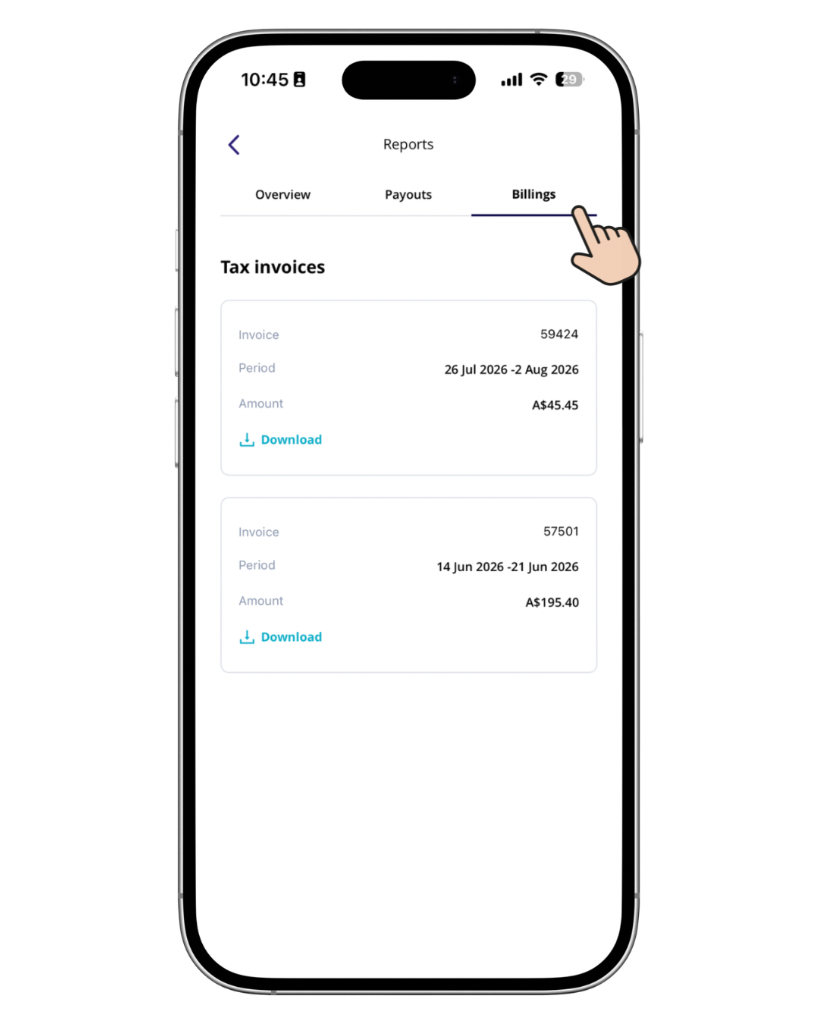
- Download the required invoice.
Which report should I use?
If you want to… | Use |
Review your earnings for a financial year | End of Financial Year Report |
Prepare your records for tax time | End of Financial Year Report |
Check your payout for a particular week | Payouts Report |
Keep a record of your weekly payouts | Payouts Report |
Download a Blys tax invoice | Billing |
Check GST details included in your earnings report | Overview / Downloaded Earnings Report |
What’s included in the Earnings report?
Your downloaded earnings report provides information about your completed bookings and earnings. Depending on your bookings and GST status, it can include details such as:
- Service Fee
- Total Payout
- Tip Amount
- Service Fee, including and excluding GST
- GST on service fee
- Licence Fee, including and excluding GST
- GST on licence fee
- Other booking-level information
If you are not registered for GST, the relevant GST fields may show 0.00 or N/A.
For Support at Home bookings, GST on the service fee shows 0.00 because these bookings are GST-free.
Understanding your Earnings report
Your report contains several terms and amounts that relate to your bookings and payments.
Terminologies
Service: The service you provided to your client through the Blys platform.
Service Price: The amount that’s been paid to you by your client through the Blys platform. Service price is your taxable income, and does not include GST if you’re not registered for GST.
License Fee: The fee that Blys charges you for the use of the Blys platform as set out in your License Agreement. This may be a tax deductible business expense for your business. You should obtain your own independent tax advice to be sure.
Total Payout: The net amount transferred refers to the amount paid to you for the relevant booking or payout, based on the applicable fees and adjustments.
Tip Amount: Tips are paid to you in full. Blys does not deduct a platform fee from your tips.
GST: If you are registered for GST, your report can show the GST applicable to relevant service and licence fees. If you are not registered for GST, the relevant GST fields may show 0.00 or N/A.
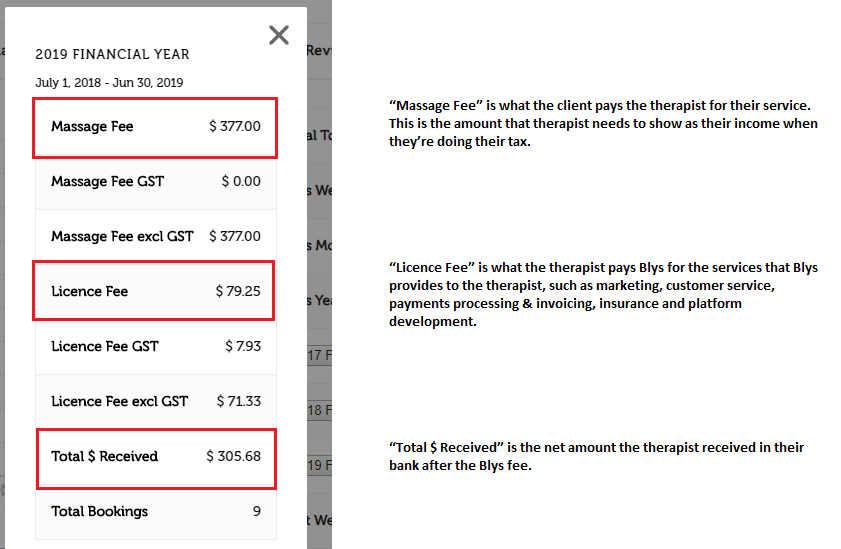
For your tax return, you should claim the entire amount of each job completed as your income (e.g. $129 for a 60min massage), and claim the fee that you pay to Blys to use our booking platform as a tax-deductible business expense.
For additional information on how tax works for massage therapists, check out How Tax Works For Massage Therapists page for a comprehensive guideline.
Important tax reminder
For Australian providers, the amount you earn through Blys needs to be considered when preparing your tax return.
As a general guide, you should declare the entire amount of each completed job as your income and claim the fee you pay to Blys for using the booking platform as a tax-deductible business expense, where applicable.
For example, if a completed booking is $129, the $129 should be treated as your income, while the applicable Blys platform fee may be treated separately as a business expense.
Your individual tax circumstances may be different, so speak to a qualified tax professional if you need advice about what you should declare or claim.
What GST details are included in the downloaded earnings report?
Your downloaded earnings report includes a GST breakdown for service fees and licence fees. The report shows:
- Service Fee incl. GST
- Service Fee excl. GST
- GST on Service Fee
- Licence Fee incl. GST
- Licence Fee excl. GST
- GST on Licence Fee
The GST values reflect the GST treatment of each booking. If you are not registered for GST, the relevant GST fields show 0.00 or N/A. For Support at Home bookings, GST on the service fee shows 0.00 because these bookings are GST-free.
The report's existing fields, including Amount transferred and Tip Amount, remain available.
For more information, see GST and invoicing: how it works for providers (AU).
Keeping your records
We recommend downloading and keeping copies of your relevant earnings reports, payout reports and invoices for your records.
Your Blys earnings reports can help you reconcile your Blys payouts with your own bookkeeping records.
You may get a summary of your earnings by simply logging into your Blys Pro account via our website and using the same login details as your provider app.