Yes, you can choose whether you’d like a male or female provider when booking with Blys.
We understand that your comfort is key, which is why we’ve made it simple to select a male or female provider when booking through your Blys account.
Here's how:
Via App
Prefer visual guidance?
Watch our quick tutorial video How to choose the gender of my provider via our Blys app?
Here a quick guide:
Open the Blys account in the app.
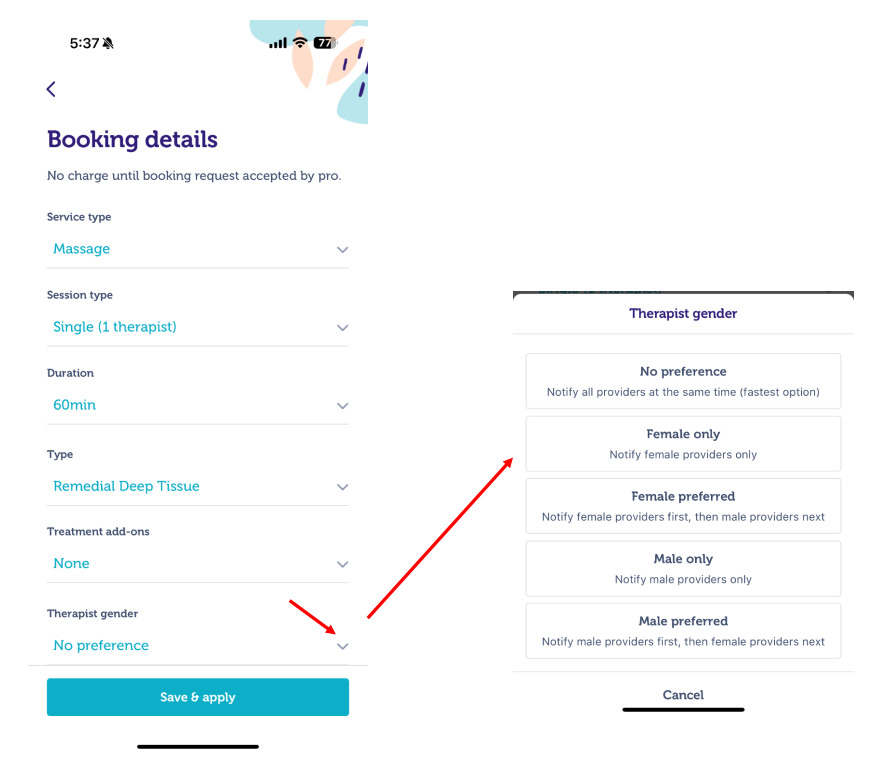
Start a booking then on the Booking Details screen, find the “Gender preference” dropdown.
Select one of these options:
Female only
Male only
Female preferred
Male preferred
Continue to complete your booking.
What’s the difference between “only” and “preferred”?
Only → Your booking will be matched exclusively with the gender you select.
Preferred → We’ll try to match your choice first, but if no one is available, providers of any gender may be notified so you don’t miss out on a session.
Via Web
Prefer visual guidance?
Watch our quick video tutorial for more clarity: How to choose the gender of my provider via Blys website?
Here a quick guide:
Go to BLYS Website and start your booking.
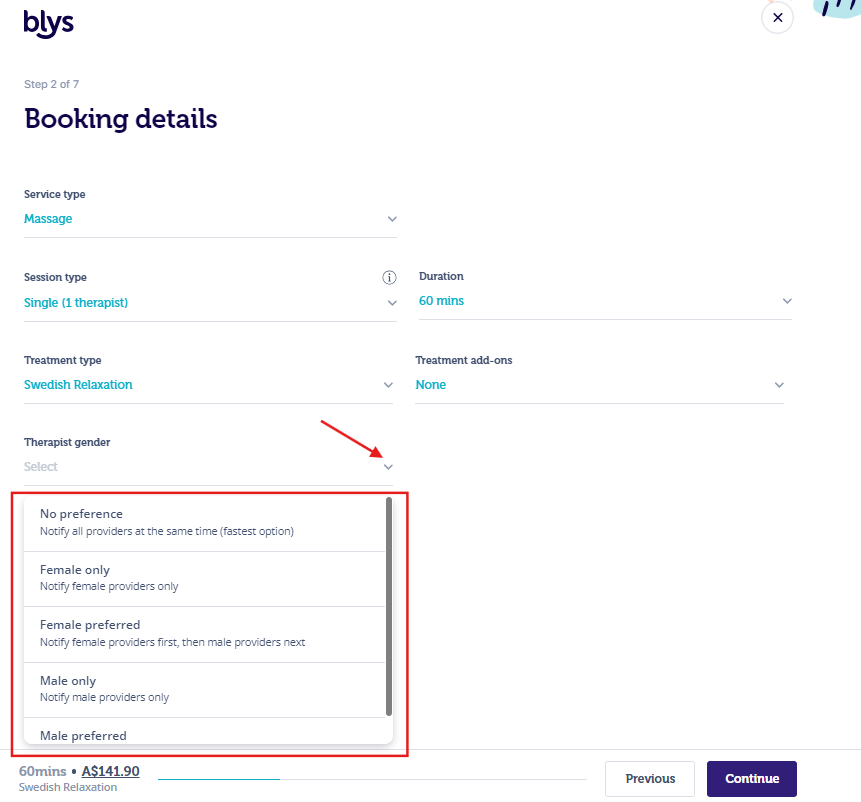
On the Booking Details step, look for Provider’s Gender.
Choose from the same four options listed.
Female only
Male only
Female preferred
Male preferred
Continue to complete your booking.
What’s the difference between “only” and “preferred”?
Only → Your booking will be matched exclusively with the gender you select.
Preferred → We’ll try to match your choice first, but if no one is available, providers of any gender may be notified so you don’t miss out on a session.
If you have any questions, feel free to contact us. Our team is available 24/7 to help.
You might also like: How to search for a provider around my area?