The Reports tab is accessible to homecare providers in the left-hand navigation panel of the dashboard, once you log in to Blys.
This feature gives homecare providers valuable insight into account performance, helping you monitor bookings and client satisfaction over time.
You can view a snapshot of total bookings, client ratings and booking completion rate for the selected period at the top, before you get into the details. Here, you can also view the percentage change vs. the previous period. The percentage changes are marked by green for increases, and by red for decreases. Homecare providers can select their choice of time period in the drop-down to filter the results accordingly. Right below, you can view the numbers and trends in detail:
📈 Booking volume – View the total number of completed bookings for the selected period against the previous period, so you can track booking trends and activity at a glance.
⭐ Client ratings – See the average client rating, plus a breakdown of 1–5 star reviews and total review count.
Note: Homecare is currently only available in Australia, so this feature applies to AU homecare provider accounts only.
Bookings by service type and region
Homecare Provider corporate clients can now see two additional views in Reports:
- Bookings by service type: See the service types with the highest booking volume. The five largest service types are shown separately, with any remaining services grouped under Other.
- Bookings by region: See the geographic distribution of your bookings. The five largest regions are shown separately, with any remaining regions grouped under Other.
Both charts use the current 12-month reporting period and include bookings across your linked account access.
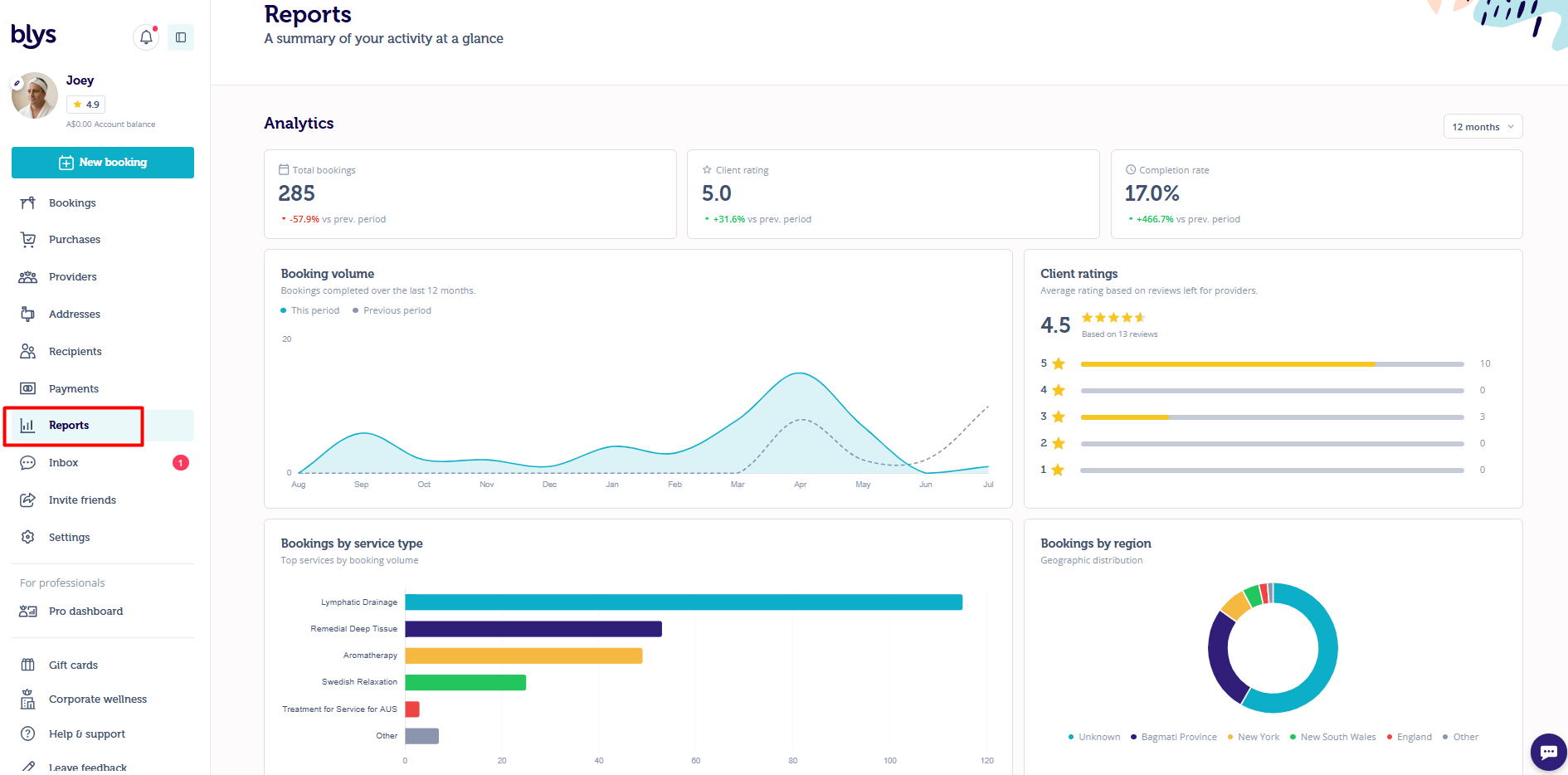
Illustrative example. All account names and values are dummy data.