o review the treatment notes entered by a provider in the Blys app, please follow the steps outlined below:
- Log in to the Blys App
Begin by opening the Blys app on your device. Enter your login credentials to access your account. - Navigate to Booking Details
Once logged in, go to the “Recipients” section from the main menu.
Select the name of the recipient whose treatment notes you wish to review.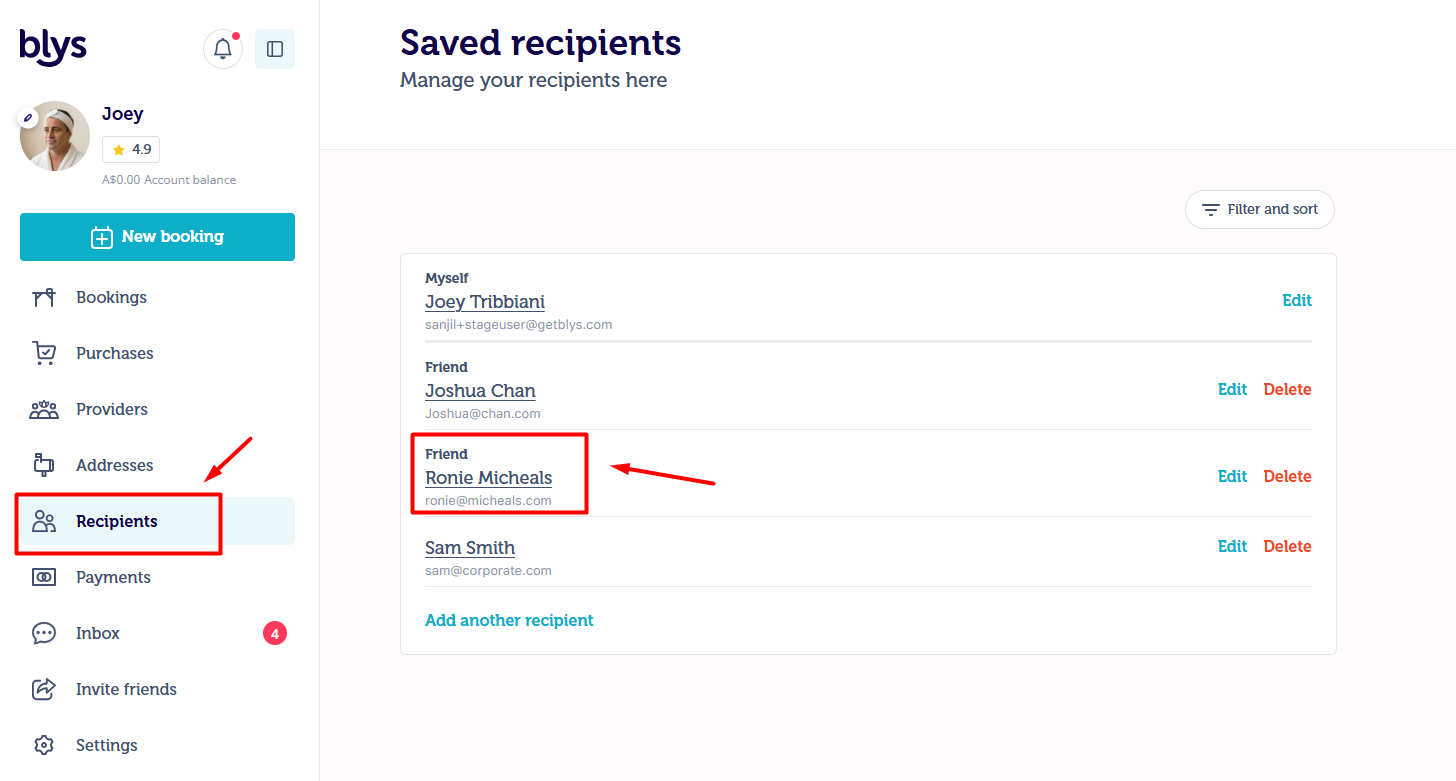
- Access the Treatment Notes
After selecting the recipient's name, you will be taken to their client profile page.
On this page, click on “Treatment Notes”. - View Provider Notes
Within the Treatment Notes section, select “Provider Notes”. Here, you will find all notes and observations added by the provider following each session.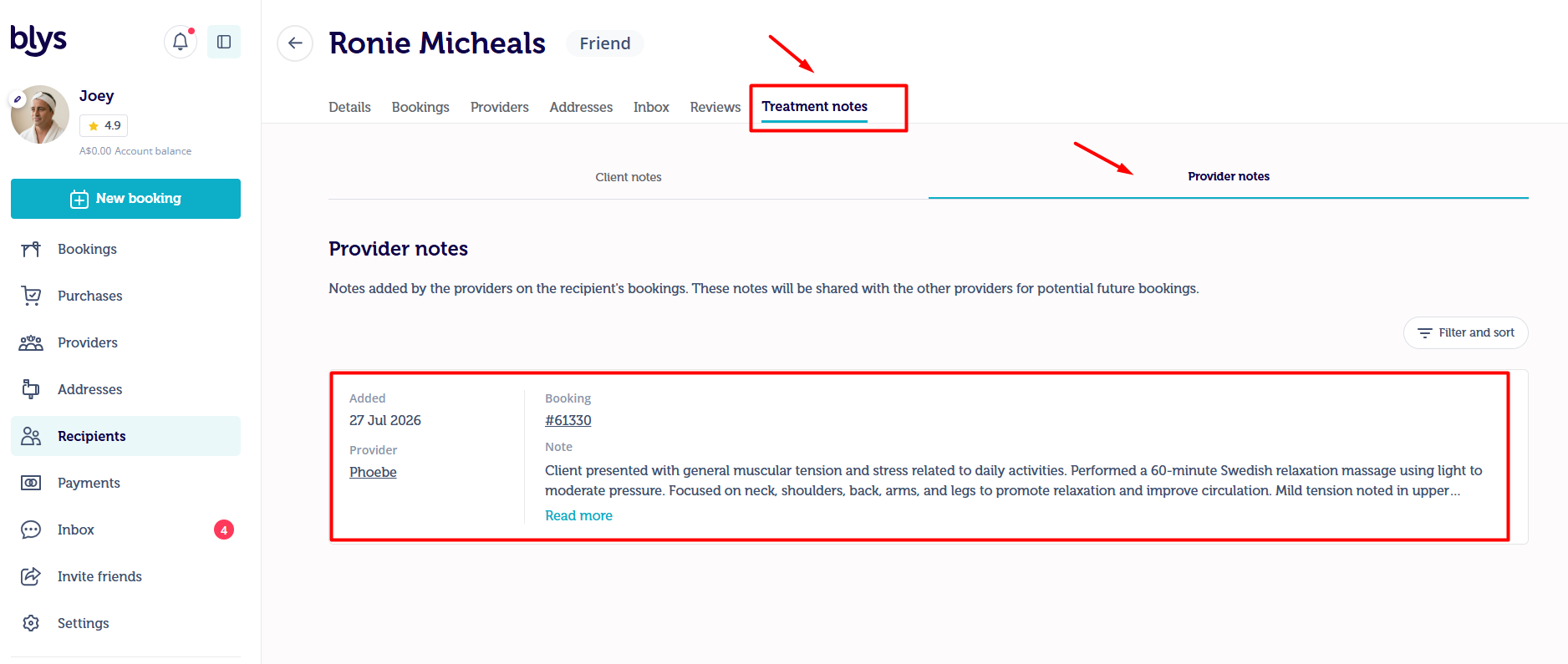
These notes are valuable for tracking the recipient’s progress and understanding the provider’s approach and recommendations over time.
If you have any confusion, feel free to contact us via care@getblys.com or +61 483 922 658