Once the referral is confirmed, Blys will create an account for the support coordinator.
After creating an account for the support coordinator, the support coordinator can start adding recipients and placing a booking.
Here is how you can add a recipient
- Log in to your account.
- Go to the "Recipients" tab.
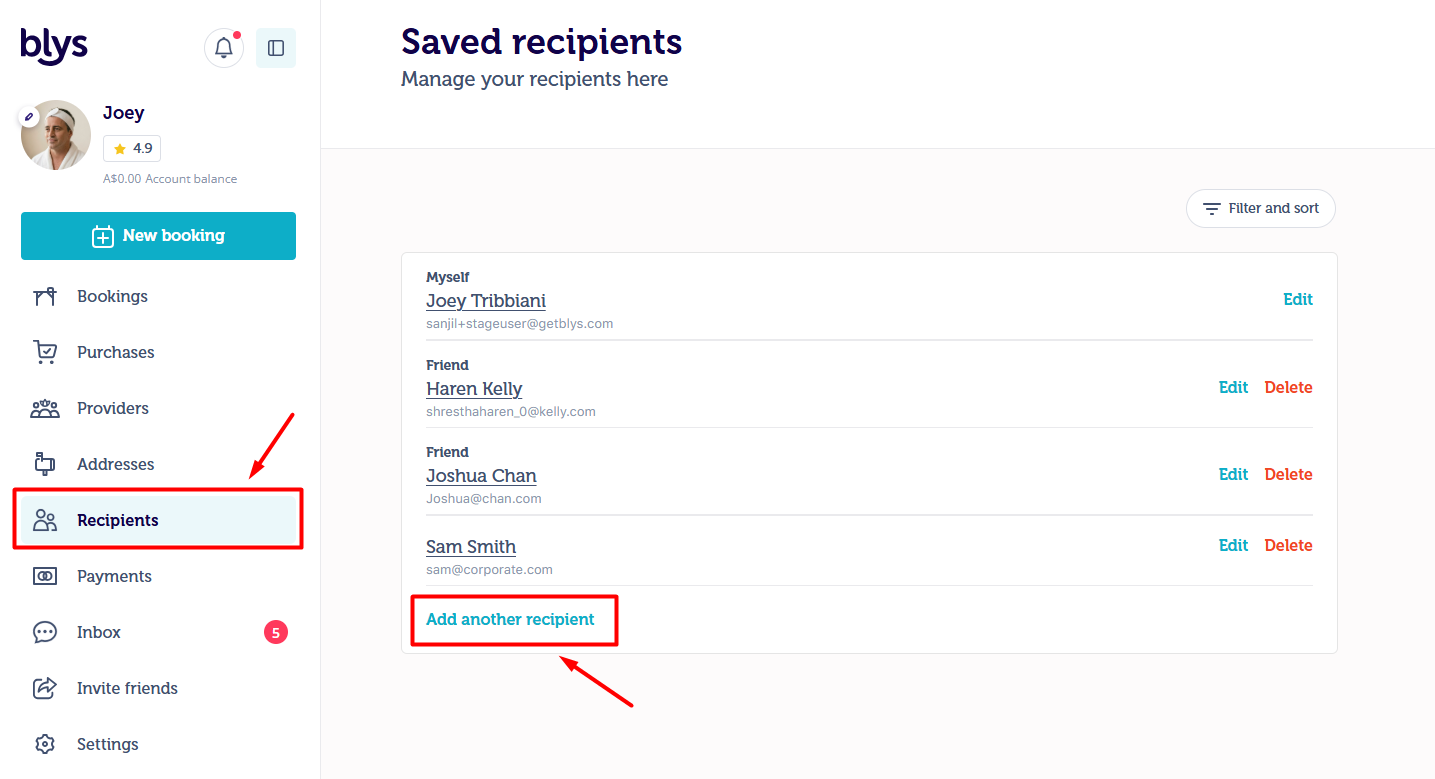
- Click Add another recipient and fill in all details of the client
- Edit the details as needed, including relationship, gender, contradictions, and notes.
Once the recipient is added. The Support Coordinator will be able to place the booking for their client.
If you have any confusion, feel free to contact us via care@getblys.com or +61 483 922 658