There are 2 ways for you to reset your account password.
Via Mobile app
Please refer to this video for more clarification: How do I reset my password via the app?
Go to your Blys Pro App and click "Log in".
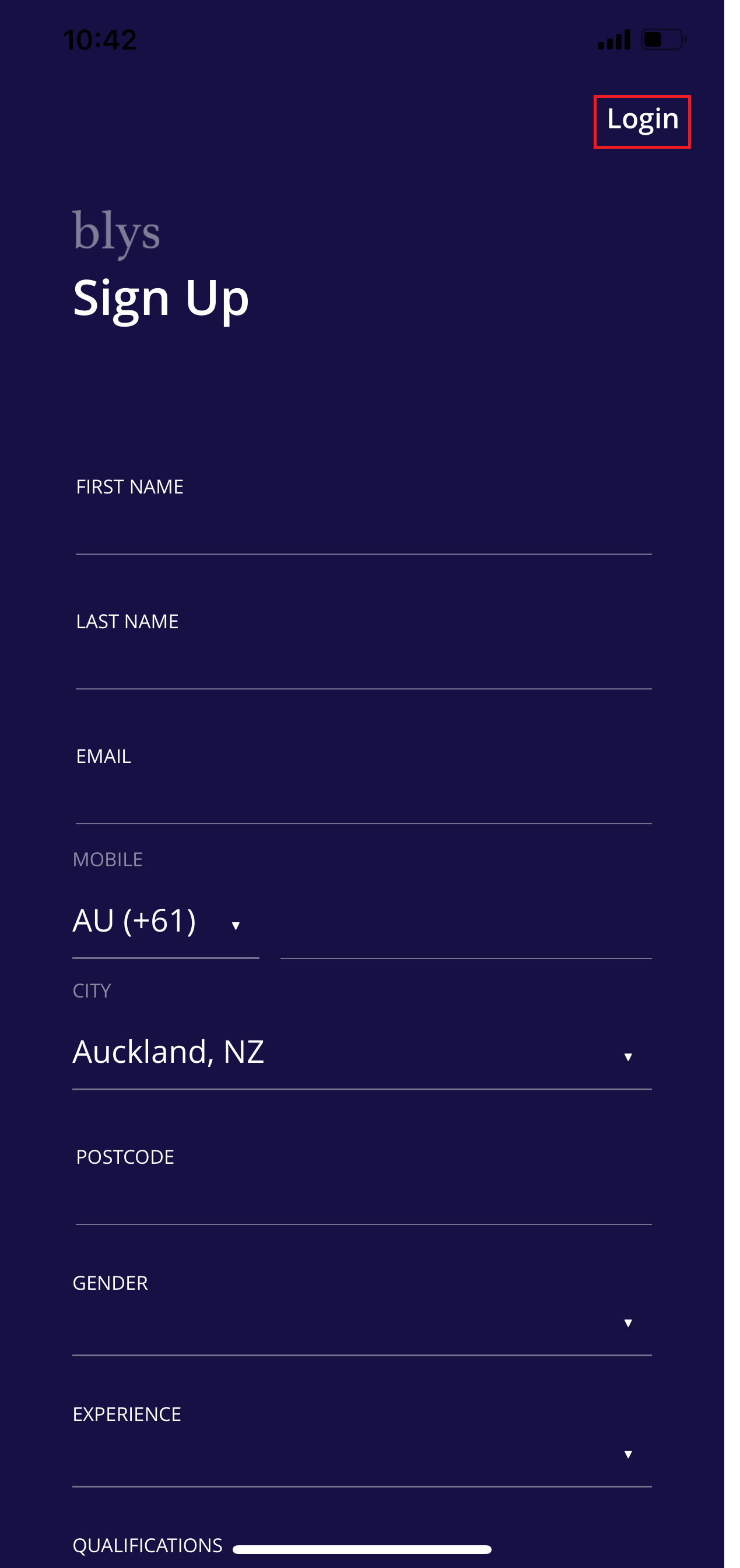
Enter your email address and click "Reset Password".
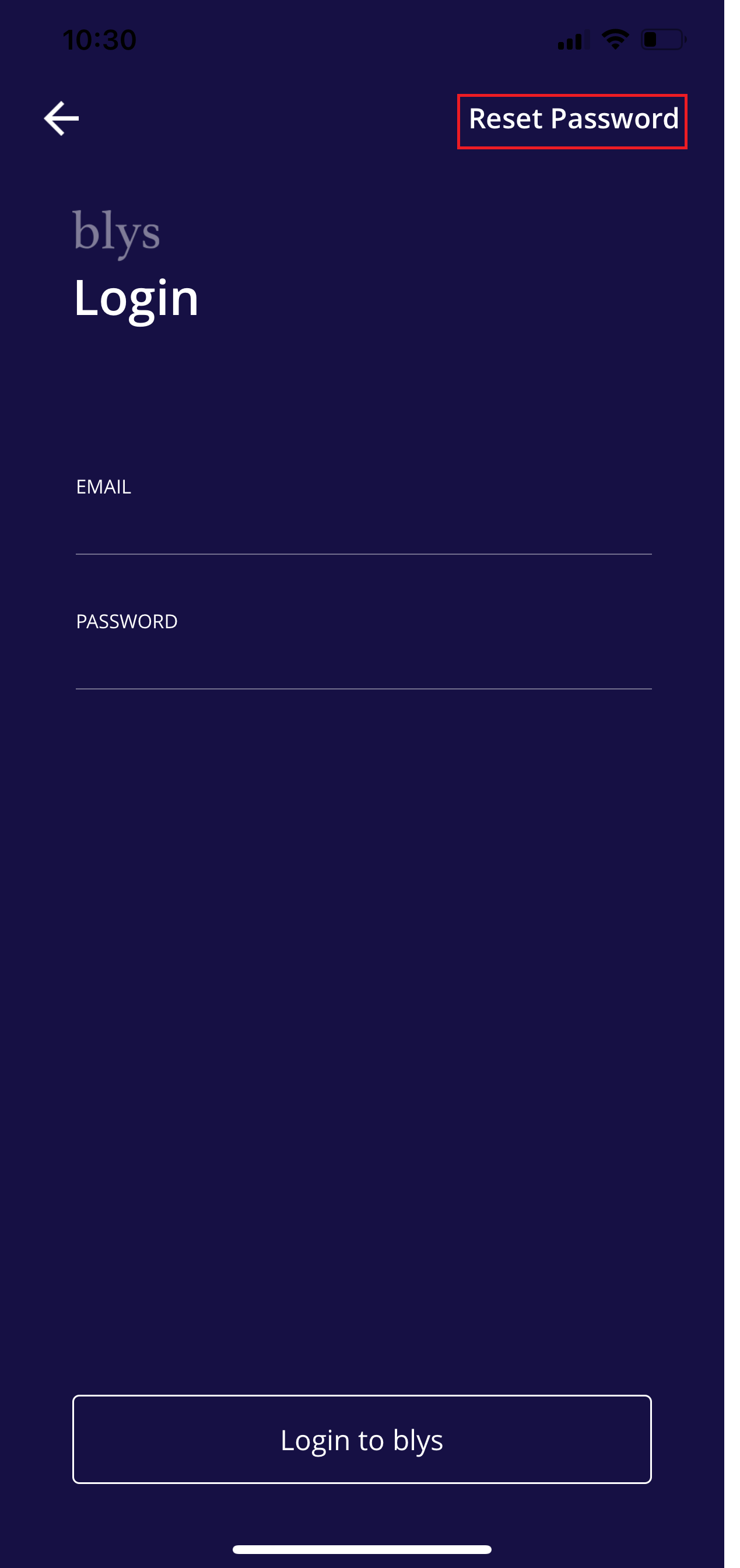
After clicking the Reset password, enter your email address again and click "Reset Password".
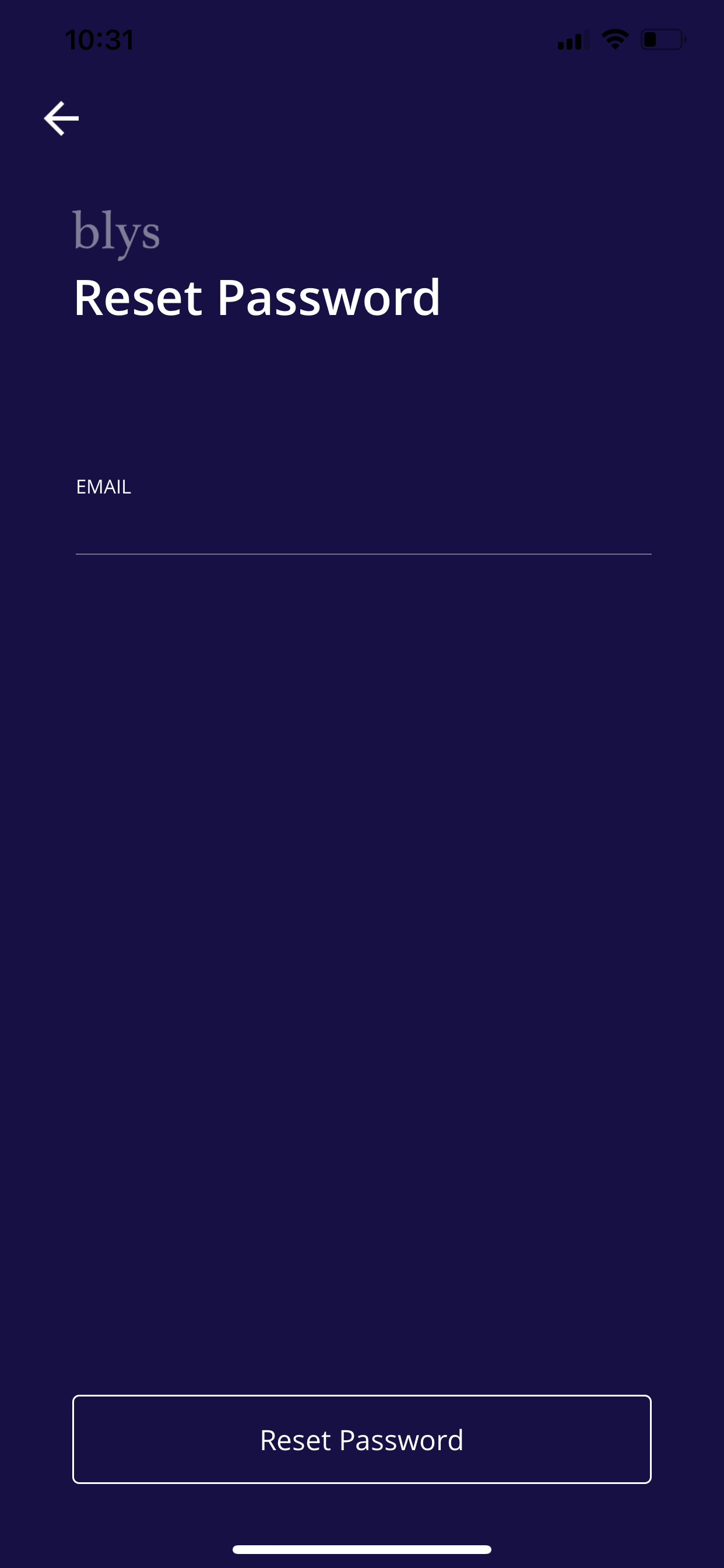
You should receive an SMS with a code. Enter the code together with your new preferred password then click "Reset Password".
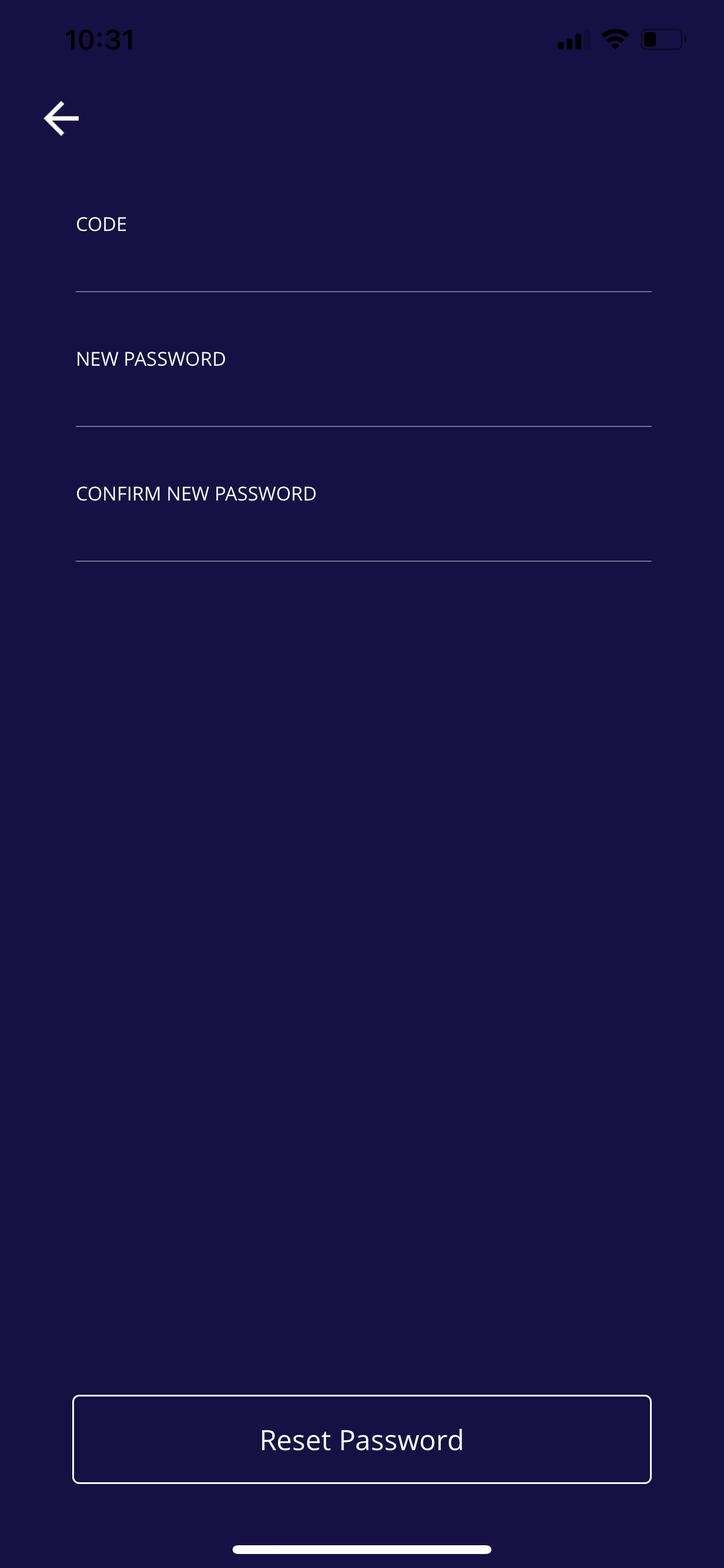
Here’s a quick demo video showing how you can easily reset your password on the mobile app: https://www.loom.com/share/f482be9f5bed46ea90722955076837b8
Via Web
Please refer to this video for more clarification: How do I reset my password via the web?
First, go to the website and click "Log in".
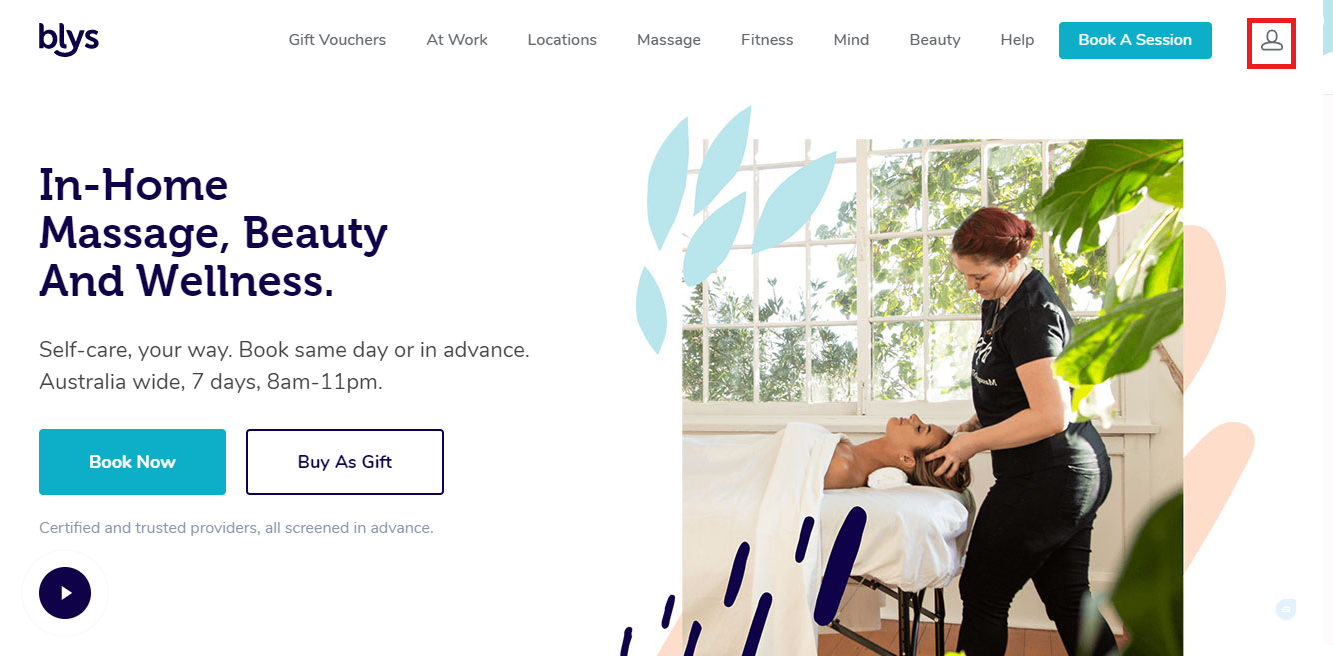
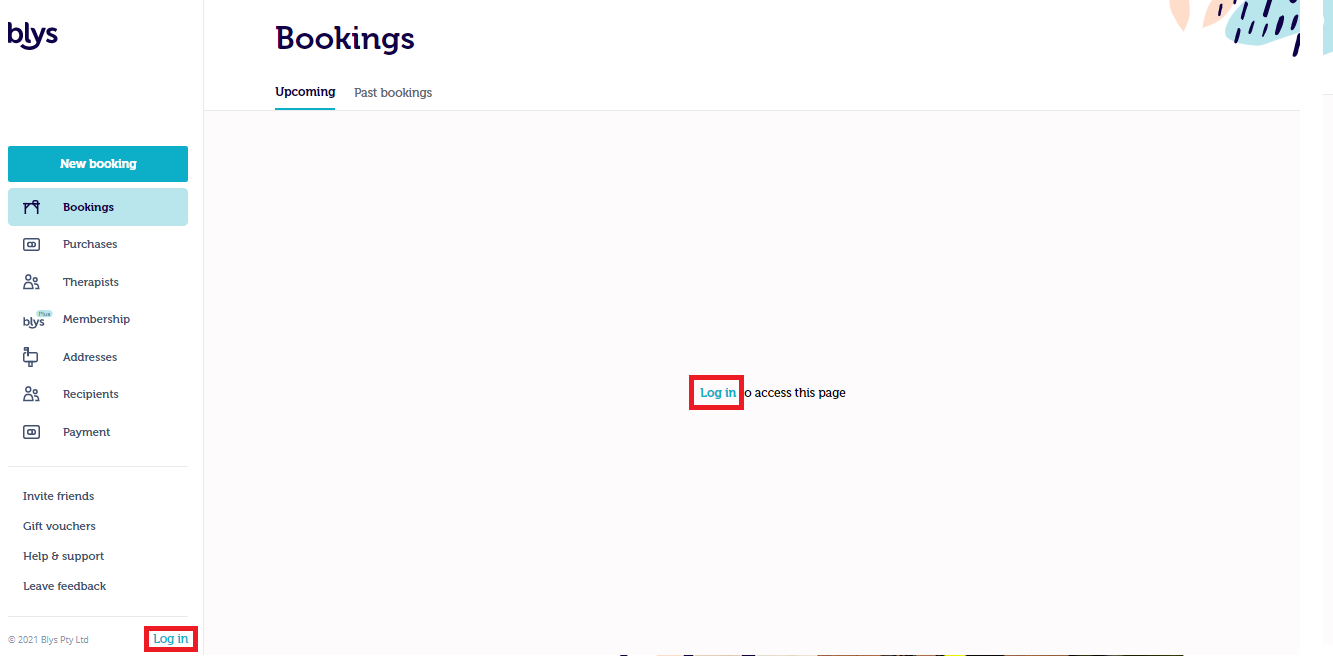
Enter your email address and click "Forgot".
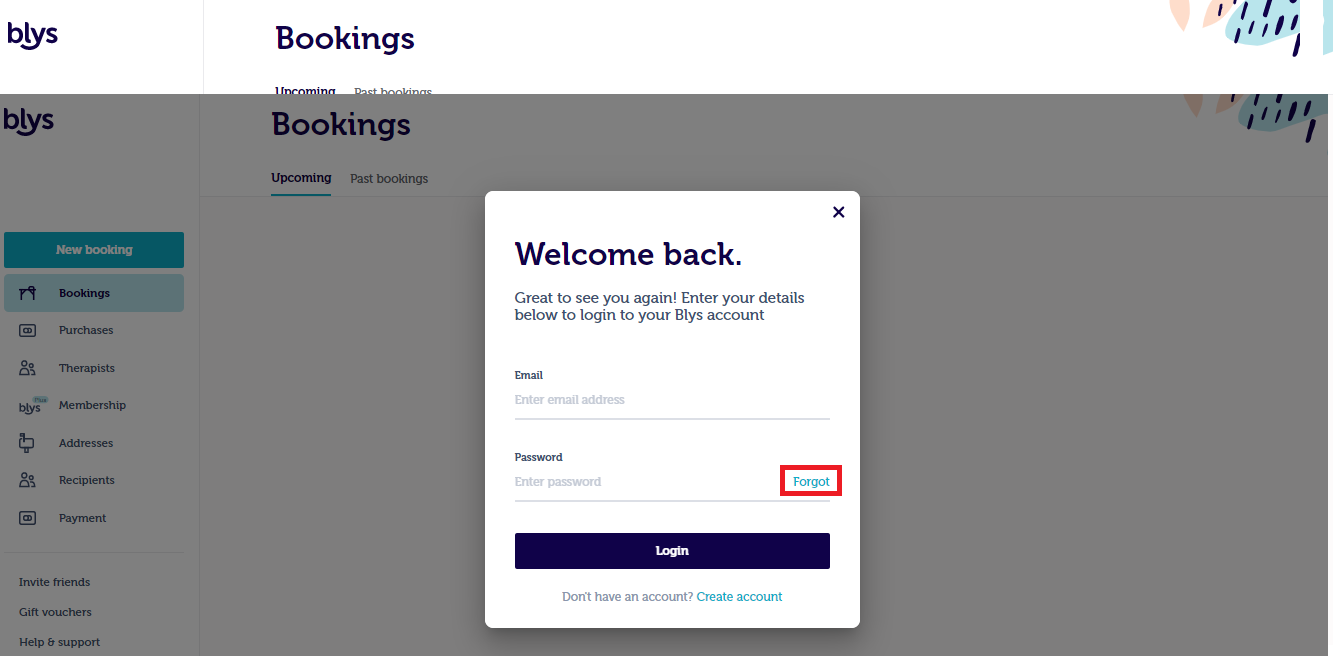
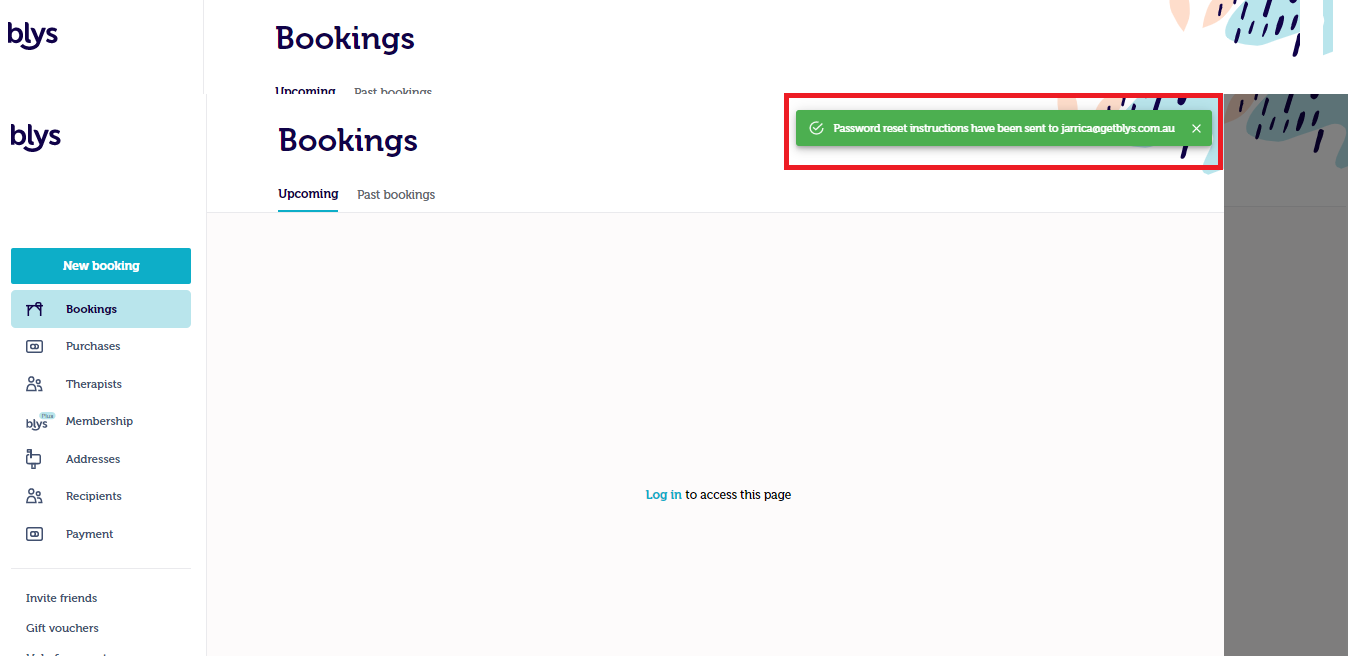
After clicking Forgot, enter your email address again and click "Send instructions".
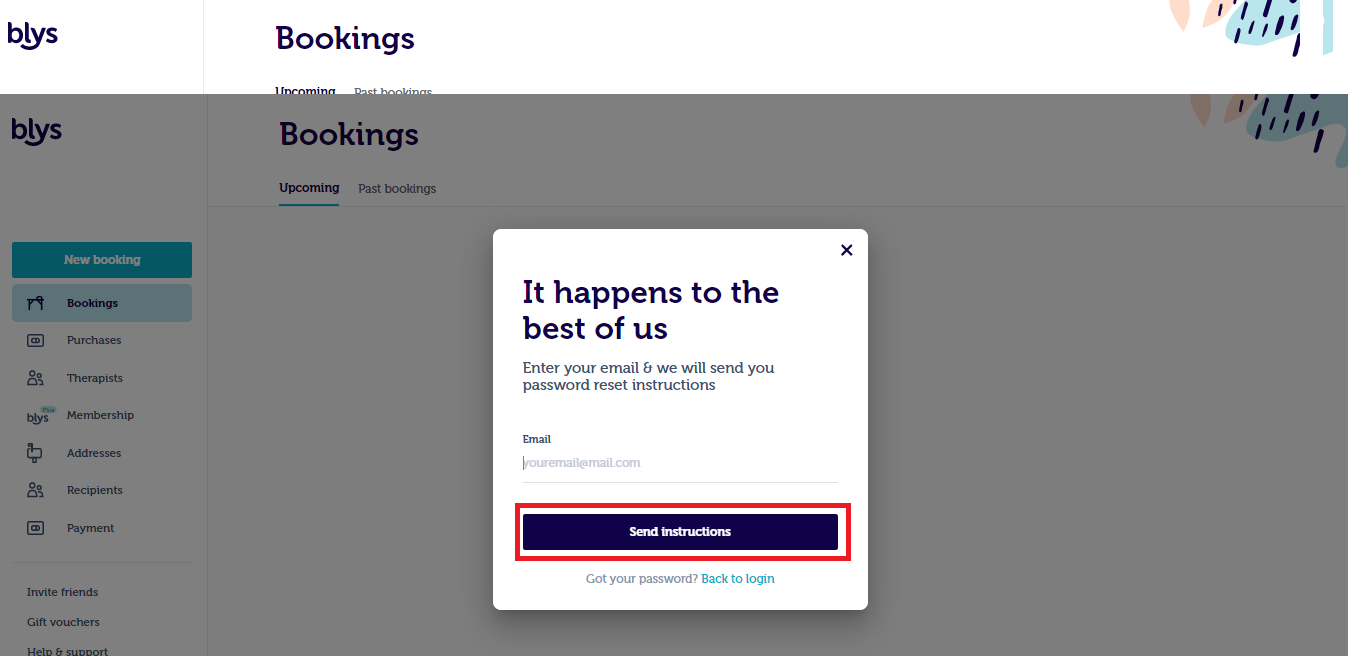
Instruction on how to reset your password should be sent to your email. Click the "Reset Password" link.
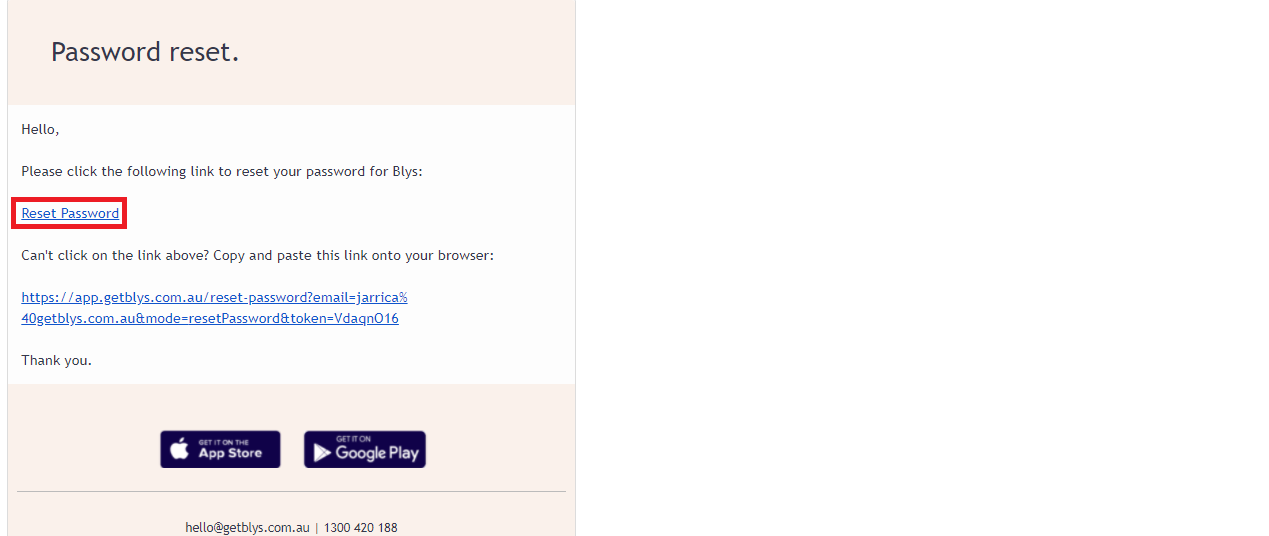
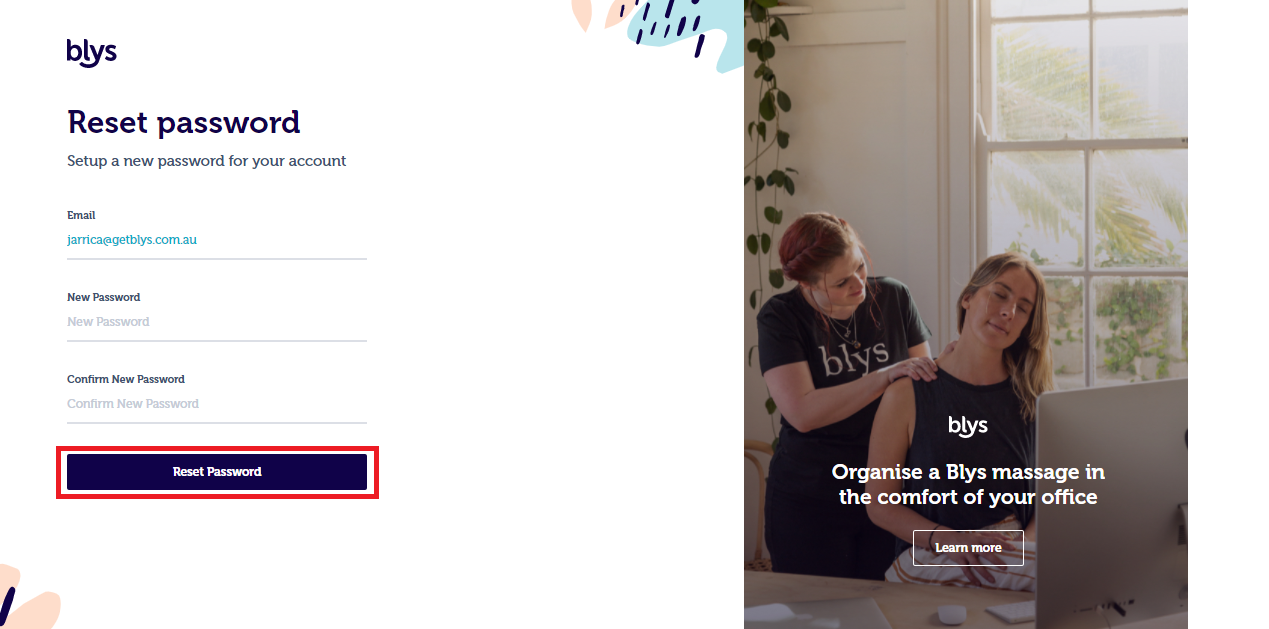
Enter your email address and your new preferred password and lastly, click "Reset Password".
Here’s a quick demo video showing how you can easily reset your password on the web: https://www.loom.com/share/20647724541445978df2c69f88da693a
Need more help? Contact our support team anytime.