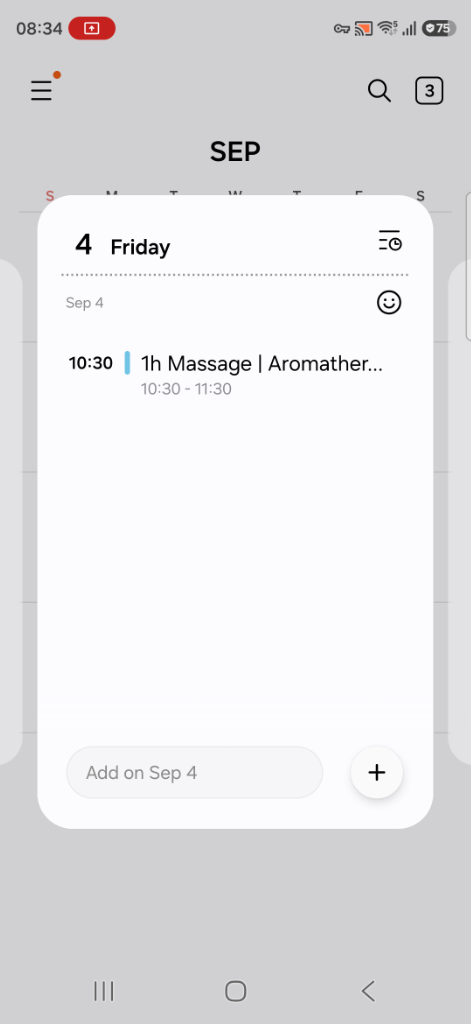
You can sync the bookings you’ve accepted to your device’s calendar so that you can get alerts from your calendar in case you miss the booking reminders from the Blys Pro app, and also plan out your day accordingly.
In this article
How do I sync my upcoming bookings to my device’s calendar?
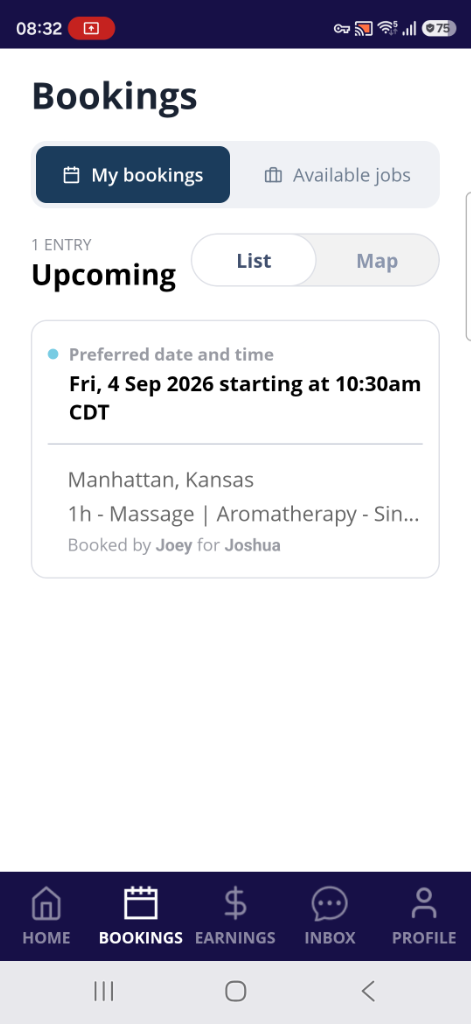
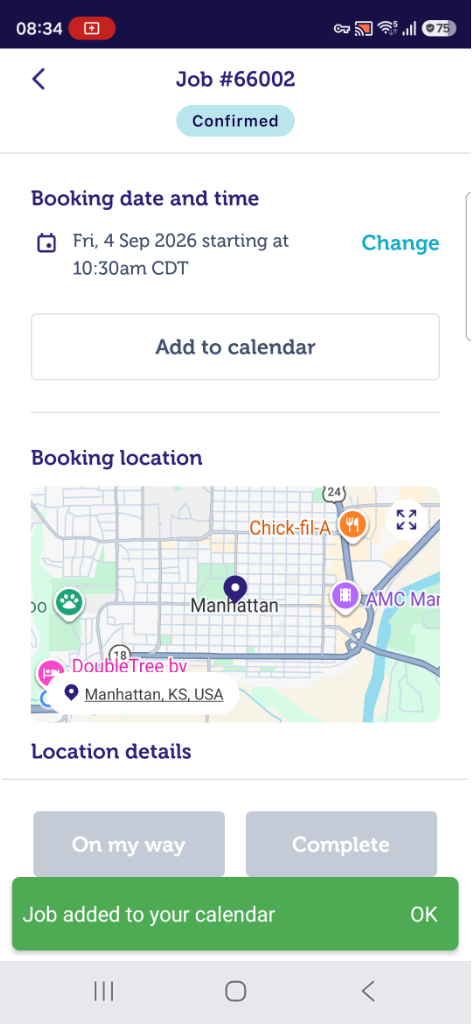
- From your Blys Pro App, go to "Upcoming", and select the booking that you wish to add to your device’s calendar.
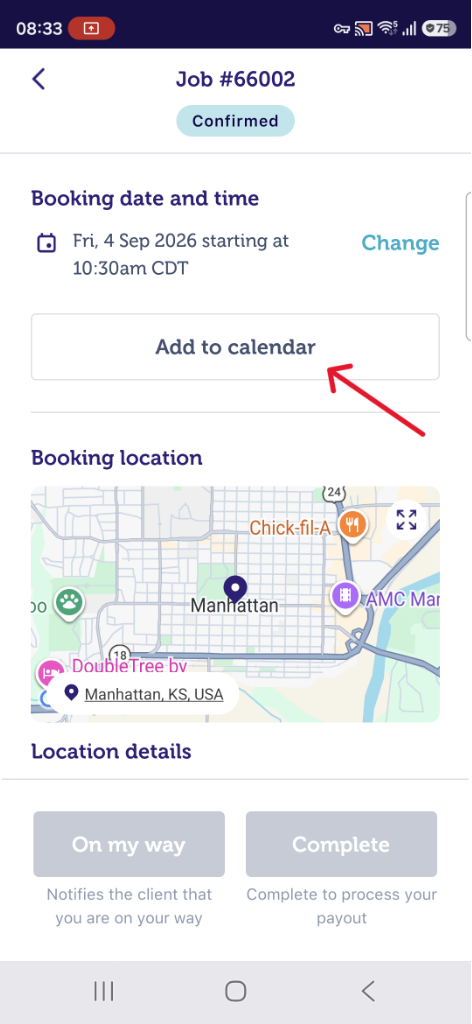
- Tap on "Add to Calendar".
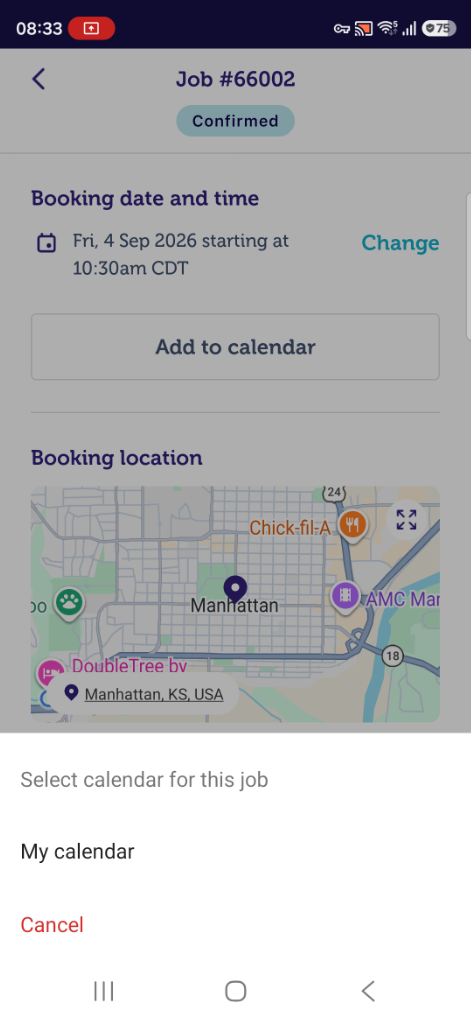
- As soon as you've tapped on “Add to my calendar”, a pop-up message will appear to allow access to your calendar. If you have multiple accounts on your phone, select the account that you wish to add to.
- Once you’ve selected the calendar you would like to add the booking to, a pop-up message will appear notifying that the job has been added to your device’s calendar. Tap on ”OK”.
- You can now view the synced job in your device’s calendar and add reminders/alerts if necessary.