Generally speaking, travel (including parking) is up to the provider.
Some clients, however (mostly corporate clients) offer to cover the parking cost for the providers. If they do, they'll either provide visitors parking or reimburse you for parking costs accrued during the booking.
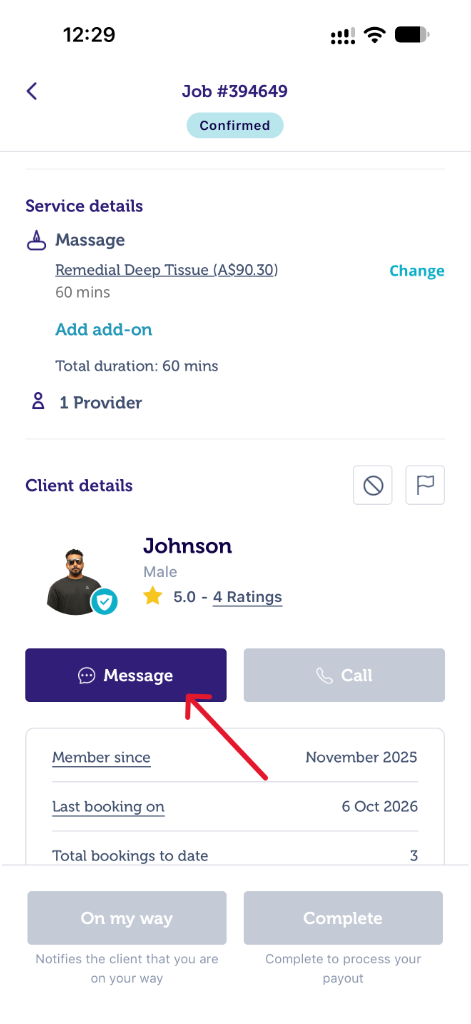
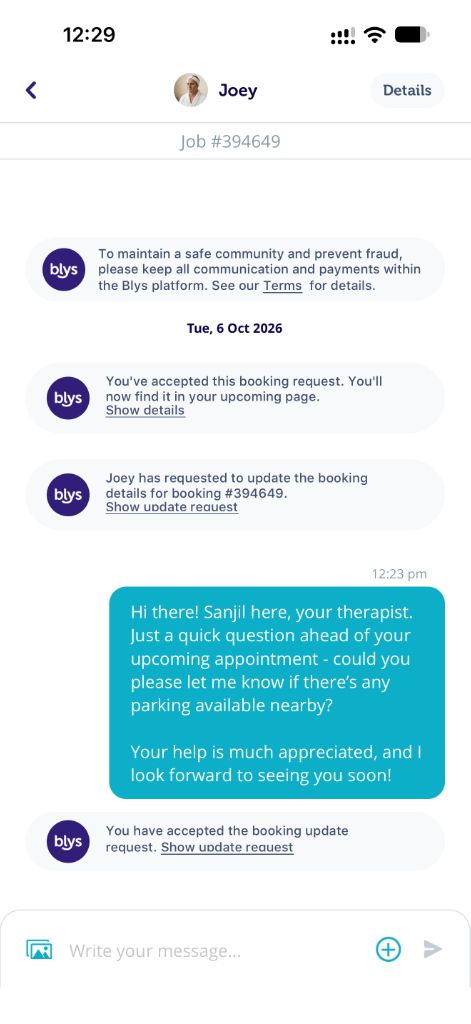
Ultimately the parking instructions will differ from client to client so please check the parking instructions for each booking in your Blys Pro app. Please remember that you can also ask your clients about parking instructions once you accepted a booking. The chat function in your app will be available after you accept a booking.
|
|
When booking, clients choose one of these parking options: Street parking (free), Street parking (metered), Park in our driveway / garage, Visitor parking (free), No parking available, or Not sure, I'm new to the area.
If the client selects “No parking available” or “Street parking (metered)”, a parking fee is added to the booking price: $20 in Australia, the US, Canada and New Zealand, £8 in the UK, €8 in Europe, 80 SEK in Sweden and 85 NOK in Norway.
On bookings with more than one provider, the parking fee applies to each provider. This fee is subject to the Blys platform fee, so your payout for parking is based on your payout tier, not the full amount.
If the client selects "Street parking (free)" or "Not sure, I'm new to the area" but you need to pay for parking, you can add the parking fee as an extra charge to the booking.
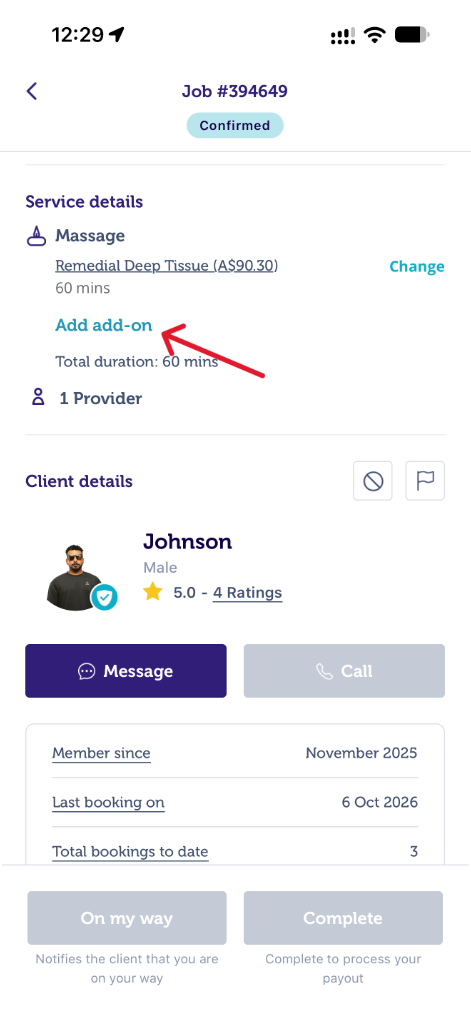
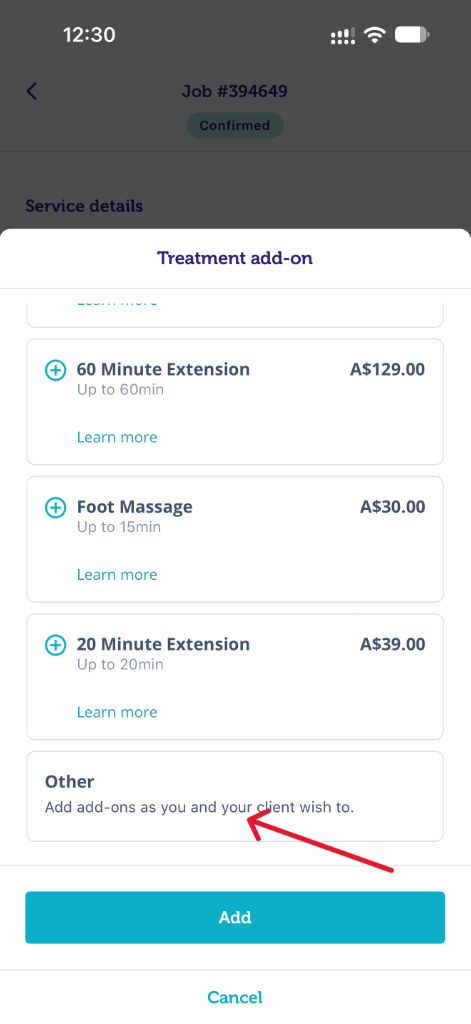
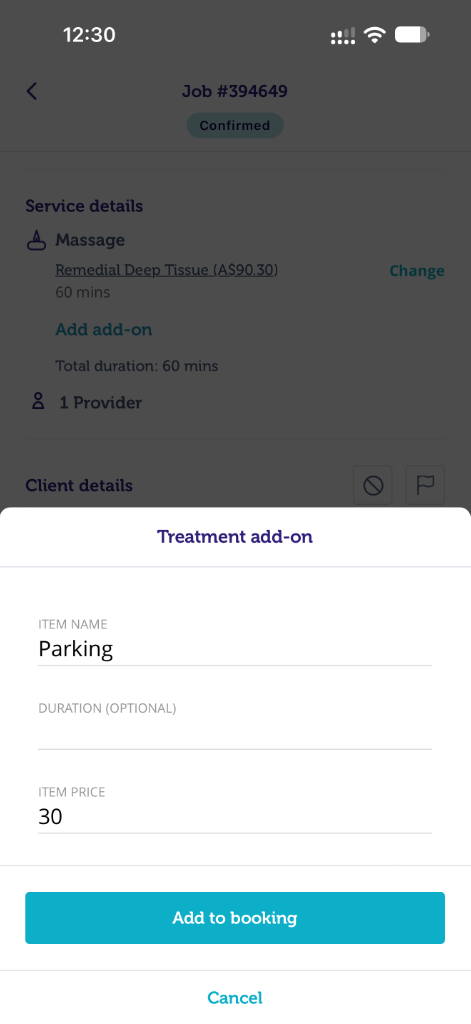
If you need to add an extra charge for parking, please follow these steps:
- Select “Add-on” in the booking.
- Choose the “Other” option.
- Enter the item name (e.g., "Parking"), price and duration.
The client will receive an update request and must accept it before they are charged.
|
|
|
Note: Make an Offer lets you set your preferred payout only. To charge for parking, use an Add-on as described above.
Please see What's Included In Standard Service page for more details.