TABLE OF CONTENTS
- How do clients place a recurring booking?
- When does each booking get posted?
- Can I make changes to a recurring booking?
- Can my clients place a recurring booking with me only?
Yes, they can!
It's now easier than ever for your clients to make regular bookings with you with our new recurring bookings feature!
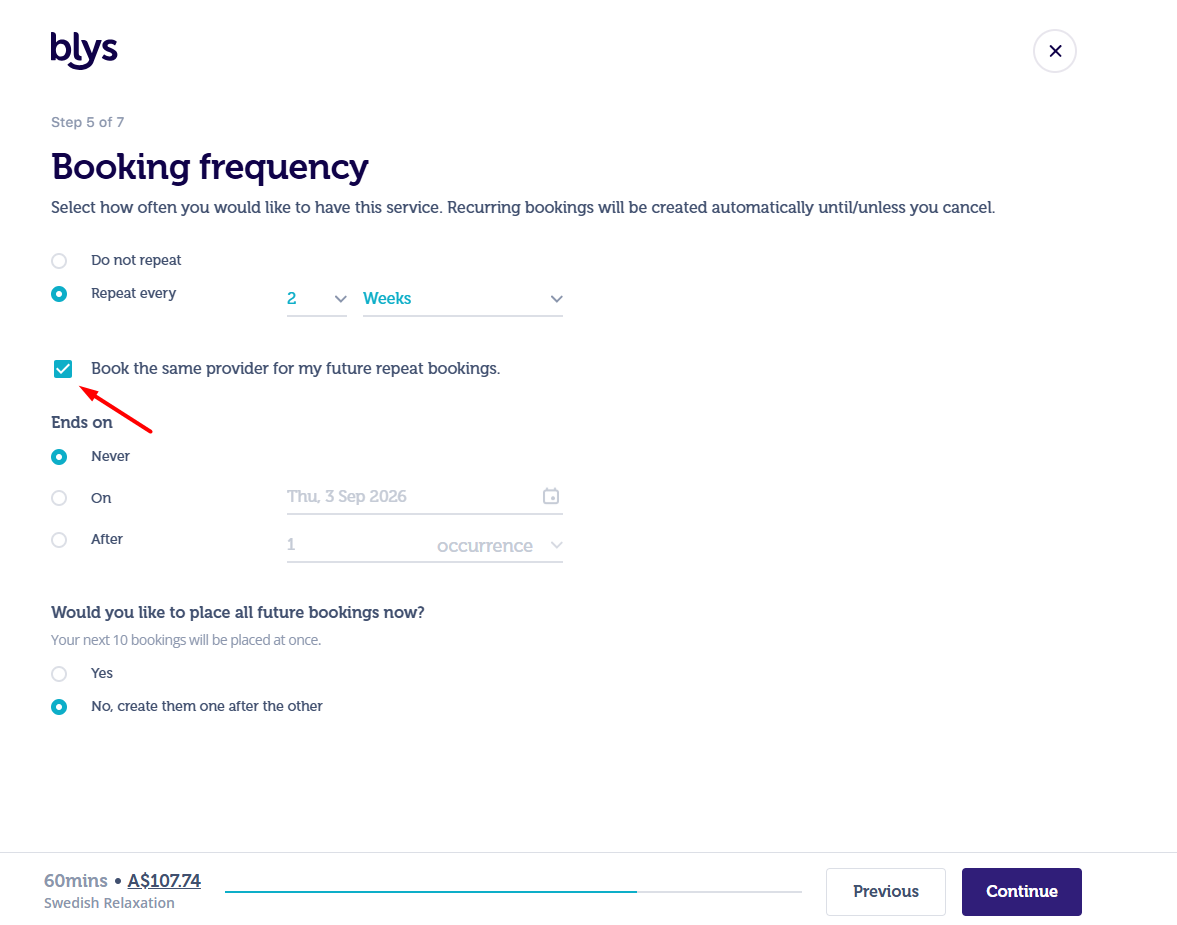
Now when clients place a booking with Blys they'll be asked if they'd like to book a one-off treatment or a treatment every week, month, or custom time.
How do clients place a recurring booking?
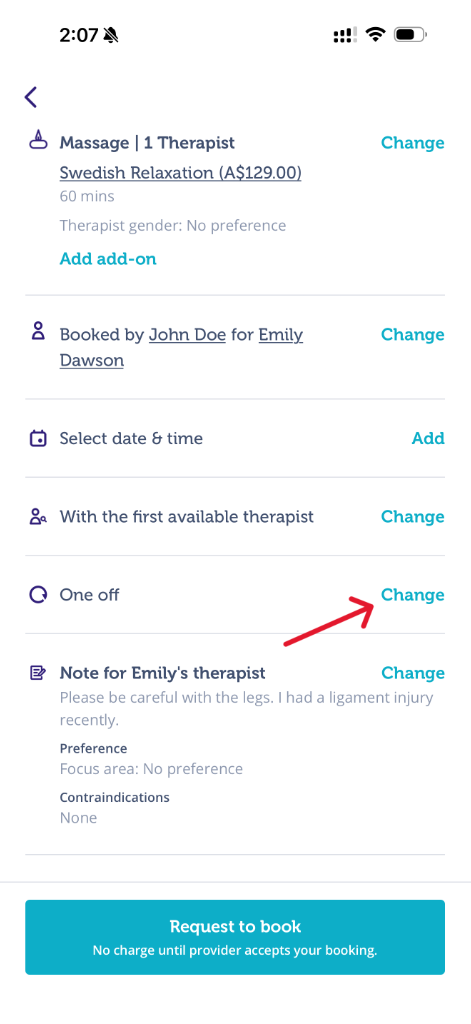
Exactly the same way as they would place a regular booking, just making sure they select the booking frequency from the drop-down before requesting to book.
When placing a recurring booking, clients can choose whether they want to place all future bookings now.
If they choose “Yes”, all future bookings in the recurring series are created and made available to providers immediately.
If they choose not to place all future bookings at once, each booking will follow the standard one-week posting window and become available to providers one week before its scheduled start date.
When does each booking get posted?
This depends on whether the client chooses to place all future bookings at once.
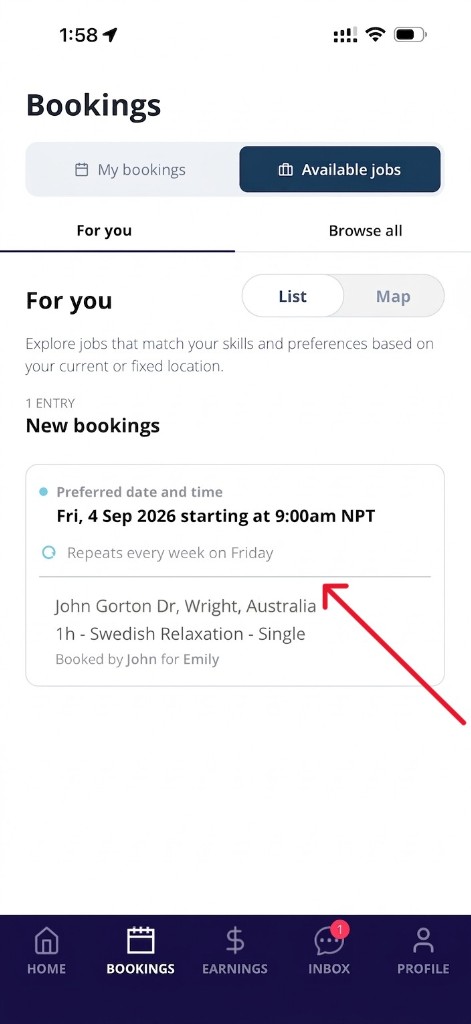
- If the client chooses “Yes” to “Would you like to place all future bookings now?” - all bookings in the recurring series are created and made available to providers immediately. You’ll be notified via the Blys Pro app when a job is live and able to be accepted.
- If the client doesn’t choose to place all future bookings at once - each booking will be posted on the platform one week before its scheduled start date. You’ll be notified via the Blys Pro app when the job is live and able to be accepted.
.
Can I make changes to a recurring booking?
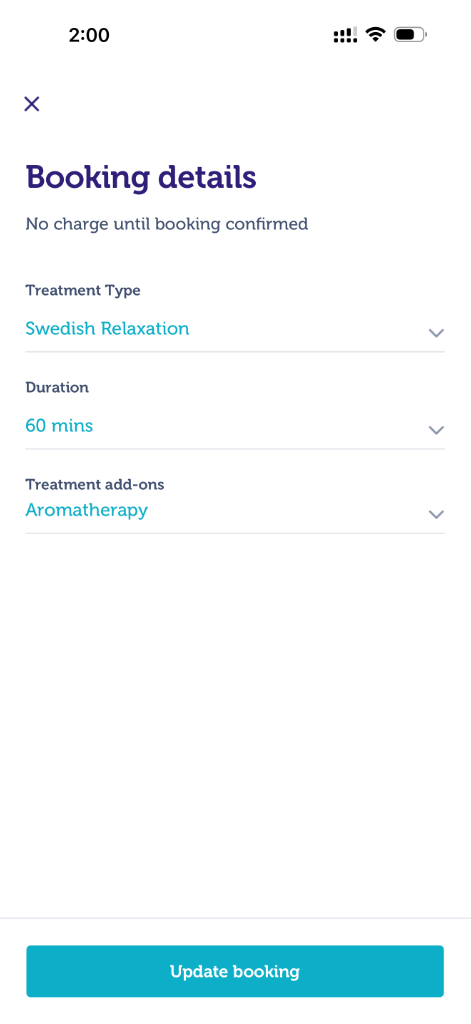
Yes, just like regular bookings, you can request changes to the treatment type, date and time by logging into your app and clicking on 'update booking'.
Can my clients place a recurring booking with me only?
Yes! When choosing their booking frequency, they can tick the 'book the same provider for my future repeat bookings' button.