In this Article
- "Favourite" your Best Service Providers
- Notify my favourites only
- Block Provider Feature
- Unblock the providers
You can create a list of providers you liked or disliked. Here's how it works:
"Favourite" your Best Service Providers
You can curate your selection of service providers based on who you’ve received a massage from in the past. This is an entirely customisable setting based on your personal wellness preferences. You can now favourite the best service providers and rank them according to who you love the most.
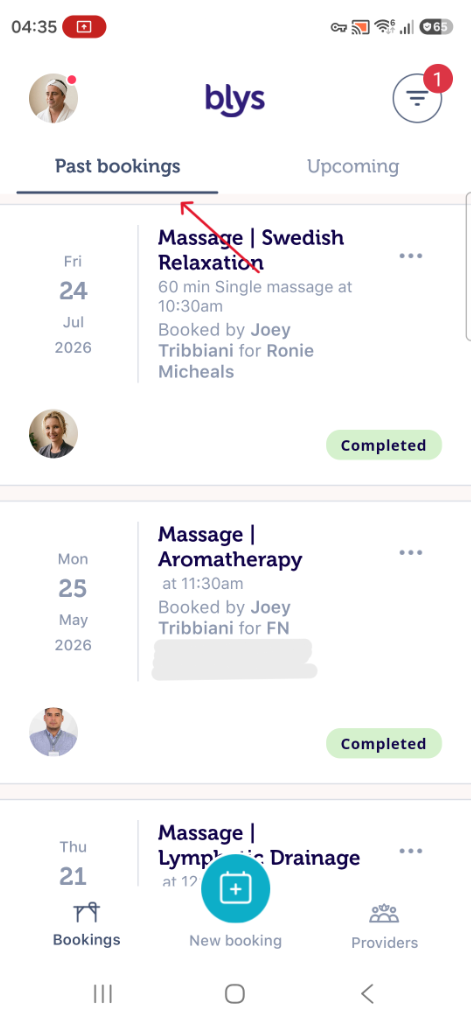
When you rate a service provider 5 stars, we automatically add them to your "Favourites" in your account. You can manually add service providers to your favourites, by simply tapping the "Favourite" button on the therapist profile page or past bookings page.
All service providers in your "Favourites" list are notified first when you make a booking next time.
Via Website
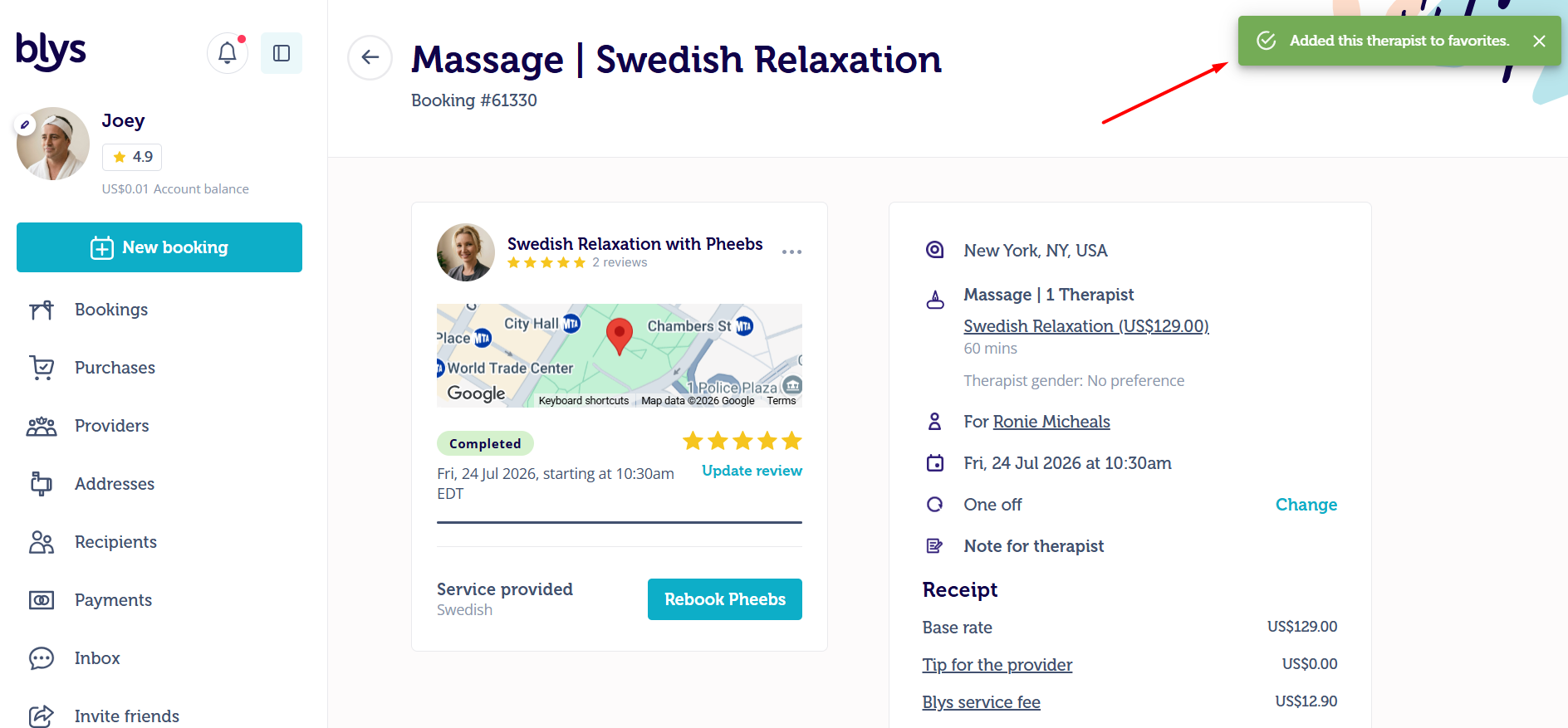
- On your profile, click on Bookings then Past Bookings
- Select your booking with the provider
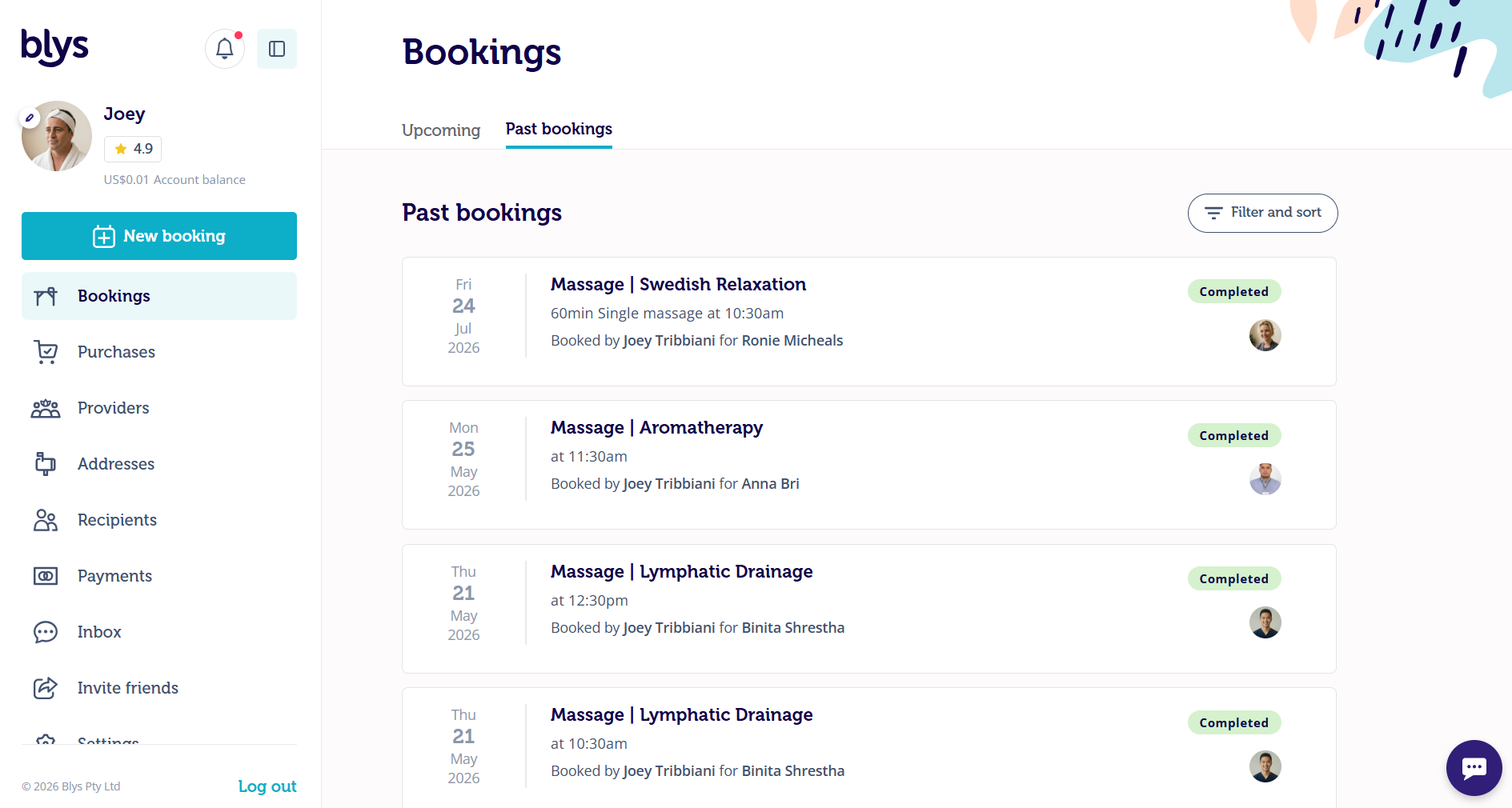
- Click the ellipsis and select add to Favourites.
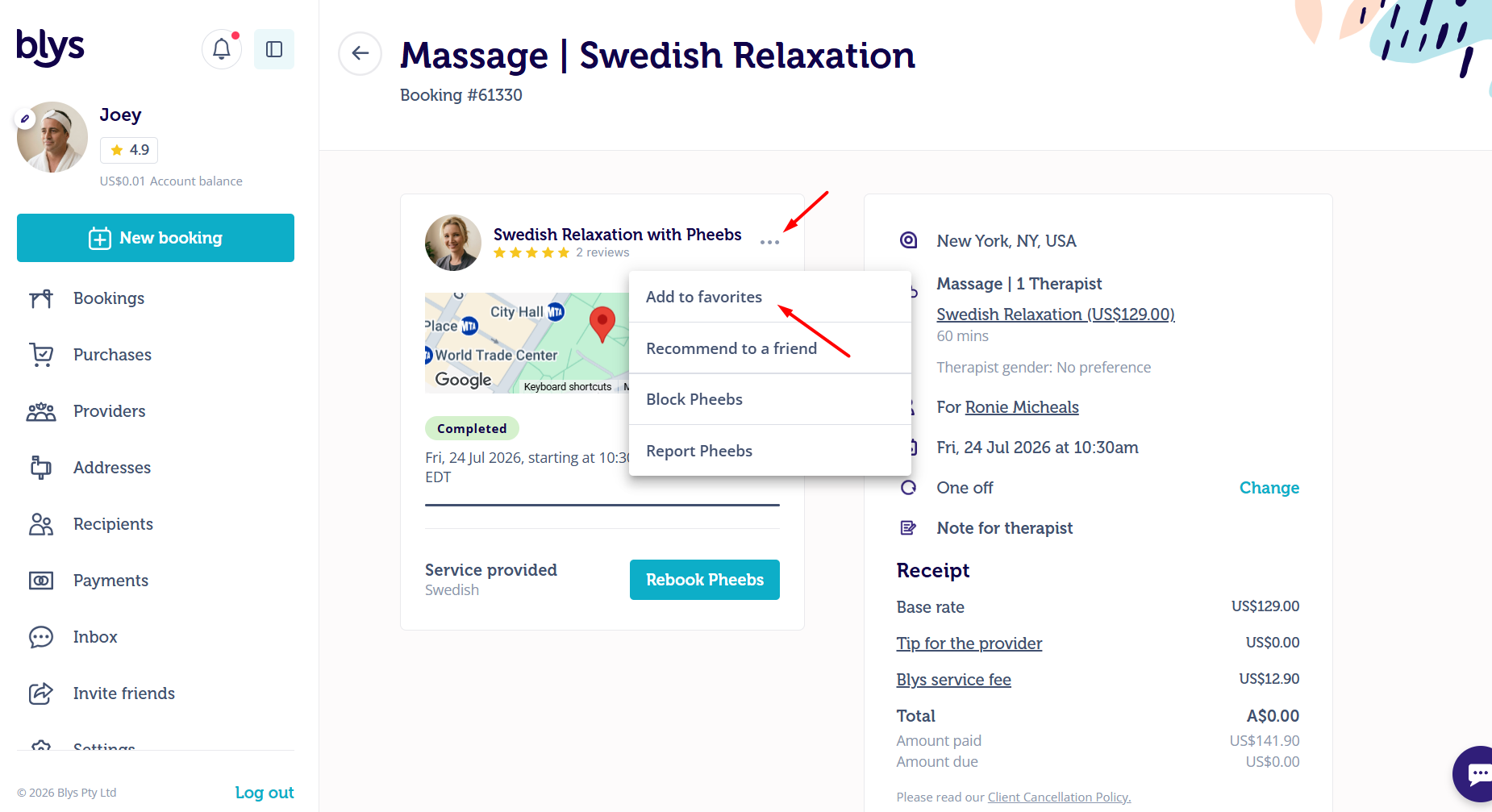
- You'll see the alert on the upper left to confirm your action.
Via App
|
|
|
|
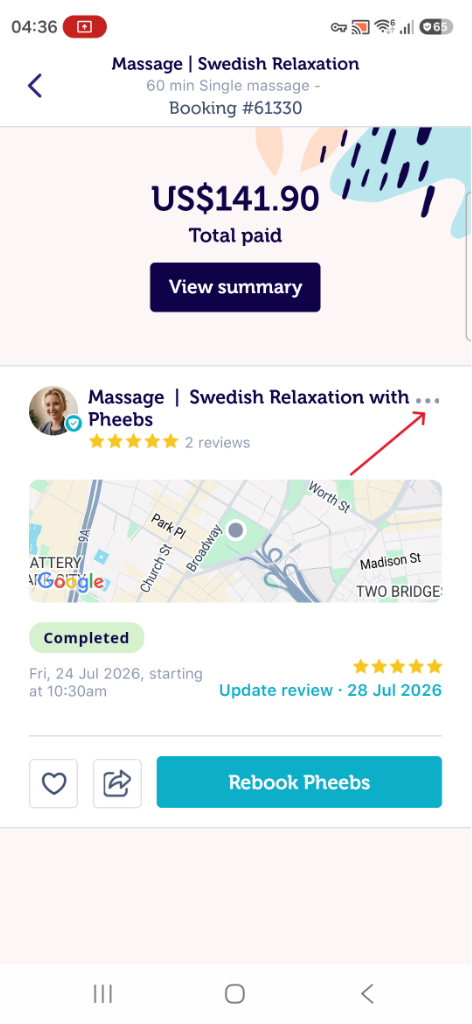
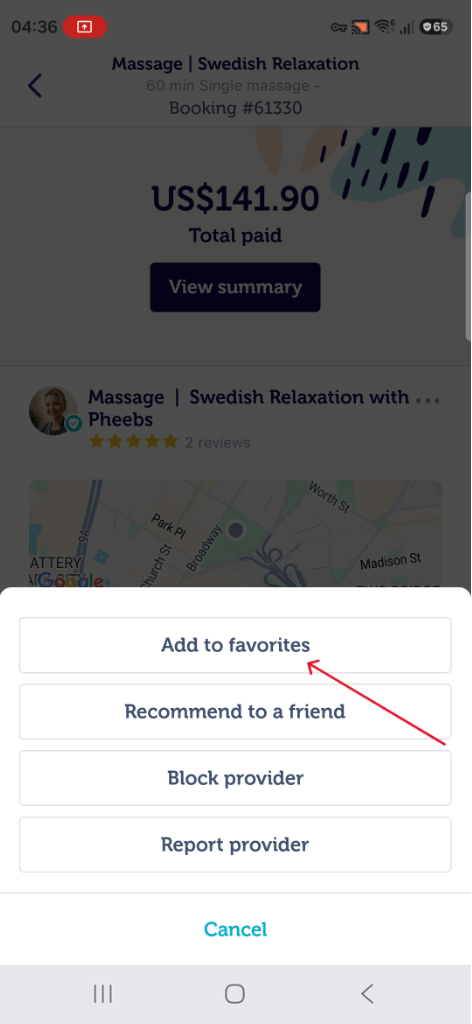
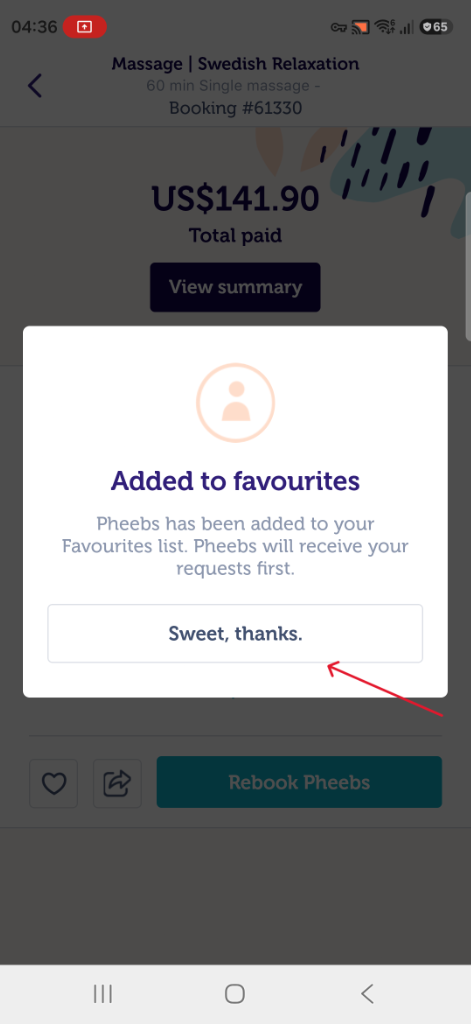
Notify My Favourites Only
You can only notify your favourites while you're booking.
When selecting “First available therapist” during checkout, you may also see a “Notify favourites only” toggle.
This option is available while making a booking and allows you to send the booking request exclusively to therapists saved in your Favourites list, instead of notifying all available therapists nearby. It’s a great way to prioritise therapists you already know and trust.
Please note that enabling this option may reduce therapist availability and could result in longer wait times or fewer booking offers if your favourite therapists are unavailable at your selected time.
Block Provider Feature
You can also block service providers who you may not have loved as much. We know that not everyone is compatible, so blocking a service provider means that you won’t be matched again. It’s subtle, but effective, and ensures that your massage requests will be prioritised to those service providers that you’ve added to your Favourites instead.
When you rate a service provider 1 or 2 stars, we automatically add them to your "Blocked" service providers list in your account. You can also manually block service providers by following the process below.
Via Website
- Go to Past Bookings and select the concerned booking. Click on the three dots, and click on Block provider.
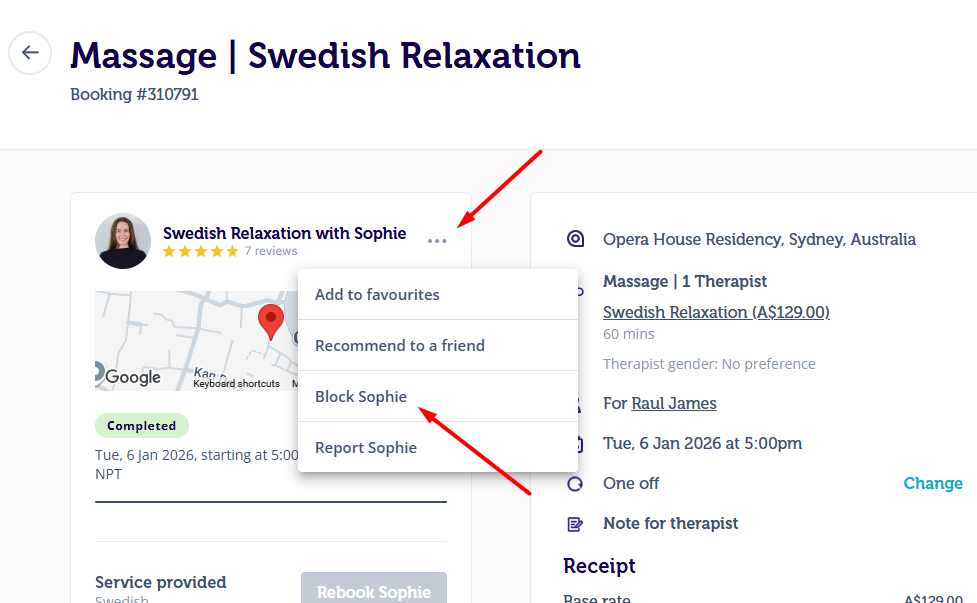
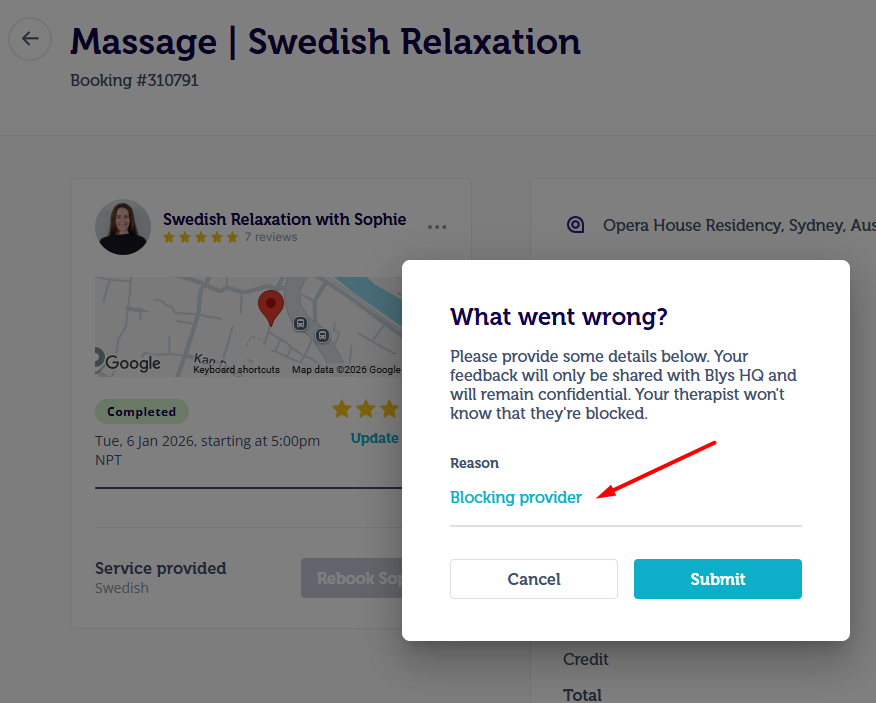
- Add some details on what went wrong and why you’re blocking the provider, and click on Submit. This will not be visible to the provider.
- You can choose how long you would like to block the provider. They won’t be matched with your bookings during this time.
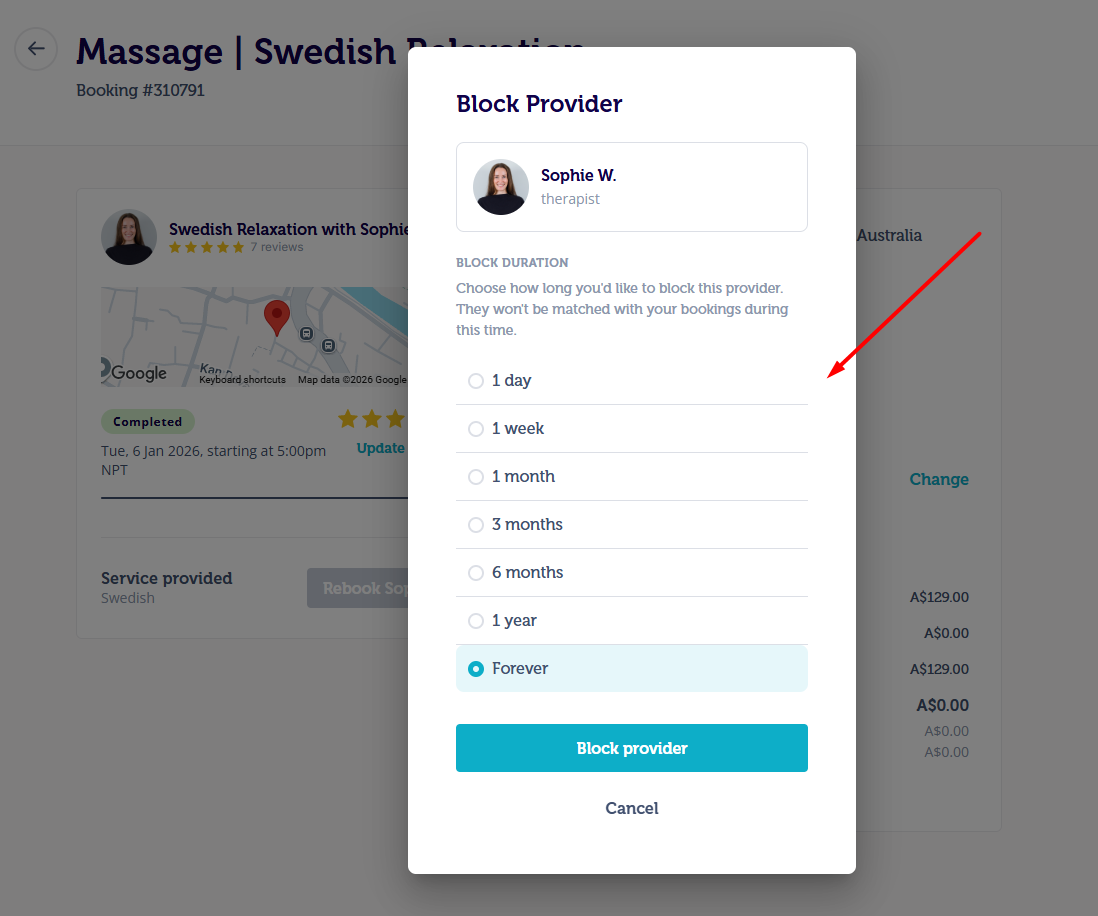
- If you choose to block the provider forever, they will be permanently blocked. However, you can unblock them any time from your settings.
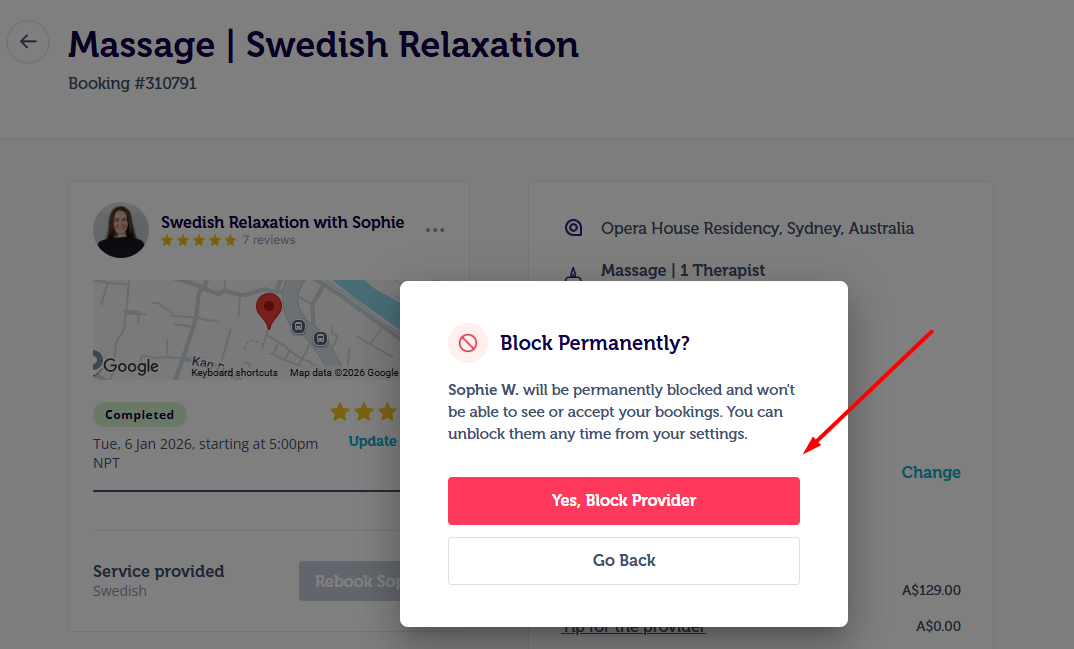
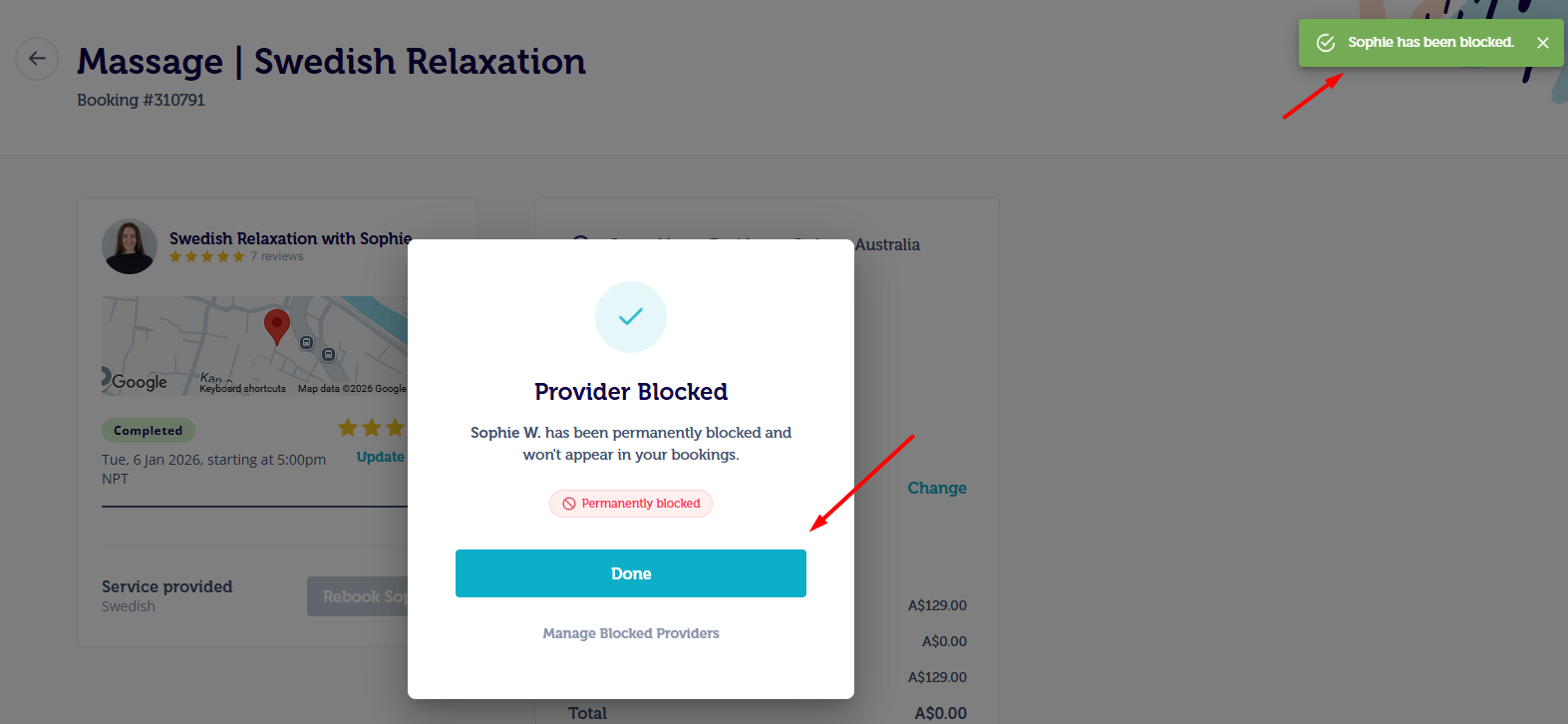
- Once you click on “Yes, Block Provider”, the provider won’t appear in your bookings for as long as you have chosen. ou will be able to view the confirmation on the upper right corner of your screen.
Via App
- On your profile, tap on Bookings then Past Bookings. Select the concerned booking. Tap on the three dots and select “Block provider”.
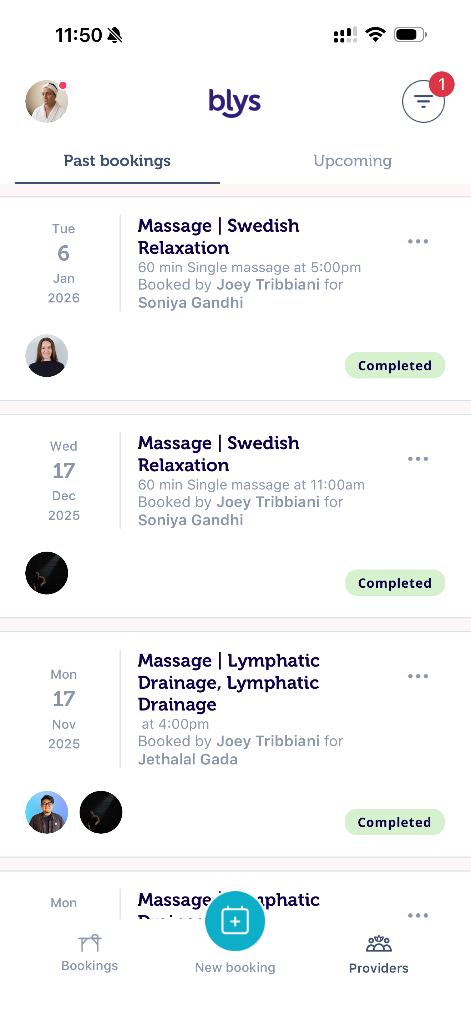
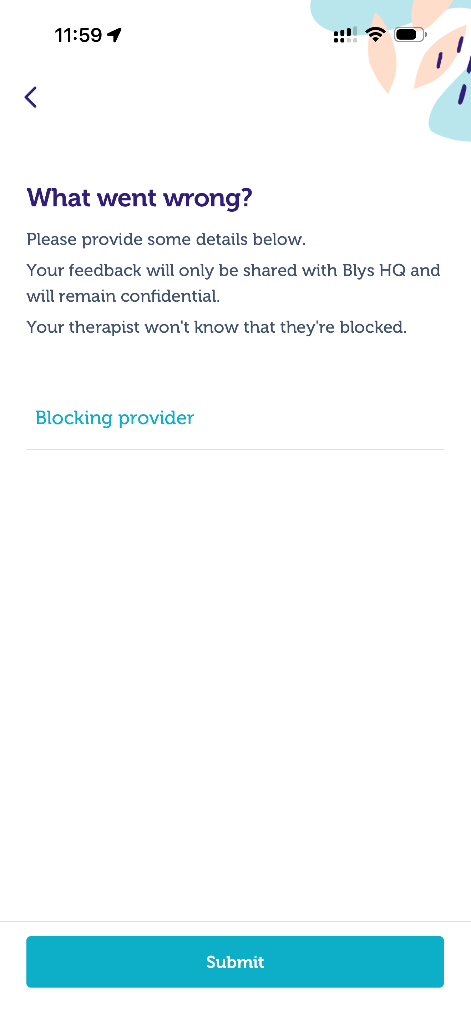
- Add some details on what went wrong and why you’re blocking the provider, and tap on Submit. This will not be visible to the provider.
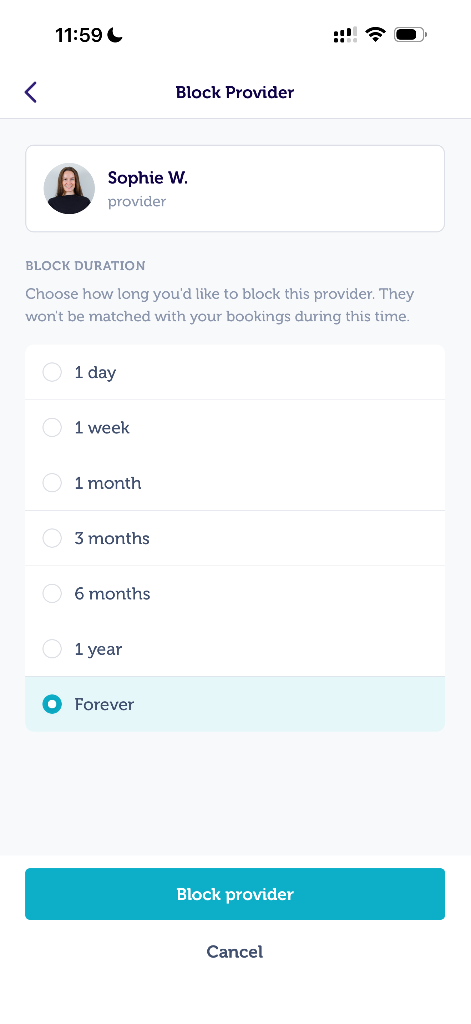
- You can choose how long you would like to block the provider. They won’t be matched with your bookings during this time.
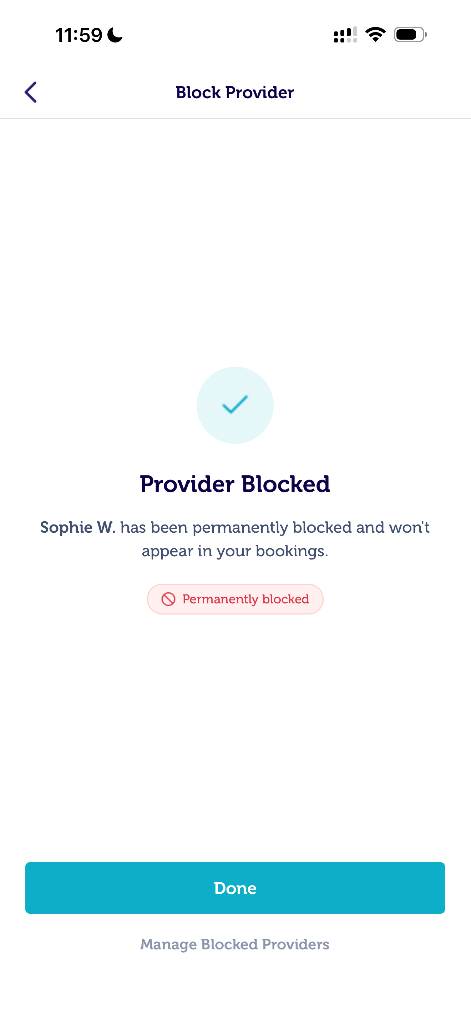
- If you choose to block the provider forever, they will be permanently blocked. However, you can unblock them any time from your settings.
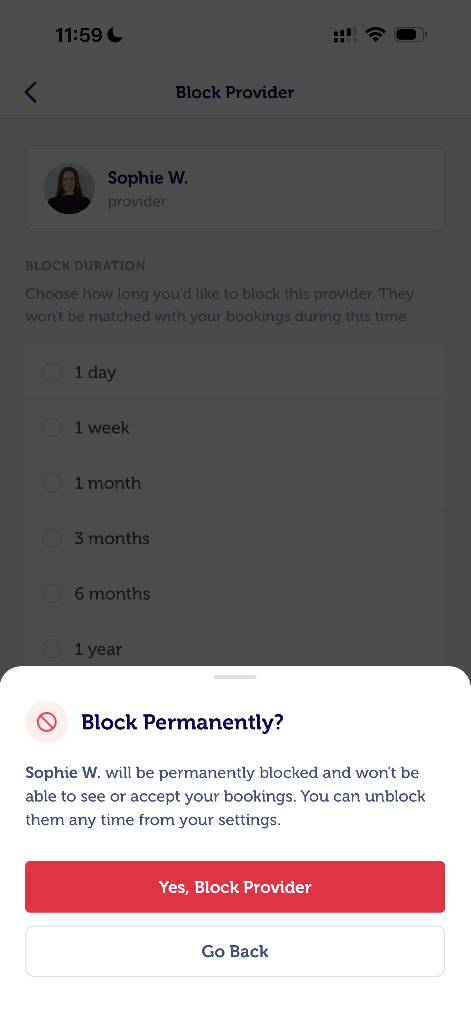
- Once you tap on “Yes, Block Provider”, the provider won’t appear in your bookings for as long as you have chosen.
Unblock the providers
You can also manage and unblock the providers that were previously blocked.
Via App
- Navigate to the Providers tab, and head to Blocked tab where you will be able to see the list of blocked providers.
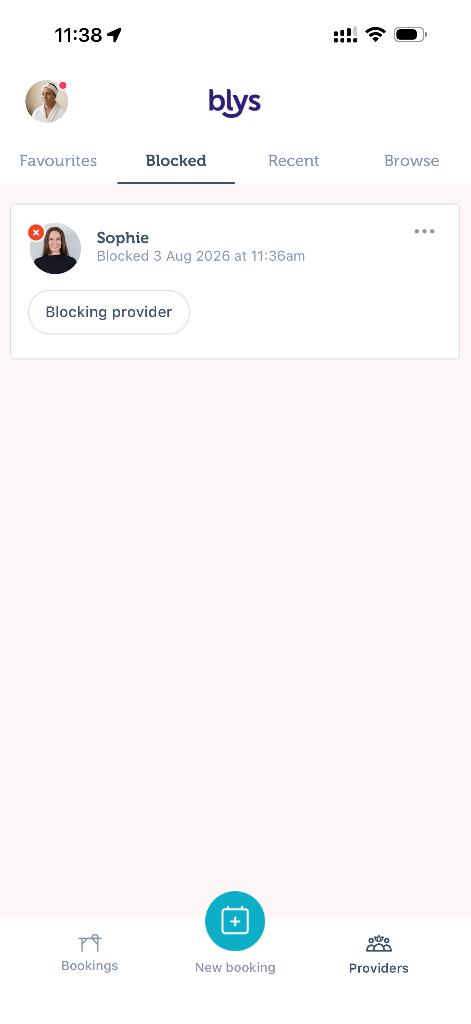
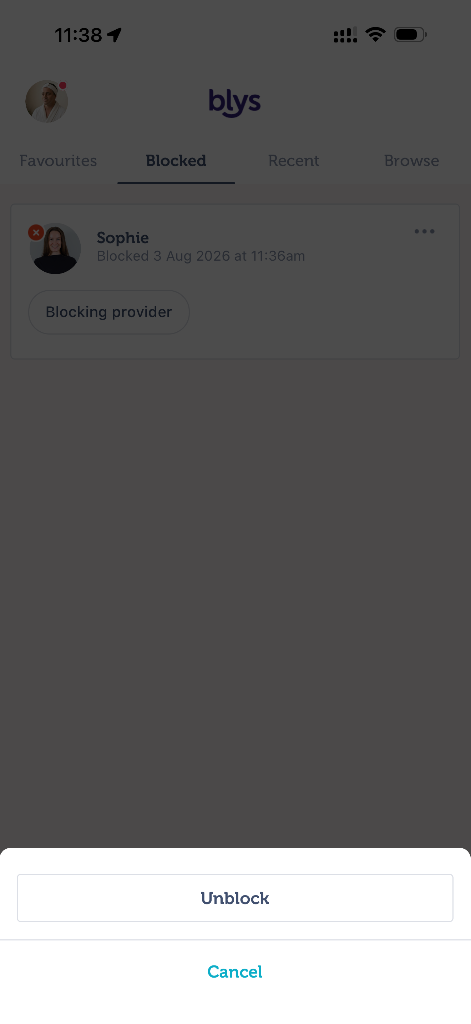
- Tap on the three dots and tap on Unblock to remove the provider from your block list.
Via Web
- Navigate to the Providers tab, and head to Blocked tab where you will be able to see the list of blocked providers.
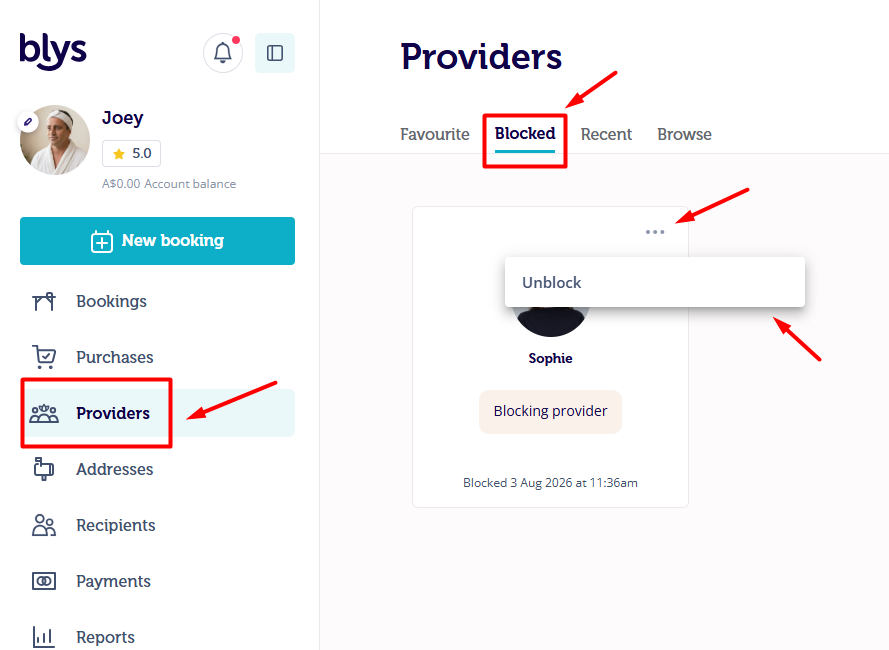
- Click on the three dots and click on Unblock to remove the providers from your block list.