You can pay multiple invoices at once.
Via Web
Please refer to this video tutorial for more clarity on How to pay multiple invoices at once via our web app?
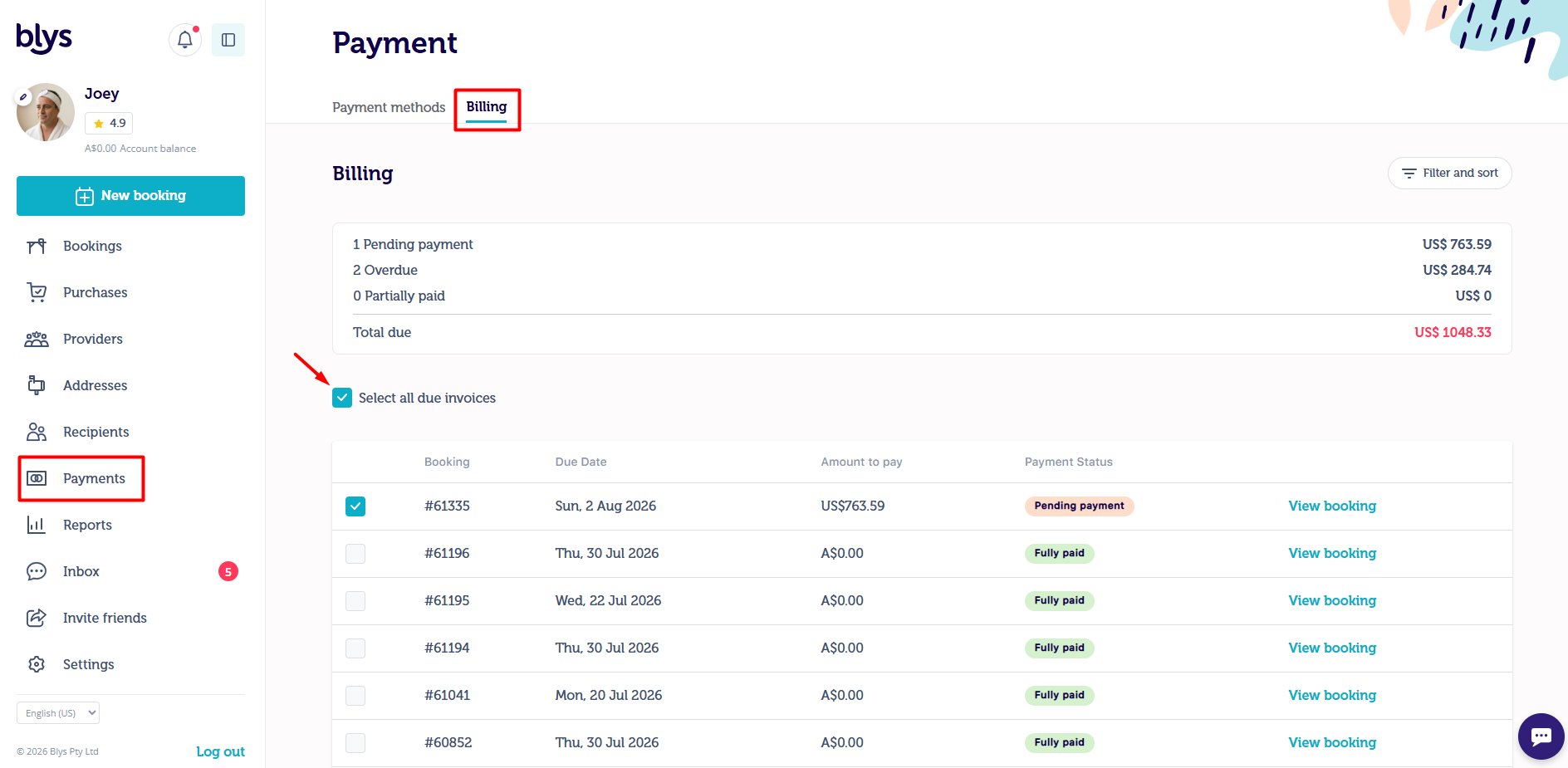
- Log in and navigate to the "Payment" section -> "Billing"
- Click "Select all due invoices" and "Pay online with card".

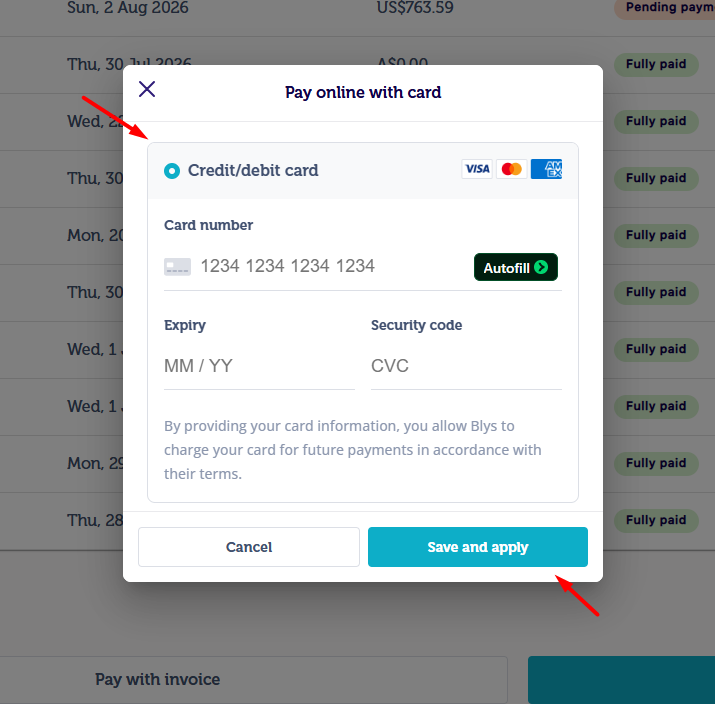
- Once you click "Pay online with card" you can add your card details.
- Click on "Add credit or debit card" and connect your card.
- Once added click on "Save And Apply"
Via App
Please refer to this video tutorial for more clarity on How to pay multiple invoices at once via our mobile app?
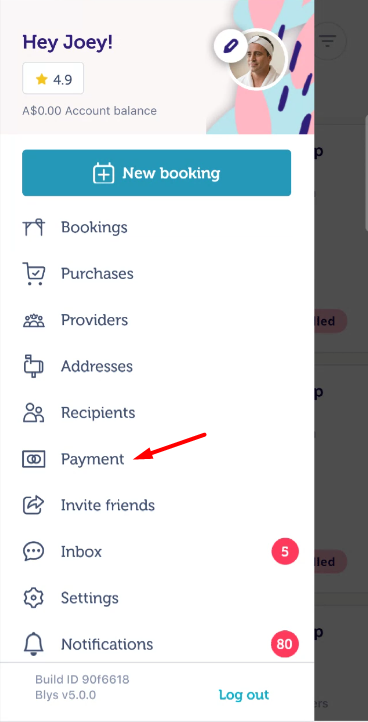
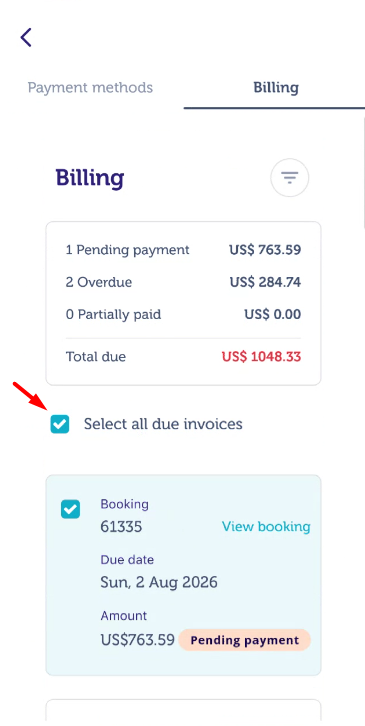
- Click on your profile, select "Payment" and navigate to "Billing"
- Click "Select all due invoices" and "Pay online with card".
|
|
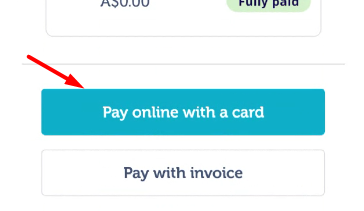
- Once you click "Pay online with card" you can add your card details.
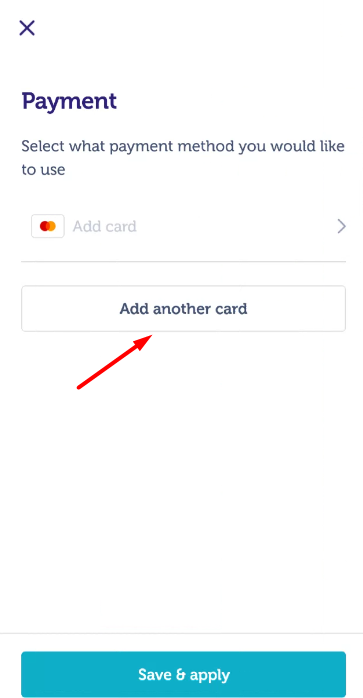
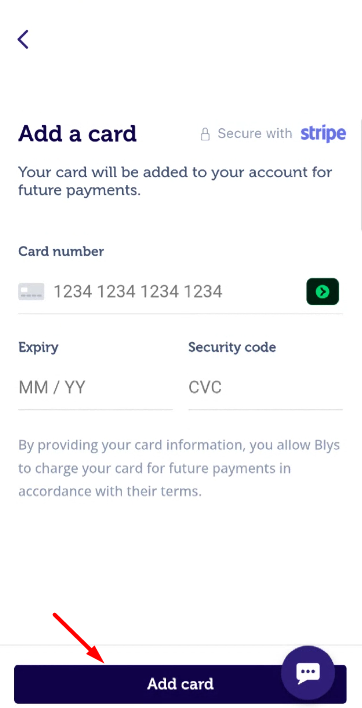
- Click on "Add another card" and connect your card.
- Once you enter all your card details click on "Add card" added then "Save & Apply"
|
|